

Discover how to create an app without coding using no-code platforms, tools, costs, benefits, limitations, and step-by-step process.
Can I Create an App Without Coding?
If you’ve ever asked, can I create an app without coding?, the answer is yes — and it’s easier today than ever before. Thanks to modern no-code and low-code platforms, entrepreneurs, startups, small businesses, and even enterprises can build functional mobile and web applications without writing traditional programming code.
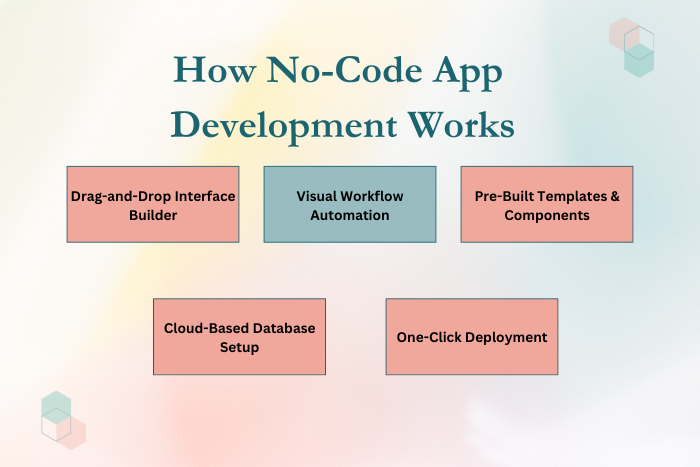
No-code app development platforms allow users to design apps using drag-and-drop builders, visual workflows, and pre-built templates. Instead of manually coding with languages like Swift, Kotlin, or JavaScript, users can configure logic visually, integrate APIs, and deploy applications quickly.
However, while creating an app without coding is possible, it’s important to understand its advantages, limitations, scalability considerations, and cost implications.
This guide explains everything you need to know about building apps without coding — including tools, processes, features, pricing, and whether it’s the right choice for your business.
Why Creating an App Without Coding Is Important
Creating an app without coding has become increasingly popular because it offers:
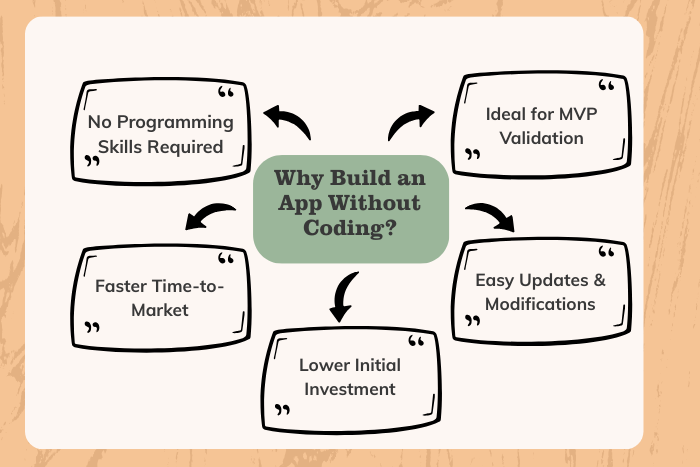
Faster time-to-market
Lower development costs
Reduced dependency on developers
Rapid MVP validation
Easy modifications and updates
Accessibility for non-technical founders
For startups and small businesses, this approach allows testing ideas before investing in full-scale custom development.
However, it’s crucial to evaluate whether a no-code solution aligns with your long-term scalability goals.
Types of No-Code App Development Solutions
Different no-code solutions serve different business needs:
No-Code Mobile App Builders
Drag-and-drop interface
Pre-built templates
App store publishing support
No-Code Web App Builders
Browser-based applications
Dashboard and internal tools
SaaS product prototypes
Low-Code Platforms
Minimal coding required
Greater customization
Enterprise-level integrations
Internal Business Apps
Workflow automation
Data collection apps
CRM or task management tools
Choosing the right solution depends on complexity, scalability, and target users.
Key Features to Create an App Without Coding
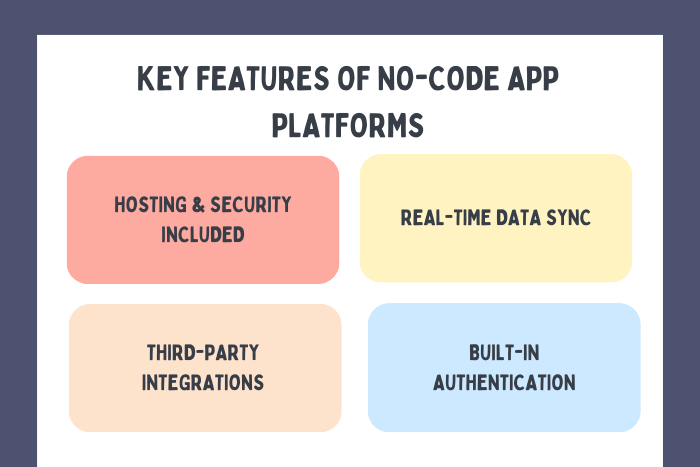
Modern no-code platforms provide:
Drag-and-drop UI builder
Visual workflow automation
Pre-built templates
Cloud hosting
Third-party API integrations
Payment gateway integration
User authentication modules
Database management tools
These features allow rapid app creation without deep programming knowledge.
Development Process
Creating an app without coding follows a structured but simplified process:
Idea Validation & Planning
Define the purpose, target users, and core functionality.Platform Selection
Choose a no-code or low-code platform based on requirements.UI Design Using Templates
Customize layouts, themes, and navigation.Data Model Setup
Configure database fields and relationships.Workflow Automation
Build logic using visual flow editors.Third-Party Integrations
Connect APIs, payment systems, or analytics tools.Testing & Previewing
Test functionality across devices.Deployment
Publish to app stores or deploy as a web app.Ongoing Optimization
Monitor performance and update features.
This simplified lifecycle enables non-technical founders to build and launch apps efficiently.
Technology Stack
A typical no-code app development stack includes:
Front-End Builders:
Drag-and-drop UI editors, template libraries, visual design frameworksBack-End Services:
Cloud-based database management, Firebase-style backend servicesAutomation Tools:
Visual workflow engines, logic buildersIntegration Services:
REST API connectors, Zapier-style automation toolsHosting & Deployment:
Cloud hosting environments, automated publishing systemsSecurity Tools:
SSL encryption, role-based access control, OAuth authentication
While no-code tools hide complexity, they still rely on modern cloud technologies behind the scenes.
Cost Factors of Creating an App Without Coding
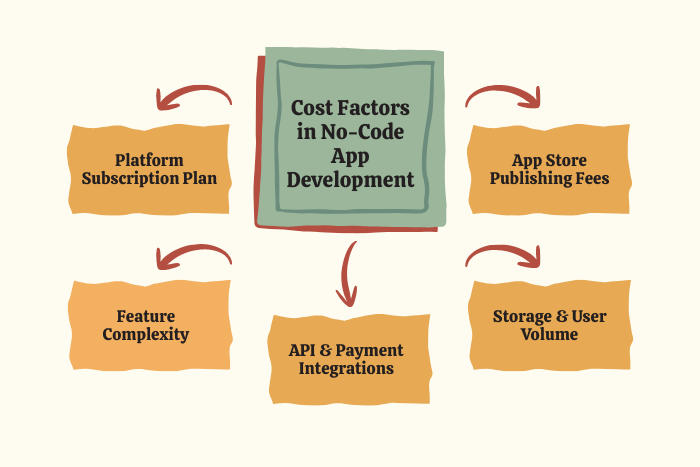
When you create an app without coding, costs depend on:
Platform subscription plan
Number of users
Storage requirements
API integrations
Custom features
Publishing fees (Apple/Google accounts)
Typical pricing:
Basic plans: $20–$50 per month
Professional plans: $50–$200 per month
Enterprise plans: Custom pricing
Additional costs may include:
App Store developer accounts
Premium plugins
Custom domain
Maintenance support
No-code development is cheaper upfront but may incur higher scaling costs later.
Latest Trends in No-Code App Development
The no-code industry is evolving rapidly with:
AI-powered app builders
Automated UI generation
Built-in analytics dashboards
Integrated payment solutions
Low-code hybrid solutions
Enterprise-grade no-code platforms
API-first no-code systems
Cloud-native architecture
AI integration is especially transforming how quickly apps can be generated from simple prompts.
Why Choose Us for No-Code App Development?
While building an app without coding is possible independently, expert guidance ensures scalability and proper architecture.
We help you:
Choose the right no-code platform
Plan scalable data structures
Integrate secure payment systems
Optimize for App Store approval
Ensure performance and reliability
Transition from no-code to custom development when needed
We don’t just help you build an app, we help you build a sustainable digital product.
Ready to build your app without writing code?
Let’s turn your idea into a live application quickly and affordably.
Contact us today for a free consultation.
Key Points :
- Yes, you can create an app without coding using no-code or low-code platforms.
- No-code app builders use drag-and-drop interfaces and visual workflows.
- Creating an MVP without coding helps startups validate ideas quickly.
- No-code development reduces upfront costs compared to custom app development.
- Most no-code platforms support publishing to iOS and Android app stores.
- Scalability may be limited for complex or enterprise-level applications.
- Monthly subscription pricing typically ranges from $20 to $200+.
- No-code apps can integrate APIs, payment gateways, and cloud services.
FAQ's
Yes, no-code platforms allow non-technical users to build apps using visual tools.
They are scalable to a certain extent but may face limitations for complex systems.
Monthly subscriptions range from $20 to $200+, depending on features.
Yes, most platforms support publishing to Apple App Store and Google Play.
Limited customization, scalability constraints, and platform dependency.
It depends on project complexity and long-term growth plans.
Yes, but it may require rebuilding the app architecture.
Startups, small businesses, internal teams, and entrepreneurs testing MVPs.

