



How Do I Create a Mobile App Prototype? Complete Guide
Learn how to create a mobile app prototype step-by-step. Discover tools, process, features, and best practices to validate your app idea before development.
How Do I Create a Mobile App Prototype?
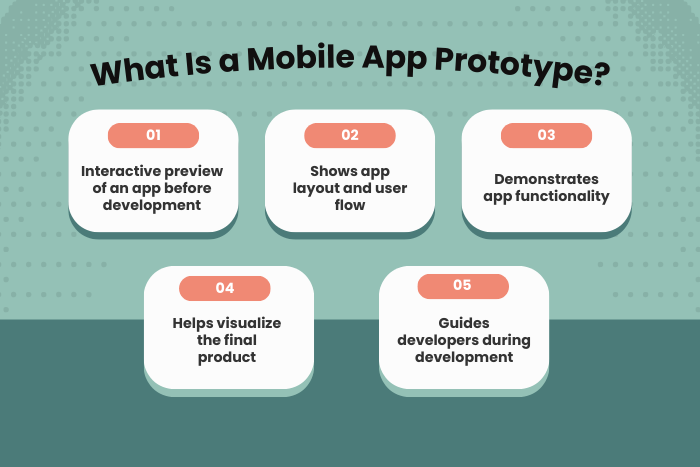
Creating a mobile app prototype is one of the most important steps in modern app development. Before investing time and money into full-scale development, businesses and startups use prototypes to visualize ideas, validate features, and test user experiences. A mobile app prototype acts as an interactive model that demonstrates how an application will function, allowing stakeholders and users to experience the product before it is actually built.
If you are wondering how do I create a mobile app prototype, the process typically involves defining the app concept, designing user flows, building wireframes, and converting them into interactive prototypes using specialized design tools. Prototyping helps identify usability issues early, gather feedback from users, and refine the product before writing any production code.
By creating a prototype first, businesses reduce development risks, improve design decisions, and ensure the final application meets user expectations. Whether you are building a startup MVP, enterprise mobile solution, or SaaS platform, a well-designed prototype provides clarity and direction for the entire development team.
In this guide, we’ll explore the importance of mobile app prototyping, the types of prototypes you can create, the development process, recommended tools, and best practices to build a successful mobile app prototype.
Why Creating a Mobile App Prototype is Important
Mobile app prototyping is a strategic step that bridges the gap between an idea and a fully functional product. Instead of jumping directly into development, prototypes allow teams to visualize the app’s structure, user flow, and functionality.
Here are several reasons why prototyping is essential:
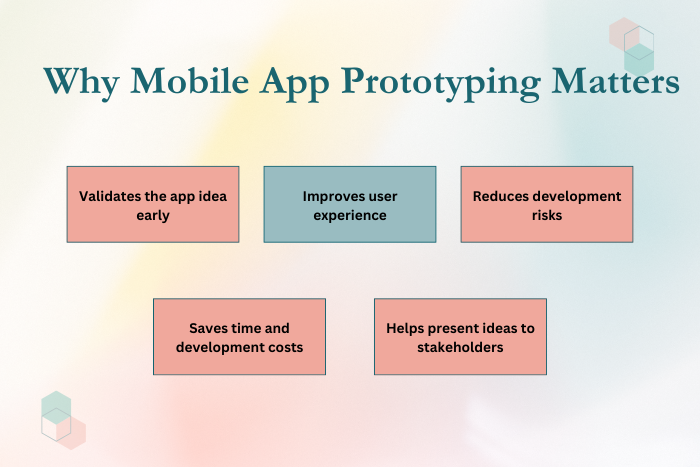
Validates your app idea before development
Prototypes help determine whether the concept is practical and valuable for users.Improves user experience (UX) design
Designers can test layouts, navigation, and interactions before development begins.Reduces development costs
Identifying issues early prevents expensive redesigns during coding.Enhances communication with stakeholders
Prototypes make it easier to present ideas to investors, clients, and team members.Speeds up product development
Developers gain a clear understanding of features and workflows.Helps gather real user feedback
Testing prototypes with real users helps refine the product before launch.
Overall, creating a prototype ensures your mobile application is designed with user needs, technical feasibility, and business goals in mind.
Types of Mobile App Prototype Solutions
Different types of prototypes serve different purposes during the app development lifecycle. Depending on the project stage, you can create various prototype formats.
Low-Fidelity Prototypes
Simple sketches or wireframes that outline the app layout and user flow. These prototypes focus on structure rather than visual design.Wireframe Prototypes
Basic digital layouts showing screens, navigation, and content placement without advanced design elements.Clickable Prototypes
Interactive wireframes that allow users to navigate between screens and simulate basic interactions.High-Fidelity Prototypes
Detailed prototypes that closely resemble the final application, including animations, UI design, and real interactions.Proof of Concept (PoC)
Demonstrates whether the core technology or functionality is feasible before full development.MVP Prototype
A simplified version of the app focusing only on essential features to test market demand.
Each type of prototype plays a role in validating the product concept and improving the design before launching development.
Key Features of an Effective Mobile App Prototype
A successful mobile app prototype should simulate the real application as closely as possible while remaining flexible for improvements.
Important features include:
Interactive user interface that mimics real app behavior
Clear navigation and user flow between screens
Clickable buttons and simulated interactions
Visual design representing the final UI
Responsive layouts for different screen sizes
Integration of animations and transitions
Easy sharing with stakeholders and testers
Ability to collect user feedback and insights
These features help designers and developers evaluate usability, functionality, and overall product experience before writing code.
Mobile App Prototype Development Process
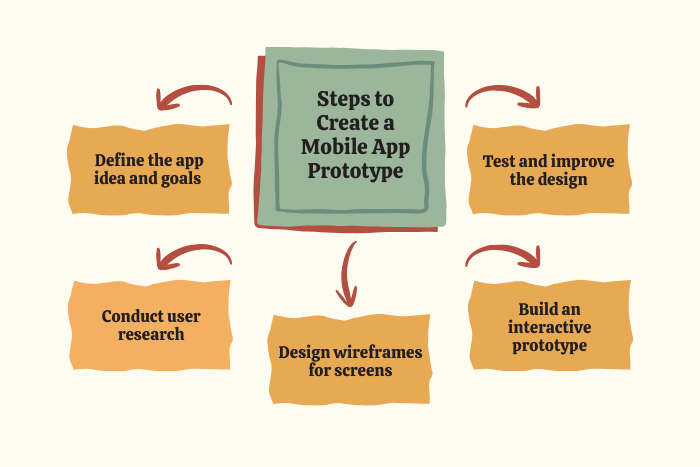
Creating a mobile app prototype involves several structured steps that transform an idea into an interactive model.
Define the App Concept and Goals
Identify the core problem your app solves, the target audience, and the key objectives of the product.Conduct User Research
Study user behavior, preferences, and pain points to design a product that delivers real value.Create User Personas and App Flow
Develop user personas and map the journey users will follow inside the application.Design Wireframes
Sketch basic layouts of screens including navigation, buttons, menus, and content placement.Choose a Prototyping Tool
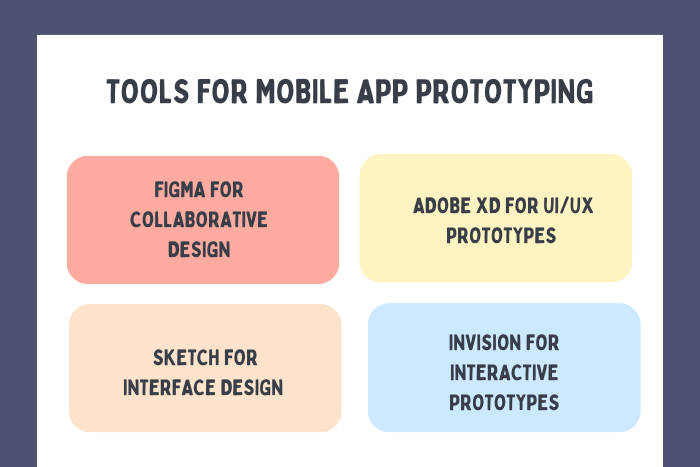
Use tools like Figma, Adobe XD, Sketch, or InVision to convert wireframes into interactive prototypes.Build Interactive Screens
Connect screens with clickable interactions, animations, and transitions.Test the Prototype with Users
Collect feedback through usability testing sessions and identify design improvements.Refine and Improve the Prototype
Analyze feedback, fix usability issues, and enhance the user experience before development begins.
Following this structured process ensures your prototype effectively represents the final application.
Technology Stack for Mobile App Prototyping
Modern design and development tools simplify the process of creating high-quality prototypes.
- Design Tools: Figma, Adobe XD, Sketch, InVision
- Wireframing Tools: Balsamiq, Whimsical, MockFlow
- Collaboration Tools: Notion, Slack, Miro
- Testing Tools: Maze, Lookback, UsabilityHub
- Development Preview Tools: React Native preview tools, Flutter preview environments
- Cloud Storage: Google Drive, Dropbox, GitHub
These tools allow designers, developers, and stakeholders to collaborate efficiently during the prototyping phase.
Cost Factors in Creating a Mobile App Prototype
The cost of building a mobile app prototype varies depending on several factors:
App complexity and number of features
Number of screens and user flows
Level of prototype fidelity (low, medium, high)
Custom UI/UX design requirements
Tools and software used for prototyping
User testing and feedback sessions
Integration with existing systems
A basic prototype with a few screens may cost significantly less than a high-fidelity prototype with detailed animations and complex interactions. However, investing in a quality prototype can save significant development costs later.
Latest Trends in Mobile App Prototyping
Mobile app prototyping continues to evolve with new technologies and design methodologies.
Some of the latest trends include:
AI-assisted UI and UX design tools
No-code and low-code prototyping platforms
Real-time collaborative design environments
Interactive prototypes with micro-animations
Voice interface prototyping for voice-enabled apps
AR and VR interface prototyping
Automated usability testing tools
Design systems for scalable product design
These innovations help teams build prototypes faster while improving product quality and usability.
Why Choose Us for Mobile App Prototype Development?
Choosing the right partner for prototyping can significantly impact the success of your mobile application. Our team focuses on creating interactive prototypes that validate ideas, improve usability, and accelerate development.
Here’s why businesses choose our prototyping services:
User-Focused Design Approach – We design prototypes based on real user research and usability principles.
Rapid Prototype Development – Fast turnaround times that allow businesses to test ideas quickly.
Interactive and Realistic Prototypes – High-fidelity prototypes that closely simulate the final mobile app.
Modern Design Tools and Technologies – Expertise with industry-leading prototyping tools and frameworks.
Collaborative Development Process – Continuous feedback loops with clients and stakeholders.
Scalable Product Planning – Prototypes designed to smoothly transition into full development.
Startup and Enterprise Experience – Proven experience working with both startups and large organizations.
End-to-End App Development Support – From prototype creation to full product launch.
Ready to turn your mobile app idea into a working prototype?
Let’s build an interactive prototype that validates your concept and attracts investors.
Contact us today for a free consultation and customized quote.
Key Points :
- A mobile app prototype is an interactive model that demonstrates how an application will look and function before full development begins.
- Creating a prototype helps validate ideas, improve UX, and identify issues early in development.
- Common types of mobile app prototypes include low-fidelity wireframes, and clickable prototypes.
- The mobile app prototyping process typically includes idea validation, user research, wireframing, interactive design, testing, and refinement.
- Prototyping reduces development risks and costs by detecting technical and design problems.
- A well-designed prototype improves communication and ensures the final app meets user expectations.
FAQ's
A mobile app prototype is an interactive model of an application that simulates its design, functionality, and user experience before full development begins.
Creating a prototype helps validate your app idea, improve user experience, gather feedback, and reduce development risks.
Popular tools include Figma, Adobe XD, Sketch, InVision, and Balsamiq.
A simple prototype may take a few days, while a high-fidelity prototype with complex interactions may take several weeks.
A prototype is used to test design and usability, while an MVP (Minimum Viable Product) is a functional version of the app released to real users.
Yes. Usability testing with real users helps identify design improvements before development.
Yes. Prototypes help startups validate ideas, attract investors, and refine product features before building the app.
Yes. Developers use the prototype as a blueprint when building the final mobile application.
