



Learn how to design a mobile app UI/UX with best practices, tools, process, costs, and trends. Create intuitive, user-friendly mobile experiences.
How Do I Design a Mobile App UI/UX?
If you’re asking, “How do I design a mobile app UI/UX?”, you’re focusing on one of the most critical factors behind app success. A well-designed mobile app isn’t just visually appealing — it’s intuitive, fast, accessible, and aligned with user behavior. UI (User Interface) design shapes how your app looks, while UX (User Experience) design defines how it feels and functions.
In today’s competitive digital landscape, users abandon apps within seconds if navigation feels confusing or performance lags. Designing a mobile app UI/UX requires user research, wireframing, prototyping, usability testing, and continuous iteration. It involves understanding mobile-specific behaviors such as touch gestures, screen limitations, context of use, and device diversity.
Whether you’re building a startup MVP, eCommerce app, SaaS platform, or enterprise solution, strategic UI/UX design ensures higher engagement, improved retention rates, and stronger brand perception. This comprehensive guide explains how to design a mobile app UI/UX effectively — covering best practices, processes, tools, costs, and modern design trends.
Why Mobile App UI/UX Design Is Important
Mobile users expect seamless, frictionless experiences. A strong UI/UX strategy directly impacts business growth.
Here’s why mobile app UI/UX design matters:
Increases user engagement and retention
Reduces bounce and uninstall rates
Improves customer satisfaction
Enhances brand credibility
Boosts conversion rates
Reduces development rework through early validation
Improves app store ratings and reviews
Even the most innovative app idea can fail without intuitive design. Investing in professional UI/UX design ensures your app is user-centered, accessible, and performance-optimized.
Types of Mobile Application UI/UX Design Solutions
Different app goals require different UI/UX approaches.
Startup MVP UI/UX Design
Lean and minimal design focused on validating user flows quickly.eCommerce App Design
Conversion-focused layouts with seamless checkout and product navigation.SaaS Product UI/UX
Dashboard-driven interfaces with advanced usability and scalability.On-Demand App UI/UX
Real-time booking flows, geolocation integration, and intuitive interactions.Enterprise Mobile UI/UX
Data-heavy interfaces optimized for productivity and performance.Redesign & UX Optimization
Improving existing apps through usability audits and redesign strategies.
Each solution is tailored to user behavior, industry standards, and business objectives.
Key Features of Effective Mobile App UI/UX Design
A high-performing mobile UI/UX includes:
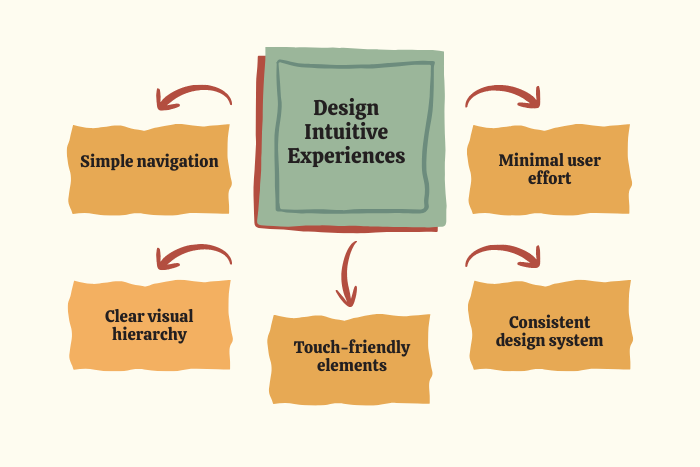
Clear visual hierarchy
Intuitive navigation patterns
Consistent color schemes and typography
Touch-friendly elements and gestures
Minimal cognitive load
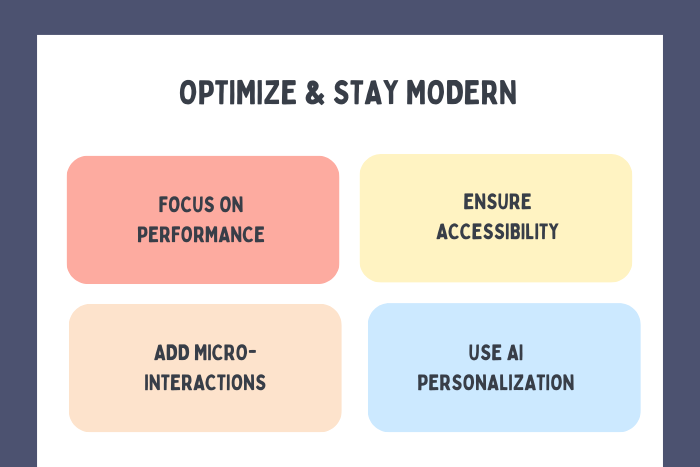
Fast loading and smooth transitions
Accessibility compliance (contrast, readable fonts)
Micro-interactions for feedback
Personalized user flows
Responsive and adaptive layouts
Effective design balances aesthetics with functionality to create seamless user experiences.
Development Process
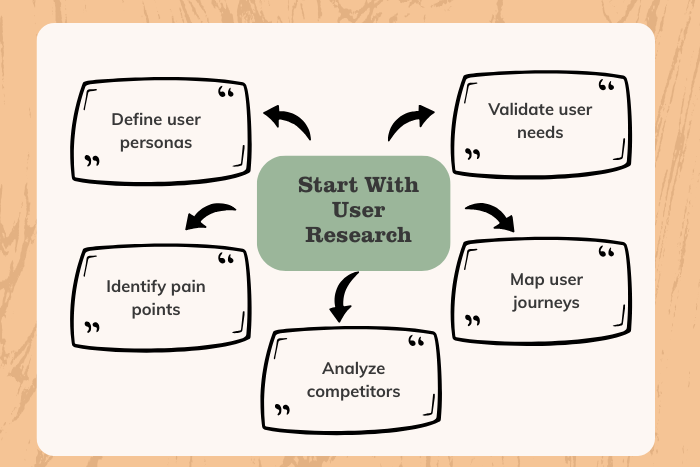
User Research & Persona Creation
Understand user needs, pain points, goals, and behavioral patterns through surveys and competitor analysis.Information Architecture Planning
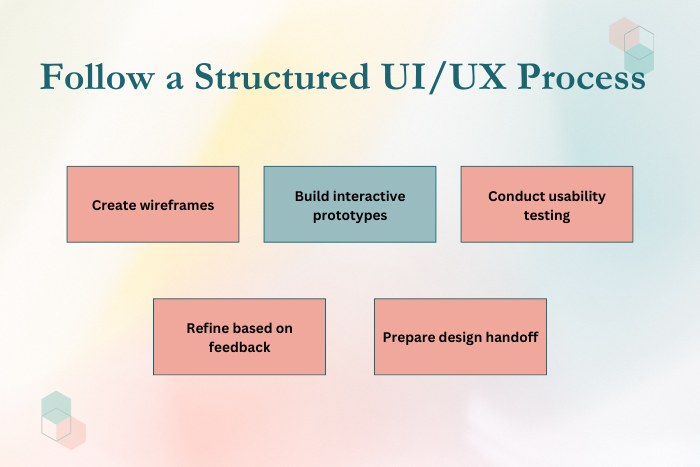
Structure content logically to ensure intuitive navigation and minimal friction.Wireframing & User Flow Mapping
Design low-fidelity wireframes and map user journeys to validate layout structure.Interactive Prototyping
Create clickable prototypes to simulate real app behavior before development.Visual UI Design
Develop color systems, typography, iconography, and brand-aligned components.Usability Testing
Conduct user testing to identify usability gaps and optimize workflows.Design Handoff to Development
Provide detailed design specifications and style guides for smooth implementation.Post-Launch UX Optimization
Analyze user behavior data and continuously improve performance and usability.
A structured design process ensures user-centered results while minimizing redesign costs.
Technology Stack for Mobile App UI/UX Design
Modern tools enhance efficiency and collaboration in UI/UX design.
Design Tools: Figma, Adobe XD, Sketch
Prototyping Tools: InVision, Marvel, Framer
User Research Tools: Hotjar, Maze, Google Analytics
Collaboration Tools: Zeplin, Miro, Notion
Mobile Frameworks: React Native, Flutter, Swift, Kotlin
Design Systems: Material Design, Human Interface Guidelines
Choosing the right design and development tools improves workflow efficiency and cross-team collaboration.
Cost Factors in Mobile App UI/UX Design
UI/UX design costs depend on several variables:
App complexity and number of screens
Custom animations and micro-interactions
User research depth
Prototyping level (low vs high fidelity)
Platform coverage (iOS, Android, Web)
Accessibility compliance requirements
Brand identity customization
Iteration cycles and usability testing
Estimated UI/UX Design Cost Ranges:
Basic MVP Design: $3,000 – $8,000
Mid-Level App Design: $8,000 – $20,000
Complex or Enterprise Design: $20,000+
Investing in UI/UX design early reduces long-term development and redesign costs.
Latest Trends
Mobile UI/UX evolves constantly. Key trends include:
Dark mode optimization
Minimalist and clean interfaces
AI-driven personalization
Gesture-based navigation
Micro-interactions and animations
Voice and conversational UI
Glassmorphism and neumorphism design styles
Inclusive and accessible design practices
Motion-based feedback systems
Adopting modern design trends enhances engagement and keeps your app competitive.
Why Choose Us for Mobile App UI/UX Design?
Designing a mobile app UI/UX requires both creativity and strategic thinking. We combine research-driven design with performance optimization to deliver measurable results.
Here’s what sets us apart:
User-Centered Design Approach – Every decision is backed by research and testing.
Conversion-Focused Interfaces – Designed to drive engagement and revenue.
Scalable Design Systems – Future-proof layouts for easy feature expansion.
Cross-Platform Expertise – Seamless UI/UX across iOS and Android.
Agile Collaboration Model – Transparent communication and milestone tracking.
Continuous Optimization – Post-launch UX improvements based on analytics.
We don’t just design interfaces — we create intuitive digital experiences that support business growth.
Ready to design a high-performing mobile app UI/UX?
Let’s create an intuitive and visually compelling mobile experience.
Contact us today for a free design consultation.
Key Points :
- Step-by-step guide explaining how to design a mobile app UI/UX from research to post-launch optimization.
- Covers essential UI/UX principles including user research, wireframing, prototyping, and usability testing.
- Highlights mobile-first design best practices for iOS and Android applications.
- Explains key features of intuitive, user-centered mobile app interfaces.
- Breaks down UI/UX design cost factors and estimated pricing ranges.
- Includes modern design trends such as dark mode, AI personalization, and micro-interactions.
- Conversion-focused content with strong CTAs for businesses seeking professional mobile UI/UX design services.
FAQ's
Start with user research, define personas, create wireframes, build prototypes, conduct usability testing, and refine designs before development.
UI focuses on visual elements like layout and colors, while UX focuses on user journey, usability, and interaction flow.
Design timelines range from 3–8 weeks depending on complexity and number of screens.
Popular tools include Figma, Adobe XD, Sketch, InVision, and Framer.
Costs vary based on complexity, features, and customization level but typically range from $3,000 to $20,000+.
Testing identifies usability issues early, reducing redesign costs and improving user satisfaction.
Yes. We offer end-to-end services from UI/UX strategy and design to full app development and post-launch optimization.
