
Learn how to develop an app for beginners with step-by-step guidance, tools, technologies, and tips to build your first mobile application.
How Do I Develop an App for Beginners?
Developing a mobile application may seem complex at first, but with the right guidance and tools, beginners can successfully create their first app. If you are asking how do I develop an app for beginners, the process typically starts with defining an idea, designing the user interface, selecting the right development tools, and gradually building and testing the application.
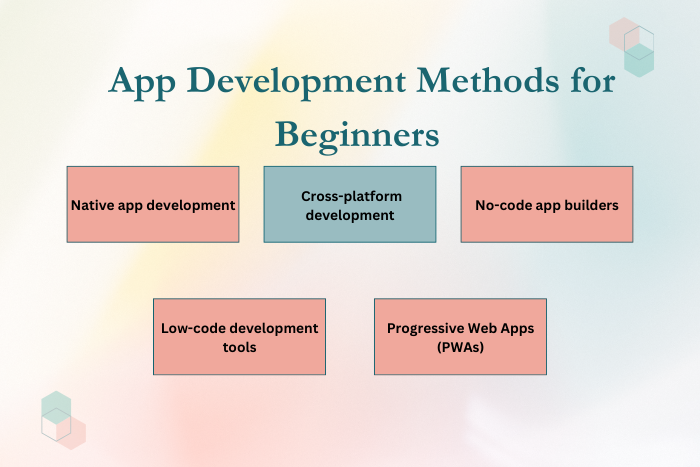
Today, app development has become more accessible than ever. Beginners can choose from multiple approaches such as native development, cross-platform frameworks, and no-code app builders. Modern tools and frameworks like Flutter, React Native, and Android Studio allow new developers to build functional apps without needing years of experience.
Understanding the basics of app development helps beginners transform their ideas into real products. Whether you want to build a personal project, launch a startup app, or learn mobile development skills, following a structured development process is essential.
In this guide, we will explore how beginners can start building apps, the tools and technologies involved, common development approaches, and best practices for launching a successful application.
Why Learning App Development is Important for Beginners
Mobile apps have become an essential part of modern digital ecosystems. Learning how to develop apps opens many opportunities for individuals and businesses.
Here are some reasons why beginners should consider learning app development:
High Demand for Mobile Apps
Businesses across industries rely on mobile applications to reach customers.Career Opportunities in Tech
Mobile development skills are highly valued in the technology industry.Ability to Build Your Own Products
Developers can transform their ideas into real applications.Entrepreneurship Opportunities
Many startups begin with a simple mobile application idea.Continuous Learning and Innovation
App development encourages problem-solving and creative thinking.
Understanding app development basics can help beginners enter the growing technology market.
Types of Solutions to Develop an App for Beginners
Beginners can choose from several development approaches depending on their skills and project requirements.
Native App Development
Native development involves building applications specifically for a single platform.
Android apps developed using Kotlin or Java
iOS apps developed using Swift
Best performance and device compatibility
Cross-Platform App Development
Cross-platform frameworks allow developers to build apps for both Android and iOS using a single codebase.
Flutter (Dart)
React Native (JavaScript)
Xamarin (.NET / C#)
This method is beginner-friendly and efficient.
No-Code and Low-Code Development
Beginners without coding experience can use app builders.
Drag-and-drop interfaces
Faster development process
Suitable for simple applications
Progressive Web Apps (PWAs)
PWAs behave like mobile apps but run in web browsers.
Built using HTML, CSS, and JavaScript
Lower development complexity
Choosing the right development method depends on your goals and technical experience.
Key Features to Develop an App for Beginners
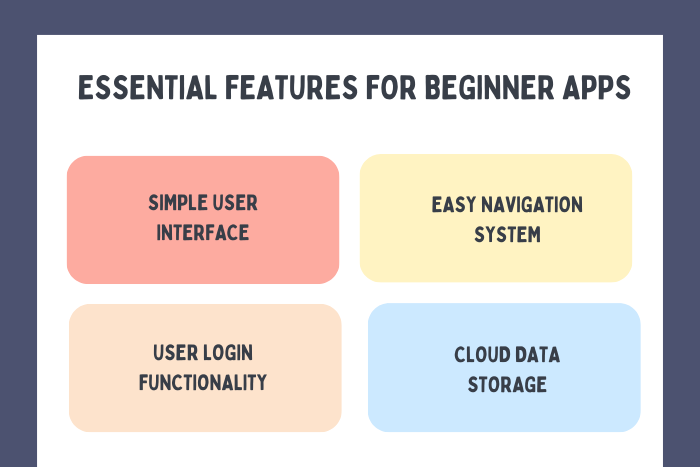
When developing your first application, it is important to focus on essential features rather than complex functionality.
Important beginner-friendly features include:
Simple and intuitive user interface
Basic navigation between screens
User registration or login system
Data storage and retrieval functionality
Push notifications
Responsive design for multiple devices
Integration with APIs or cloud services
Basic security and authentication features
These features help beginners build functional applications while learning development fundamentals.
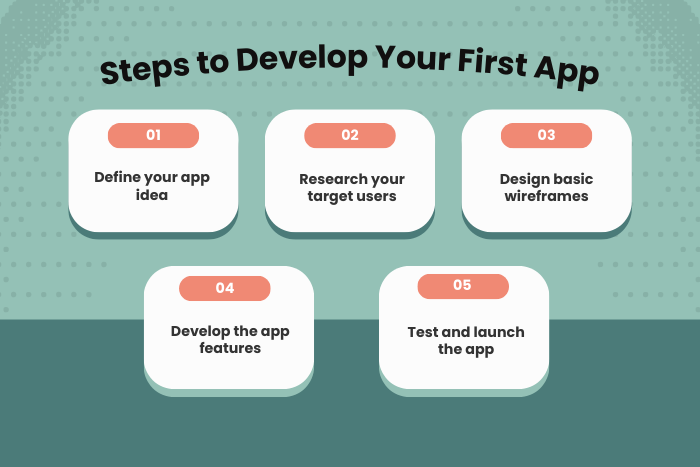
App Development Process for Beginners
Following a structured process helps beginners build apps efficiently.
Define the App Idea
Identify the problem your app will solve and define its core purpose.
Conduct Market Research
Study similar apps and understand user needs.
Design Wireframes and UI
Create basic layouts that define how users will interact with the app.
Choose the Development Approach
Decide whether to use native, cross-platform, or no-code tools.
Start App Development
Implement app functionality using chosen technologies.
Test the Application
Test the app for usability, bugs, and performance issues.
Publish the App
Submit the application to app stores like Google Play or Apple App Store.
Update and Improve
Collect user feedback and release updates with improvements.
Following this process helps beginners build apps step-by-step.
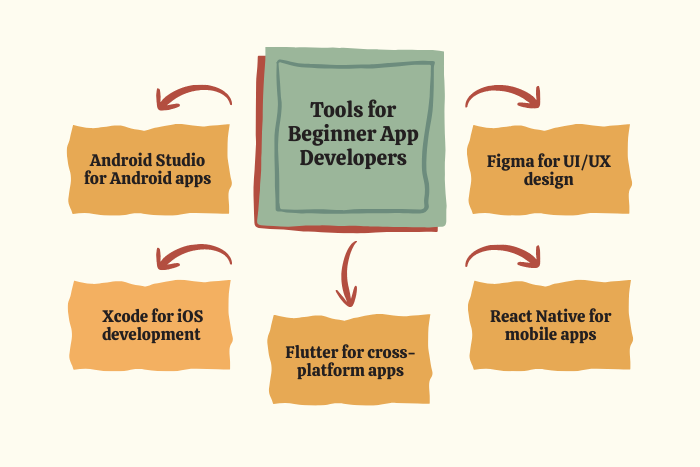
Technology Stack for Beginner App Development
A beginner-friendly technology stack makes easier and more efficient to develop an app for beginners.
- Mobile Development Languages: Kotlin, Java, Swift, Dart
- Cross-Platform Frameworks: Flutter, React Native, Xamarin
- Frontend Technologies: HTML5, CSS3, JavaScript
- Backend Technologies: Node.js, Python, PHP
- Databases: Firebase, MongoDB, MySQL, SQLite
- Design Tools: Figma, Adobe XD, Sketch
- Testing Tools: Postman, Firebase Test Lab
- Cloud Platforms: AWS, Google Cloud Platform, Microsoft Azure
These technologies provide a solid foundation for beginners entering mobile development.
Cost Factors for Beginner App Development
The cost of developing an app varies depending on the project’s complexity and tools used.
Key cost factors include:
App complexity and number of features
Platform choice (Android, iOS, or both)
UI/UX design requirements
Third-party API integrations
Backend infrastructure and cloud services
Development team expertise
Testing and quality assurance
Beginners often start with simple projects or MVPs to reduce development costs.
Latest Trends to Develop an App for Beginners
Several trends are making app development more accessible for beginners.
Growth of no-code and low-code platforms
Increasing adoption of cross-platform frameworks
Use of AI-assisted coding tools
Expansion of cloud-based mobile backend services
Integration of AI and machine learning features
Development of progressive web apps (PWAs)
Improved developer tools and frameworks
Growth of open-source libraries and community support
These innovations help beginners develop apps more efficiently.
Why Choose Us for App Development Services?
Choosing the right development partner can help beginners turn their ideas into successful applications.
Here’s why businesses and startups choose our services:
Beginner-Friendly Development Guidance – We help clients understand the entire app development process.
Experienced Mobile App Developers – Skilled teams working with modern technologies.
Custom App Development Solutions – Applications tailored to your business goals.
Modern Technology Stack – Use of industry-leading frameworks and tools.
Scalable Application Architecture – Apps designed for future growth.
Secure Development Practices – Implementation of industry-standard security protocols.
Agile Development Workflow – Transparent processes with continuous feedback.
End-to-End Development Services – From concept to deployment and maintenance.
We help beginners and businesses transform ideas into powerful mobile applications to develop an app successfully.
Ready to build your first mobile app?
Let our experts guide you through the app development journey.
Contact us today for a free consultation and customized development plan.
Key Points :
- Beginners can start app development by defining a clear app idea and purpose.
- Popular beginner-friendly tools include Flutter, React Native, and Android Studio.
- Apps can be built using native, cross-platform, or no-code development methods.
- The basic process includes planning, design, development, testing, and launch.
- Simple apps should focus on essential features and user-friendly design.
- Starting with a minimum viable product (MVP) helps beginners launch faster.
FAQ's
Start by defining your app idea, learning basic programming concepts, and choosing a development framework or app builder.
Popular beginner-friendly languages include JavaScript, Kotlin, Swift, and Dart.
Not necessarily. Beginners can use no-code or low-code platforms to create simple apps.
Simple apps may take a few weeks, while more complex applications may take several months.
Common tools include Android Studio, Xcode, Flutter, React Native, and Figma.
Yes. Beginners can publish apps on Google Play and Apple App Store after completing development and testing.
Important skills include programming, UI/UX design, problem-solving, and understanding mobile platforms.

