



Learn how to ensure app compatibility with devices using responsive design, testing strategies, cross-platform frameworks, and modern development tools.
How Do I Ensure App Compatibility with Devices?
In today’s digital ecosystem, mobile applications must run smoothly across a wide range of devices, operating systems, screen sizes, and hardware configurations. From smartphones and tablets to wearables and smart TVs, users expect seamless performance regardless of the device they use. This is why many businesses and developers ask how do I ensure app compatibility with devices when building modern applications.
Device compatibility plays a critical role in delivering consistent user experiences. If an app fails to function correctly on certain devices, it can result in poor user reviews, reduced engagement, and potential revenue loss. Ensuring compatibility requires careful planning during the design, development, and testing stages. Developers must consider factors such as operating system versions, screen resolutions, hardware capabilities, and device performance.
Modern development approaches like responsive design, cross-platform frameworks, cloud-based testing, and automated quality assurance help ensure applications run reliably across different devices. By adopting these strategies, businesses can deliver stable, scalable, and high-performing apps that reach a broader audience.
This guide explains how to ensure app compatibility with devices, including development strategies, testing methods, technology stacks, cost considerations, and emerging trends shaping device-compatible app development.
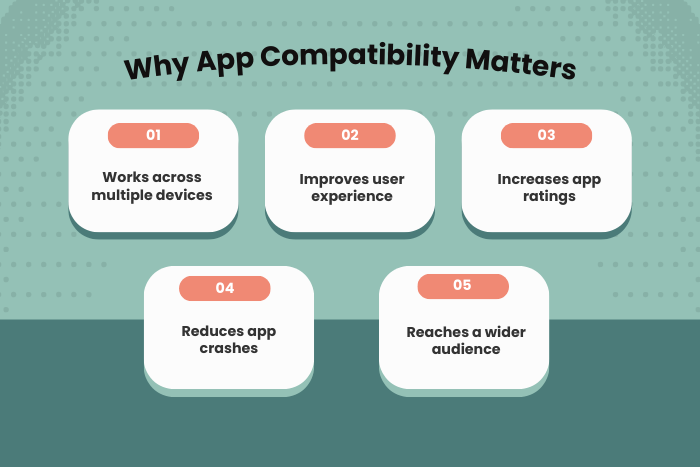
Why Ensuring App Compatibility with Devices Is Important
Device compatibility is essential for delivering reliable digital experiences and maintaining customer satisfaction. When an app works consistently across multiple devices, it improves user trust and engagement.
Key reasons why compatibility matters include:
Consistent User Experience
Apps must deliver the same functionality and design across various screen sizes and devices.Wider Market Reach
Compatibility allows businesses to reach users across different operating systems and hardware environments.Improved Performance and Stability
Apps optimized for multiple devices reduce crashes and technical issues.Higher App Store Ratings
Well-performing apps across devices receive better reviews and ratings.Better Brand Reputation
Reliable apps strengthen brand credibility and user loyalty.
Ensuring device compatibility ultimately leads to higher adoption rates and long-term business success.
Types of Solutions to Ensure App Compatibility with Devices
Different development strategies help ensure applications work effectively across diverse device environments.
Responsive Mobile App Development
Apps designed with flexible layouts that adapt to various screen sizes and orientations.Cross-Platform App Development
Frameworks that allow developers to build apps for Android and iOS using a single codebase.Native App Development Optimization
Native applications optimized specifically for device hardware and operating systems.Cloud-Based Device Testing Solutions
Platforms that simulate multiple devices and environments for testing.Progressive Web Applications (PWAs)
Web-based apps that function across devices without requiring installation.Device-Specific Feature Integration
Ensuring compatibility with sensors, cameras, GPS, and other hardware features.
These solutions allow developers to build apps that perform reliably across diverse devices.
Key Features for Device-Compatible Applications
Ensuring compatibility requires implementing features that support diverse devices and operating systems.
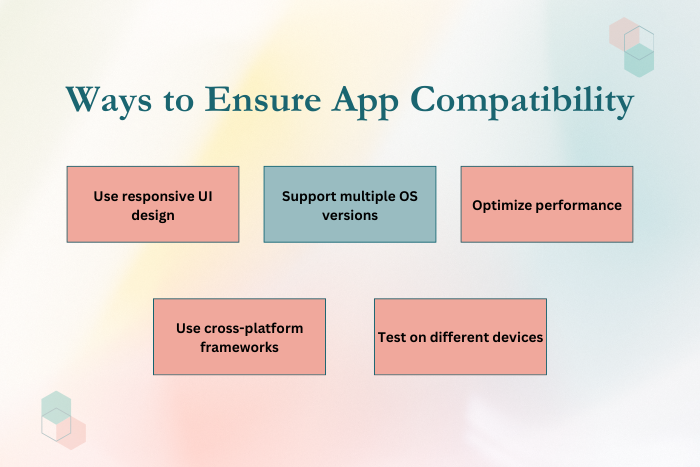
Responsive User Interface Design
Interfaces that adjust dynamically for different screen sizes.Adaptive Layouts and Flexible Grids
Layouts that ensure consistent design across devices.Operating System Version Support
Compatibility with multiple OS versions for Android and iOS.Device Feature Detection
Identifying hardware capabilities such as GPS, camera, and sensors.Performance Optimization
Efficient resource usage to support low-end and high-end devices.Automated Testing Integration
Continuous testing across devices during development.Offline Functionality
Ensuring core app features work even without internet connectivity.Secure Data Handling
Maintaining security across devices and platforms.
These features ensure that applications function smoothly regardless of device specifications.
Development Process to Ensure App Compatibility with Devices
A structured development process helps ensure that apps remain compatible across different device environments.
Requirement Analysis and Device Research
Identify target devices, operating systems, and user environments.Architecture and Technology Selection
Choose frameworks and tools that support multi-device compatibility.UI/UX Design with Responsive Layouts
Design interfaces that adapt to different screen sizes and resolutions.Cross-Platform or Native Development
Build the application using optimized development frameworks.Integration with Device Features
Connect the app with hardware features like cameras, sensors, and GPS.Testing Across Multiple Devices
Use emulators, simulators, and real devices for comprehensive testing.Performance Optimization
Optimize resource usage and app performance across devices.Deployment and Continuous Monitoring
Launch the app and monitor compatibility issues in real-world environments.
This development workflow ensures applications remain stable and compatible across multiple devices.
Technology Stack for Device-Compatible App Development
Developers rely on modern technologies to ensure compatibility and performance.
Mobile Development Languages: Swift, Kotlin, Java, Dart
Cross-Platform Frameworks: Flutter, React Native, Xamarin
Frontend Technologies: HTML5, CSS3, JavaScript, TypeScript
Backend Technologies: Node.js, Python, Java, .NET
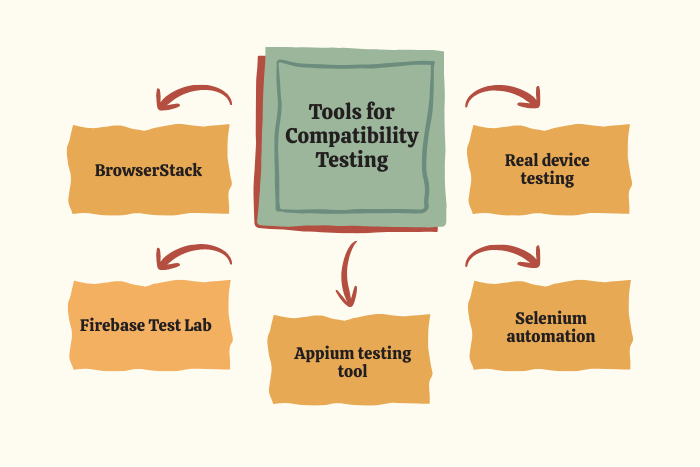
Testing Tools: Appium, Selenium, BrowserStack, Firebase Test Lab
Cloud Platforms: AWS, Google Cloud Platform, Microsoft Azure
DevOps Tools: Docker, Kubernetes, Jenkins, GitHub Actions
Security Tools: OAuth 2.0, SSL encryption, secure API gateways
These technologies enable developers to build scalable and device-compatible applications.
Cost Factors in Ensuring App Compatibility with Devices
Several factors influence the cost of building and maintaining device-compatible applications.
Number of Devices Supported
Supporting multiple device models increases testing requirements.Platform Coverage
Developing apps for Android, iOS, and web platforms increases complexity.UI/UX Design Complexity
Responsive and adaptive designs require additional development effort.Testing Infrastructure
Device testing tools and real-device testing environments add costs.Third-Party Integrations
APIs and device-specific features may require additional configuration.Maintenance and Updates
Continuous updates are required to support new devices and OS versions.
Businesses must consider these factors when planning budgets for app development projects.
Latest Trends in Ensuring App Compatibility with Devices
App compatibility strategies are evolving with new technologies and development practices.
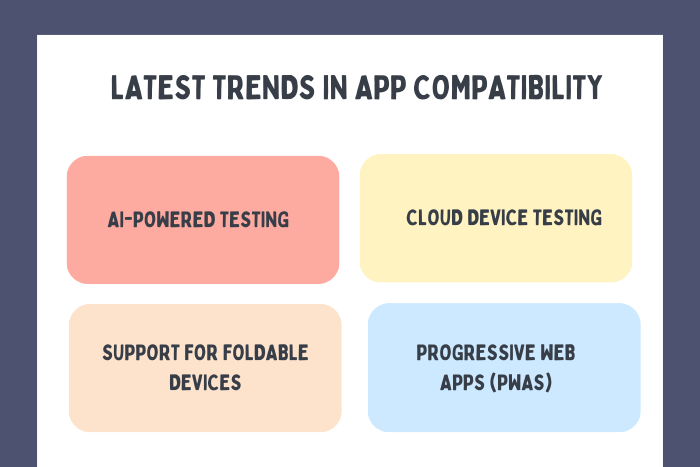
AI-Powered Testing Automation
Artificial intelligence tools automate compatibility testing across devices.Cloud-Based Device Testing Platforms
Developers test apps on thousands of devices remotely.Responsive and Adaptive UI Design Systems
Modern design frameworks simplify multi-device compatibility.Progressive Web Apps (PWAs)
PWAs deliver app-like experiences across browsers and devices.Foldable Device Optimization
Apps are being designed to support foldable and multi-screen devices.Edge Computing Integration
Apps process data closer to the user device for better performance.
These trends help developers build apps that adapt to rapidly evolving device ecosystems.
Why Choose Us for Device-Compatible App Development?
Ensuring device compatibility requires deep expertise in mobile development, testing strategies, and scalable architecture. Our team specializes in building applications that deliver consistent performance across diverse device environments.
Here’s why businesses choose us:
Expertise in Multi-Device Development – We design apps optimized for various devices and operating systems.
Advanced Testing Frameworks – Automated and manual testing across real devices.
Cross-Platform Development Expertise – Efficient development using modern frameworks.
Performance Optimization Strategies – Apps built to perform smoothly across device configurations.
Security and Compliance Standards – Secure development aligned with industry regulations.
Agile Development Methodology – Transparent workflows and faster delivery cycles.
End-to-End Development Support – From concept and design to deployment and maintenance.
We help businesses build reliable applications that perform consistently across the entire device ecosystem.
Ready to build a device-compatible mobile application?
Let our experts help you create apps that work seamlessly across devices.
Contact us today for a free consultation and development estimate.
Key Points :
- App compatibility ensures that mobile applications work smoothly across different devices, screen sizes, and operating systems.
- Developers use responsive design and adaptive layouts to maintain consistent user experiences on multiple devices.
- Cross-platform frameworks like Flutter, React Native, and Xamarin help build apps compatible with Android and iOS.
- Comprehensive testing using emulators, real devices, and cloud testing platforms improves compatibility.
- Supporting multiple OS versions and hardware features ensures wider user accessibility.
- Modern trends include AI-powered testing, cloud device testing, and optimization for foldable devices.
FAQ's
Developers ensure compatibility by using responsive design, cross-platform frameworks, and comprehensive testing across multiple devices.
Compatibility ensures consistent performance across devices, improving user experience and app reliability.
Tools such as BrowserStack, Firebase Test Lab, Appium, and Selenium help test apps across devices.
Yes, frameworks like Flutter and React Native allow developers to build apps that work across multiple platforms.
Yes, supporting different OS versions ensures accessibility for a broader range of users.
Challenges include varying screen sizes, hardware capabilities, operating system versions, and performance limitations.
Yes, cloud testing platforms allow developers to test apps on thousands of real devices remotely.

