




Learn how to ensure your app is compatible with different devices using responsive design, cross-platform development, testing strategies, and optimization.
How Do I Ensure My App Is Compatible with Different Devices?
One of the biggest challenges in modern mobile and web application development is ensuring that apps function seamlessly across different devices. Users today access applications from smartphones, tablets, desktops, foldable devices, and even wearable technology. Because each device has different screen sizes, operating systems, hardware capabilities, and performance levels, developers must carefully design and test their apps to maintain consistent performance. This raises an important question for businesses and developers: how do I ensure my app is compatible with different devices?
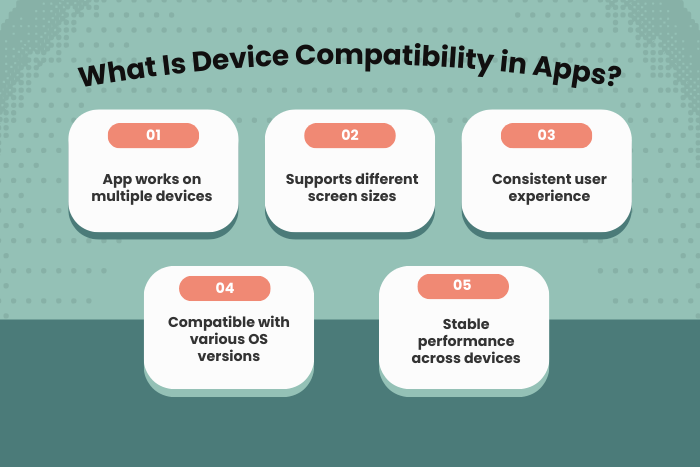
Device compatibility ensures that your application runs smoothly across a wide range of platforms, including Android, iOS, tablets, and other smart devices. Without proper compatibility strategies, apps may experience issues such as broken layouts, slow performance, crashes, or limited functionality.
By implementing responsive design, cross-platform development frameworks, scalable architecture, and comprehensive testing, developers can build applications that work efficiently across multiple devices. Compatibility also plays a major role in improving user experience, increasing app downloads, and maintaining strong app store ratings.
In this guide, we will explore the best strategies to ensure your app is compatible with different devices, including development techniques, testing approaches, technology stack choices, cost considerations, and the latest trends in cross-device compatibility.
Why Device Compatibility Is Important
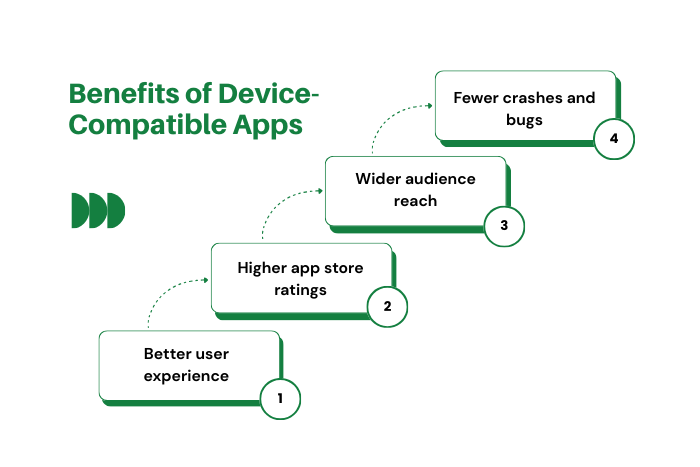
Ensuring device compatibility is essential for delivering a consistent user experience across multiple platforms and hardware environments.
Here are the key reasons device compatibility matters:
Improved User Experience
Applications that adapt to different screen sizes and device capabilities provide better usability.Higher App Store Ratings
Apps that run smoothly across devices receive better reviews and ratings.Expanded User Reach
Compatibility allows your app to reach users across a wide range of devices.Reduced App Crashes and Bugs
Proper compatibility testing helps identify device-specific issues before launch.Better Performance Optimization
Apps optimized for different devices deliver faster performance.Enhanced Brand Reputation
A reliable and consistent app builds trust with users.
Ensuring device compatibility helps businesses create high-quality applications that perform reliably in diverse environments.
Types of Solutions to Ensure an App Is Compatible with Different Devices
Several development strategies help ensure that applications function properly across different devices.
Responsive Design Solutions
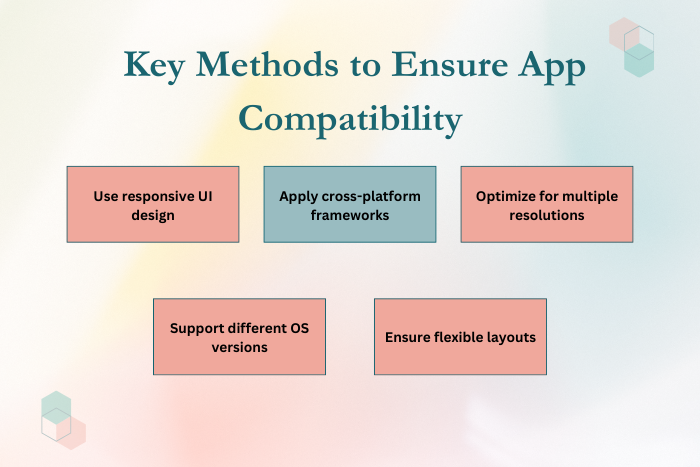
Responsive design ensures that app layouts automatically adjust to different screen sizes.
Flexible UI layouts
Adaptive image scaling
Dynamic screen orientation support
Cross-Platform Development Solutions
Cross-platform frameworks allow developers to build apps that work across multiple platforms.
Single codebase for Android and iOS
Faster development cycles
Reduced maintenance costs
Device-Specific Optimization
Some apps require optimization for specific device features.
Hardware acceleration
Camera compatibility
Sensor integration
Cloud-Based Testing Solutions
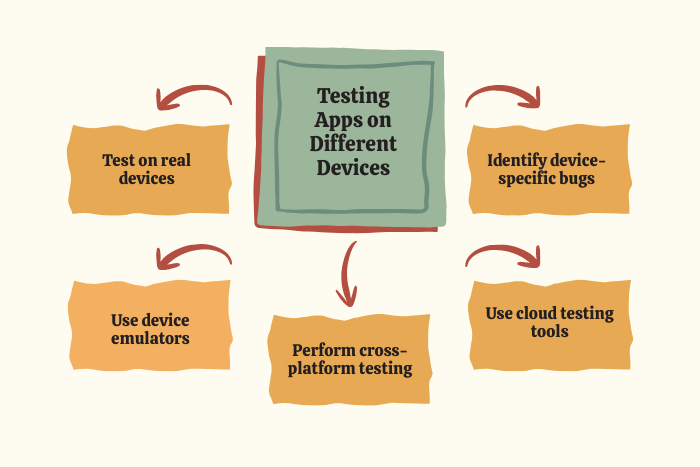
Cloud platforms allow developers to test apps on hundreds of real devices.
Real device testing environments
Automated testing tools
Cross-device performance analysis
API and Backend Compatibility
Ensuring backend systems support different devices and operating systems.
RESTful API architecture
Scalable server infrastructure
Cross-platform data synchronization
These solutions help ensure that applications remain stable and functional across different devices.
Key Features for Cross-Device Compatible Applications
Applications designed for multiple devices include several essential features.
Key features include:
Adaptive UI for different screen sizes
Support for multiple operating systems
Dynamic resolution scaling
Hardware compatibility optimization
Multi-device synchronization
Efficient memory and resource management
Cloud-based data integration
Automated testing and monitoring tools
These features help developers create apps that perform consistently across various devices.
Development Process to Ensure an App Is Compatible with Different Devices
Ensuring compatibility across multiple devices requires a structured development approach.
Requirement Analysis and Device Research
Identify target devices, operating systems, and hardware configurations.Responsive UI/UX Design
Design interfaces that adapt to various screen sizes and orientations.Cross-Platform Framework Selection
Choose frameworks that support multiple platforms efficiently.Application Development
Implement scalable code architecture and optimized components.Testing Across Multiple Devices
Conduct tests on smartphones, tablets, and different OS versions.Performance Optimization
Optimize memory usage, load times, and network requests.Deployment and Monitoring
Launch the app and monitor compatibility issues.Continuous Updates and Improvements
Update the app regularly to support new devices and OS versions.
This structured development process ensures long-term compatibility and performance.
Technology Stack for Cross-Device Compatibility
Developers use advanced tools and technologies to ensure an app is compatible with different devices.
Mobile Frameworks: Flutter, React Native, Xamarin
Native Development: Swift (iOS), Kotlin and Java (Android)
Frontend Technologies: HTML5, CSS3, JavaScript
Backend Technologies: Node.js, Python, Java, PHP
Databases: MongoDB, MySQL, PostgreSQL, Firebase
Testing Tools: BrowserStack, Sauce Labs, Appium
Cloud Platforms: AWS, Google Cloud Platform, Microsoft Azure
CI/CD Tools: Jenkins, GitHub Actions, Docker
Using the right technology stack helps developers build scalable and compatible applications.
Cost Factors for Ensuring Device Compatibility Across Different Devices
The cost of ensuring app compatibility depends on several development and testing factors.
Important cost factors include:
Number of devices and platforms supported
Complexity of responsive UI design
Cross-platform development frameworks used
Testing tools and cloud device platforms
Integration with device hardware features
Development team expertise
Maintenance and compatibility updates
While compatibility testing may increase development costs, it significantly reduces post-launch issues and improves user satisfaction.
Latest Trends in Cross-Device App Compatibility
Modern app development continues to evolve with new technologies that improve device compatibility.
Major trends include:
Progressive Web Apps (PWAs) for multi-device compatibility
AI-powered automated testing systems
Cloud-based device testing platforms
Foldable device optimization strategies
Responsive UI frameworks for multi-screen support
Low-code and no-code cross-platform development tools
Advanced performance monitoring solutions
These innovations help developers build applications that adapt easily to new devices and technologies.
Why Choose Us for Cross-Device Compatible App Development?
Selecting the right development partner ensures that your application runs smoothly across multiple devices and platforms.
Here’s why businesses trust us:
Expertise in Cross-Platform Development
Our developers build apps that work seamlessly across Android, iOS, and web platforms.Advanced Testing Infrastructure
We test applications across multiple devices and operating systems.Responsive and Adaptive Design
Our designs adapt perfectly to different screen sizes and resolutions.Performance Optimization
We ensure apps deliver smooth performance across devices.Secure and Scalable Architecture
Applications are built with robust security and scalable systems.Continuous Compatibility Updates
We update apps to support new devices and OS versions.End-to-End Development Services
From concept to deployment and maintenance, we provide complete support.
Looking to build an app that works seamlessly across all devices?
Our team can help you ensure your app is compatible with different devices and platforms.
Contact us today for a free consultation and customized development plan.
Key Points :
- Device compatibility ensures your app works smoothly across smartphones, tablets, and different operating systems.
- Responsive UI design helps apps adapt to different screen sizes and resolutions.
- Cross-platform development frameworks like Flutter and React Native support multi-device compatibility.
- Optimizing performance ensures the app runs efficiently on low-end and high-end devices.
- Regular updates help maintain compatibility with new devices and OS versions.
- Ensuring device compatibility improves user experience and app store ratings.
FAQ's
Device compatibility means ensuring that an app works properly across different devices, screen sizes, and operating systems.
It ensures a consistent user experience and prevents issues such as crashes or layout problems.
Developers use physical devices, emulators, and cloud-based testing platforms to test compatibility.
Popular frameworks include Flutter, React Native, and Xamarin.
Yes. Responsive design adapts the user interface to different screen sizes and resolutions.
Apps should be updated regularly to support new devices, operating system versions, and hardware features.
It may increase development and testing costs initially but significantly improves user satisfaction and long-term success.

