




Learn how to ensure your app is user-friendly with effective UI/UX design, usability testing, intuitive navigation, and performance optimization.
How Do I Ensure My App Is User-Friendly?
Creating a mobile application is not just about adding features or writing code—it’s about delivering an intuitive, smooth, and enjoyable experience for users. Many businesses and developers ask: How do I ensure my app is user-friendly? The answer lies in thoughtful design, usability testing, and understanding how real users interact with your application.
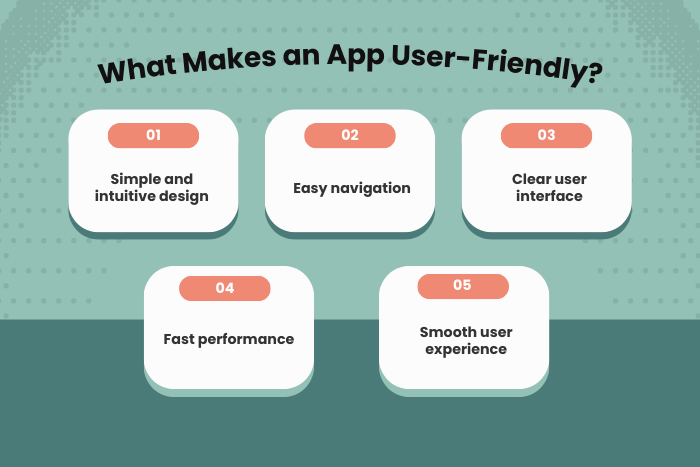
A user-friendly app focuses on simplicity, clear navigation, fast performance, and seamless interaction. When users can easily understand how to use your app without confusion, they are more likely to stay engaged, leave positive reviews, and recommend the app to others.
Today’s users expect apps to be intuitive, visually appealing, and responsive across devices. Poor user experience can lead to high uninstall rates and negative feedback, even if the app provides valuable functionality. This makes User Experience (UX) and User Interface (UI) design critical components of modern app development.
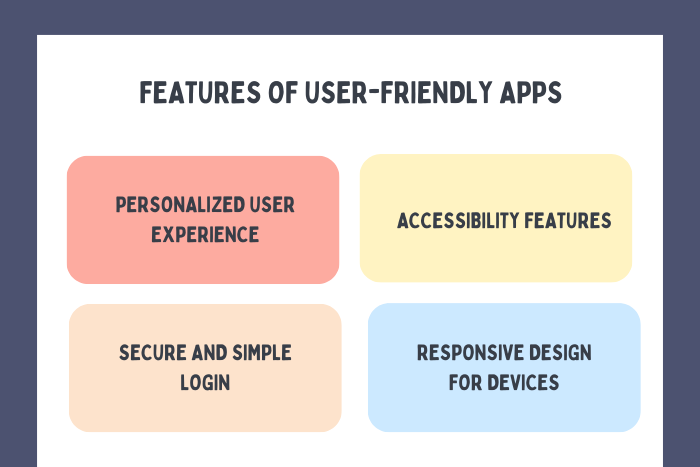
Ensuring an app is user-friendly involves multiple factors such as understanding user behavior, designing intuitive interfaces, optimizing app speed, implementing accessibility features, and continuously improving the product through user feedback and analytics.
In this guide, we’ll explore the key strategies for building user-friendly mobile applications, including design principles, development processes, technology tools, and best practices that help create apps users love to use.
Why User-Friendly Apps Are Important
A user-friendly mobile application directly impacts user satisfaction, engagement, and long-term success.
Here’s why usability should be a top priority:
Improved User Experience
Simple and intuitive interfaces make it easier for users to navigate and interact with the app.
Higher User Retention
Apps that are easy to use encourage users to return frequently.
Positive App Store Reviews
User-friendly apps often receive better ratings and reviews.
Reduced Learning Curve
Users can understand the app quickly without extensive instructions.
Increased Engagement
Smooth navigation and responsive features keep users active in the app.
Higher Conversion Rates
Clear workflows and easy interactions improve sales, signups, and other conversions.
By prioritizing usability, businesses can build apps that users enjoy and trust.
Types of App Design Solutions
Different design and usability strategies can help ensure an app remains intuitive and accessible.
User-Centered Design
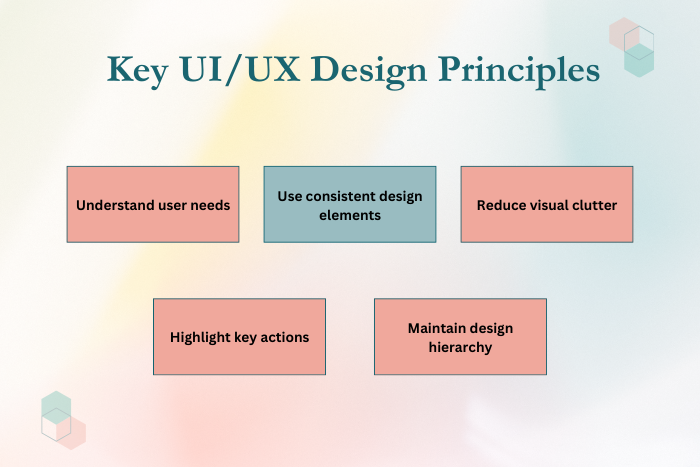
Focuses on designing apps around user needs and behaviors.
Minimalist Interface Design
Reduces visual clutter and prioritizes essential features.
Accessible App Design
Ensures the app can be used by people with disabilities.
Responsive Design
Allows apps to adapt seamlessly across different screen sizes and devices.
Personalized User Experience
Uses data and analytics to tailor content and recommendations to individual users.
Performance Optimization
Ensures fast loading times and smooth app interactions.
These solutions help create user-friendly app that are efficient and enjoyable to use.
Key Features of User-Friendly Mobile Apps
Successful mobile apps include several features that enhance usability and engagement.
Key features include:
Intuitive navigation and clear menu structures
Consistent design elements and visual hierarchy
Fast loading speeds and responsive interactions
Clear call-to-action buttons and user flows
Personalized user experiences based on behavior
Accessibility features such as voice support and adjustable text sizes
Secure authentication and easy login methods
Regular updates and improvements based on user feedback
These features ensure the application remains easy to use and efficient.
Development Process for Creating User-Friendly Apps
Designing a user-friendly app requires a structured development process focused on usability and continuous improvement.
User Research and Market Analysis
Identify target users, their needs, and common usability challenges.
User Persona and Journey Mapping
Create user profiles and map how users will interact with the app.
Wireframing and UX Design
Develop wireframes and prototypes to visualize the app structure.
UI Design and Visual Branding
Design intuitive interfaces with consistent colors, typography, and layouts.
Usability Testing
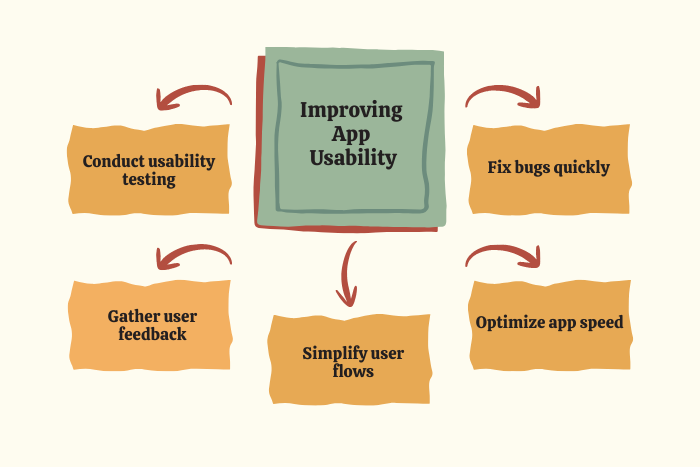
Test the app with real users to identify usability issues.
Performance Optimization
Ensure the app loads quickly and operates smoothly.
Accessibility Implementation
Add features that support users with different abilities.
Continuous Feedback and Updates
Use analytics and user feedback to improve the app after launch.
This iterative process ensures the app continuously evolves to meet user expectations.
Technology Stack for Building User-Friendly Apps
Modern development tools and technologies help improve usability and user experience.
- UI/UX Design Tools: Figma, Adobe XD, Sketch
- Frontend Technologies: React Native, Flutter, Swift, Kotlin
- Backend Technologies: Node.js, Python, Ruby on Rails
- Analytics Tools: Google Analytics, Firebase Analytics, Mixpanel
- Usability Testing Tools: Hotjar, UserTesting, Maze
- Performance Monitoring Tools: New Relic, Datadog
- Accessibility Tools: Lighthouse, Axe Accessibility Checker
These technologies help developers analyze user behavior and improve the app experience.
Cost Factors in Creating User-Friendly Apps
The cost of designing a user-friendly mobile app depends on several factors.
Important cost considerations include:
Complexity of UI/UX design
Number of app features and screens
User research and usability testing requirements
Performance optimization efforts
Accessibility and compliance features
Integration with analytics and monitoring tools
Development team expertise
Ongoing updates and maintenance
Investing in usability during development helps reduce costly redesigns later.
Latest Trends
Mobile app design continues to evolve with new technologies and user behavior trends.
Key trends include:
AI-powered personalized user experiences
Voice-enabled interfaces and conversational apps
Gesture-based navigation systems
Dark mode and adaptive UI themes
Micro-interactions and motion design
AI-powered chatbots for user support
Inclusive and accessibility-focused design
Data-driven UX improvements using analytics
These trends are shaping the future of user-friendly app development.
Why Choose Us for User-Friendly Application Development?
Creating an intuitive and engaging app requires expertise in both design and development. Our team specializes in building mobile applications that prioritize user experience and performance.
Here’s why businesses choose us:
User-Centered Design Approach – Apps designed around real user needs and behaviors.
Expert UI/UX Designers – Creating visually appealing and intuitive interfaces.
Comprehensive Usability Testing – Ensuring the app works smoothly for all users.
Performance Optimization – Fast and responsive applications across devices.
Accessibility-Focused Development – Inclusive apps designed for diverse users.
Data-Driven Improvements – Continuous optimization using analytics and feedback.
Scalable App Architecture – Apps designed to grow with your business.
End-to-End Development Services – From concept to launch and maintenance.
We help businesses create mobile apps that users love to use.
Ready to build a user-friendly mobile application?
Let our experts design an intuitive and engaging app experience.
Contact us today for a free consultation and development strategy.
Key Points :
- User-friendly apps focus on intuitive UI/UX design and simple navigation.
- Fast performance and smooth interactions improve user satisfaction.
- Understanding user needs through research helps design better app experiences.
- Usability testing helps identify and fix user experience issues.
- Accessibility features ensure the app can be used by a wider audience.
- Continuous updates and user feedback help improve app usability over time.
FAQ's
A user-friendly app has intuitive navigation, fast performance, clear design, and easy-to-understand features.
Good UI/UX design improves usability, engagement, and user satisfaction.
You can conduct usability testing, gather user feedback, and analyze user behavior through analytics tools.
User-centered design focuses on designing apps based on user needs, preferences, and behavior.
Slow apps frustrate users and often lead to higher uninstall rates.
Accessibility ensures apps can be used by people with disabilities through features like voice control and adjustable text sizes.
Apps should be updated regularly to improve performance, add features, and fix bugs.

