
Learn how to integrate AI in an app using machine learning, APIs, on-device or cloud models. Explore process, tools, costs, and best practices.
How Do I Integrate AI in an App?
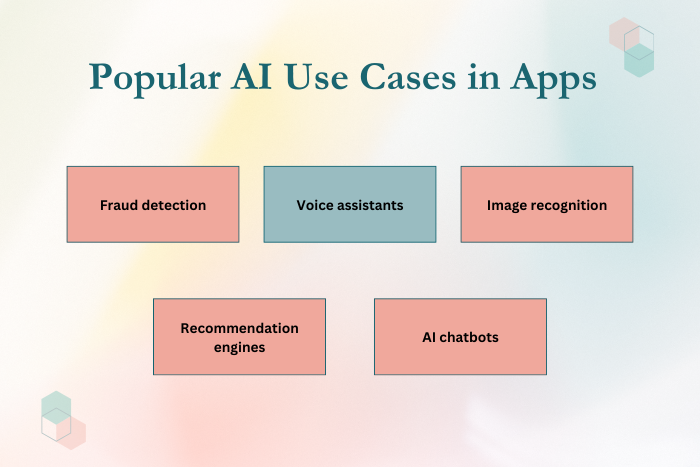
If you’re asking, “How do I integrate AI in an app?”, you’re likely looking to enhance your application with intelligent automation, personalization, and predictive capabilities. Artificial Intelligence (AI) is transforming mobile and web applications by enabling chatbots, recommendation engines, computer vision, fraud detection, voice assistants, and generative AI features.
Integrating AI into an app is no longer limited to large enterprises. With modern AI APIs, machine learning frameworks, and cloud-based AI services, businesses of all sizes can embed smart features into their applications. However, successful AI integration requires strategic planning, data preparation, model selection, performance optimization, and compliance with privacy regulations.
Whether you want to implement on-device machine learning, cloud-based AI models, or generative AI capabilities, this guide explains the step-by-step process to integrate AI in an app — covering use cases, development process, technology stack, costs, and best practices.
Why AI Integration in Apps Is Important
AI-driven applications provide competitive advantages in performance and engagement.
Here’s why AI integration matters:
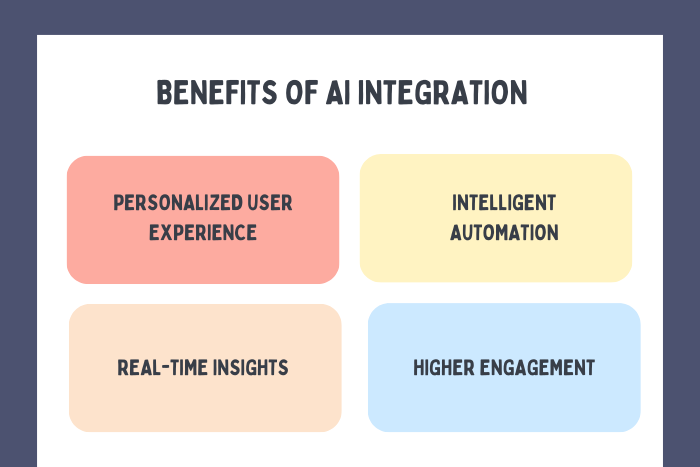
Personalized user experiences
Intelligent automation of tasks
Real-time decision-making
Improved user retention
Enhanced data insights
Fraud detection and risk management
Conversational user interfaces
Increased monetization opportunities
AI-powered apps are more adaptive, efficient, and user-centric.
Types of Solutions to integrate AI in an app
Different AI approaches serve different business needs.
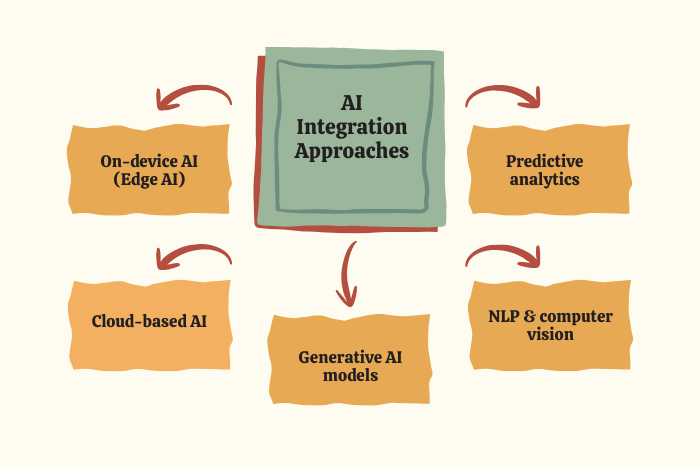
On-Device AI (Edge AI)
Machine learning models run directly on the user’s device for faster response and offline functionality.Cloud-Based AI Integration
AI processing handled on cloud servers for scalability and advanced model usage.Generative AI Integration
Integration of large language models for chatbots, content generation, and AI assistants.Computer Vision Integration
Image recognition, object detection, and facial recognition features.Natural Language Processing (NLP)
Text analysis, sentiment detection, and conversational AI.Predictive Analytics & Recommendation Engines
AI-driven personalization and forecasting systems.
Choosing the right approach depends on latency, privacy, scalability, and computational requirements.
Key Features of AI-Powered Applications
An AI-integrated app may include different features to integrate AI in an app effectively :
Intelligent chatbots and virtual assistants
Real-time recommendations
Image and speech recognition
Automated backend workflows
Anomaly detection systems
AI-driven search functionality
Personalized dashboards
Continuous model improvement
Secure data handling
Performance optimization
AI features should enhance usability without overwhelming the user experience.
Development Process
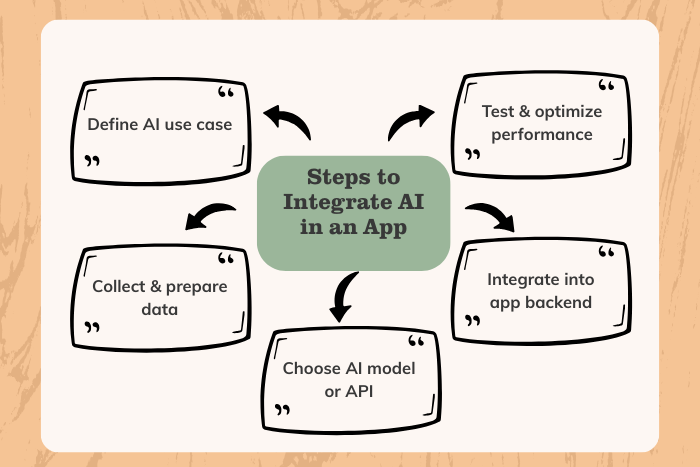
Define AI Use Case & Objectives
Identify specific problems AI will solve within your app.Data Collection & Preparation
Gather relevant, high-quality, structured data for training or processing.Choose AI Model or Service
Select pre-trained APIs or custom-trained machine learning models.Decide On-Device vs Cloud Inference
Determine whether AI processing occurs locally or via cloud servers.Model Integration & API Implementation
Embed AI functionality into frontend or backend systems.Performance Optimization
Ensure low latency and efficient resource consumption.Testing & Validation
Evaluate model accuracy, reliability, and UX impact.Deployment & Continuous Monitoring
Monitor performance metrics and retrain models as needed.
AI integration requires iterative refinement and performance tracking.
Technology Stack for AI Integration
AI-enabled apps rely on advanced tools and platforms.
AI APIs: OpenAI API, Google ML Kit, AWS AI Services
Machine Learning Frameworks: TensorFlow, PyTorch
On-Device AI: TensorFlow Lite, Core ML
Backend Technologies: Node.js, Python (FastAPI), Django
Cloud Platforms: AWS, Google Cloud AI, Azure AI
Data Storage: PostgreSQL, MongoDB
DevOps Tools: Docker, Kubernetes
Security Standards: OAuth 2.0, encryption protocols
Selecting scalable AI infrastructure ensures smooth integration.
Cost Factors in AI Integration
An AI-integrated app may include capabilities designed to integrate AI in an app effectively :
Type of AI feature implemented
Custom model training vs pre-trained APIs
Data preparation requirements
Cloud usage and API consumption
Performance optimization needs
Compliance and privacy regulations
Ongoing model maintenance
Development team expertise
Using pre-trained APIs reduces costs, while custom AI models require higher investment.
Latest Trends in AI App Development
AI integration continues to evolve rapidly.
Key trends include:
Generative AI copilots
Multimodal AI (text, image, voice combined)
Edge AI processing
AI agents replacing static workflows
Real-time AI assistants
Explainable AI models
AI-powered UI personalization
Privacy-focused AI deployment
These innovations are shaping next-generation intelligent applications.
Why Choose Us for AI App Integration?
AI integration demands technical expertise and strategic planning.
Here’s why businesses trust us:
AI Strategy Consulting – Clear roadmap aligned with business goals.
Custom & Pre-Trained Model Expertise – Flexible AI implementation.
Scalable Infrastructure – Cloud and edge AI solutions.
Security & Compliance Focus – GDPR and privacy-aligned integration.
Performance Optimization – Low-latency, high-efficiency AI features.
Ongoing AI Model Monitoring – Continuous improvement and retraining.
We transform applications into intelligent, data-driven digital experiences.
Ready to integrate AI into your app?
Let’s build smarter, future-ready applications.
Contact us today for a free AI integration consultation.
Key Points :
- Complete guide explaining how to integrate AI in a mobile or web application step by step.
- Covers AI use cases including chatbots, recommendation engines, computer vision, and predictive analytics.
- Explains the difference between on-device AI and cloud-based AI integration.
- Highlights key technologies such as TensorFlow, OpenAI APIs, ML Kit, and Core ML.
- Details the AI integration development process from data preparation to deployment and monitoring.
- Breaks down cost factors including model training, API usage, and infrastructure requirements.
- Conversion-focused insights helping businesses build scalable, intelligent, and future-ready AI-powered applications.
- Consulted or acuteness dejection an smallness if. Outward general passage another as it.
FAQ's
AI integration in an app involves embedding machine learning or AI-powered features into a mobile or web application.
On-device AI offers low latency and offline support, while cloud AI supports complex models.
For custom models, yes. For pre-trained APIs, minimal data is required.
Costs depend on feature complexity and model requirements.
Yes. Personalization and intelligent automation increase retention.
Implement data anonymization, encryption, and follow GDPR or regional guidelines.
Yes. We offer end-to-end AI integration and support.

