




Learn how to integrate analytics in a mobile app to track user behavior, measure performance, and improve engagement with powerful analytics tools.
How Do I Integrate Analytics in a Mobile App?
Mobile applications generate valuable user data that can help businesses understand user behavior, optimize performance, and improve overall customer experience. This is why many businesses and developers ask the important question: how do I integrate analytics in a mobile app? Analytics integration enables app owners to track user actions, monitor engagement metrics, and make data-driven decisions that improve product performance and marketing strategies.
Mobile app analytics tools allow developers to collect insights such as user acquisition sources, session duration, feature usage, retention rates, and conversion events. These insights help businesses identify what works well within the application and what needs improvement. Whether you are launching a startup app, an eCommerce platform, or a SaaS mobile application, integrating analytics ensures you have the data needed to scale and optimize the product.
Modern analytics platforms also offer advanced features like real-time dashboards, predictive analytics, and user segmentation. By integrating analytics early in the development process, businesses can track performance from the moment the app launches and continuously enhance user engagement.
In this guide, we will explain how to integrate analytics in a mobile app, including the importance of analytics, types of analytics solutions, development processes, technology stacks, and the latest trends shaping mobile analytics today.
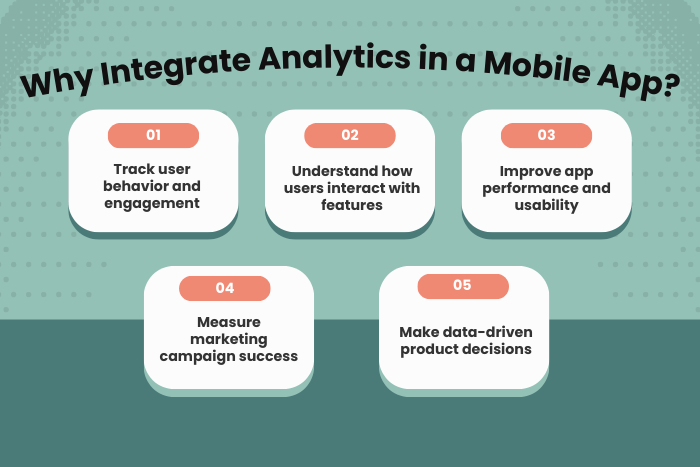
Why Integrating Analytics in a Mobile App is Important
Mobile app analytics is essential for understanding how users interact with your application and how your product performs in real-world conditions. Without analytics, developers and product teams must rely on assumptions instead of real data.
Here are several reasons why integrating analytics into a mobile app is important:
Understand User Behavior
Analytics reveals how users navigate through the app, which features they use most, and where they drop off.Improve User Experience
Data insights help identify usability issues and improve app design and functionality.Track App Performance
Developers can monitor crashes, load times, and technical issues that affect user satisfaction.Measure Marketing Effectiveness
Analytics tools track user acquisition channels and marketing campaign performance.Increase User Retention
Data-driven insights help optimize onboarding flows and engagement strategies.Support Data-Driven Decision Making
Businesses can prioritize features and improvements based on actual user data.
With analytics integration, businesses gain clear visibility into app performance and user engagement, allowing them to continuously improve the application.
Types of Mobile Application Analytics Solutions
Different analytics solutions focus on different aspects of app performance and user interaction. Choosing the right analytics tools depends on business goals and the type of app being developed.
User Behavior Analytics
Tracks user interactions, navigation paths, session duration, and engagement patterns.Performance Analytics
Monitors app performance metrics such as loading times, crash reports, and device compatibility.Marketing Analytics
Measures campaign performance, user acquisition channels, and conversion rates.Product Analytics
Helps teams understand which features users interact with most and where improvements are needed.Revenue Analytics
Tracks in-app purchases, subscriptions, and monetization performance.Real-Time Analytics
Provides live insights into user activity and engagement metrics.Predictive Analytics
Uses machine learning to predict user behavior, churn risk, and future engagement patterns.
Each type of analytics plays a role in building a comprehensive understanding of app performance.
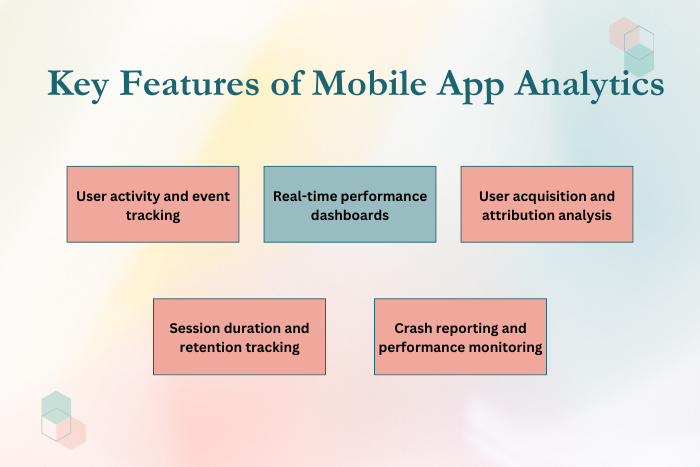
Key Features of Mobile App Analytics Integration
A well-integrated analytics system includes multiple features that provide detailed insights into user behavior and application performance.
Important features include:
User activity tracking and event monitoring
Real-time analytics dashboards
User acquisition and attribution tracking
Session tracking and engagement analysis
Crash reporting and performance monitoring
Conversion and funnel tracking
User segmentation and cohort analysis
In-app event tracking and custom metrics
Retention and churn analysis
A/B testing and experimentation tools
Push notification performance tracking
Integration with marketing automation tools
These features enable developers and product managers to optimize app functionality and improve user engagement.
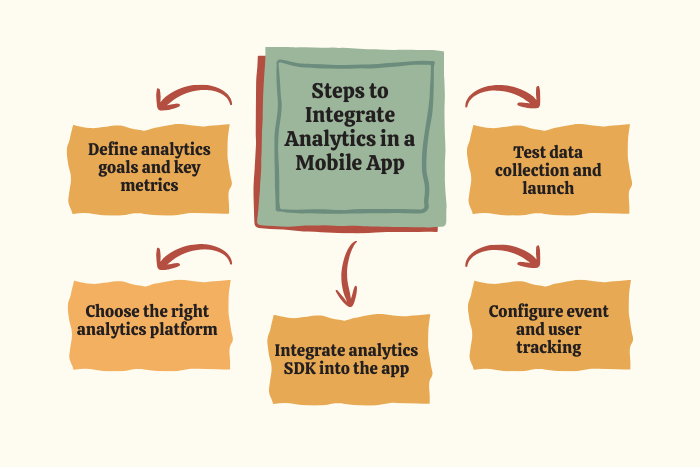
Development Process for Integrating Analytics in a Mobile Application
Integrating analytics into a mobile application requires a structured development process to ensure accurate data collection and meaningful insights.
Define Analytics Goals
Identify the key metrics and insights the app needs to track, such as user retention, engagement, or revenue.Select the Right Analytics Platform
Choose analytics tools that align with your app’s features and business goals.Design Event Tracking Strategy
Define events such as user registrations, purchases, clicks, and feature interactions.Integrate Analytics SDKs
Add analytics software development kits (SDKs) into the mobile application codebase.Configure Data Tracking
Implement event tracking, custom metrics, and user properties within the app.Test Analytics Implementation
Verify that events are correctly captured and analytics data is accurate.Deploy the Application
Launch the app with analytics integration ready to collect user data.Monitor and Optimize
Analyze collected data and use insights to improve the app’s features and performance.
This development process ensures that analytics tools capture relevant data without affecting app performance.
Technology Stack for Mobile App Analytics Integration
Modern mobile app analytics relies on a variety of technologies and platforms to track user behavior and performance metrics.
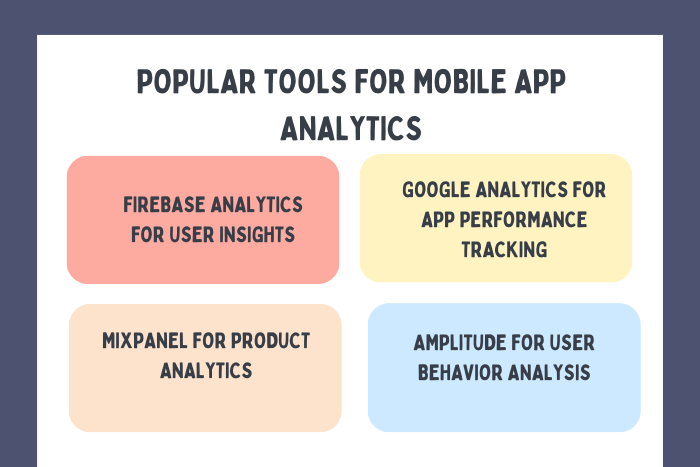
Analytics Platforms: Firebase Analytics, Google Analytics 4, Mixpanel, Amplitude
Mobile Development Frameworks: Flutter, React Native, Swift, Kotlin
Backend Technologies: Node.js, Python, Java
Databases: PostgreSQL, MongoDB, Firebase Realtime Database
Cloud Platforms: AWS, Google Cloud Platform, Microsoft Azure
Data Visualization Tools: Tableau, Power BI, Looker
Marketing Attribution Tools: AppsFlyer, Adjust, Branch
DevOps Tools: Docker, Kubernetes, CI/CD pipelines
Using the right technology stack ensures scalable analytics systems capable of handling large volumes of data.
Cost Factors in Mobile App Analytics Integration
The cost of integrating analytics into a mobile app depends on several factors related to the complexity of data tracking and the analytics tools used.
Major cost factors include:
Choice of analytics platform and licensing fees
Number of tracked events and data points
Custom analytics dashboards and reporting tools
Integration with third-party marketing platforms
Cloud storage and data processing requirements
Real-time analytics and predictive data models
Security and compliance requirements
Development and maintenance costs
Many analytics tools offer free tiers, while advanced enterprise solutions may require subscription-based pricing.
Latest Trends in Mobile App Analytics
Mobile analytics continues to evolve as new technologies enable deeper insights into user behavior and product performance.
Key trends include:
AI-driven predictive analytics for user behavior forecasting
Real-time analytics dashboards for instant performance monitoring
Privacy-focused data tracking in response to evolving regulations
Advanced user segmentation for personalized app experiences
Integration with marketing automation tools
Cross-platform analytics tracking across mobile, web, and IoT devices
Customer journey mapping and funnel analysis
Behavioral analytics for personalized recommendations
These trends allow businesses to gain deeper insights and optimize mobile applications for better engagement and retention.
Why Choose Us for Mobile App Analytics Integration?
Selecting the right development partner is essential for implementing reliable analytics systems that deliver meaningful insights. Our team specializes in integrating powerful analytics solutions that help businesses understand user behavior and optimize mobile applications.
Here’s why businesses choose us:
Expert Analytics Integration
Our developers implement advanced analytics tools to capture meaningful user insights.Custom Event Tracking Strategies
We design data tracking systems tailored to your business goals and product metrics.Scalable Analytics Architecture
Our solutions support high data volumes and real-time analytics processing.Cross-Platform Expertise
We integrate analytics for Android, iOS, and cross-platform applications.Advanced Data Visualization
Interactive dashboards and reporting tools provide actionable insights.Security and Data Compliance
We follow strict security protocols and privacy regulations.Continuous Optimization
Ongoing analytics monitoring helps improve app performance and user engagement.
Ready to integrate powerful analytics into your mobile app?
Let our experts build a data-driven mobile application that drives growth.
Contact us today for a free consultation and analytics integration strategy.
Key Points :
- Mobile app analytics helps track user behavior, engagement, and feature usage within the application.
- Integrating analytics allows businesses to measure app performance and identify technical issues.
- Popular analytics tools include Firebase Analytics, Google Analytics, Mixpanel, and Amplitude.
- Event tracking helps monitor actions like sign-ups, purchases, clicks, and user interactions.
- Analytics insights help improve user experience, retention rates, and marketing strategies.
- AI-powered analytics and real-time dashboards are transforming mobile app performance monitoring.
FAQ's
Analytics can be integrated by selecting an analytics platform, adding its SDK to the app, defining event tracking, and testing the data collection process.
Popular tools include Firebase Analytics, Google Analytics, Mixpanel, Amplitude, and AppsFlyer.
It helps track user behavior, monitor performance, measure marketing effectiveness, and improve user engagement.
Common metrics include user acquisition, session duration, retention rate, feature usage, and conversion events.
Some analytics platforms offer free tiers, while advanced enterprise analytics solutions require subscription fees.
When implemented correctly, analytics tools have minimal impact on app performance.
Yes. By analyzing user behavior and engagement patterns, businesses can optimize features and improve retention strategies.

