





How Do I Integrate Analytics in an App? Complete Guide
Learn how to integrate analytics in an app with tools, SDK setup, event tracking, metrics, and best practices to measure user engagement and growth.
How Do I Integrate Analytics in an App?
If you’re asking, “How do I integrate analytics in an app?”, you’re already thinking strategically about growth, user behavior, and performance optimization. App analytics is essential for understanding how users interact with your application, which features drive engagement, where users drop off, and how marketing campaigns perform.
Integrating analytics into a mobile or web app goes beyond simply installing a tracking tool. It involves selecting the right analytics platform, defining meaningful events, implementing SDKs correctly, ensuring data accuracy, maintaining user privacy compliance, and continuously optimizing based on insights. Whether you’re building a startup MVP, scaling an eCommerce platform, or managing an enterprise application, analytics integration is crucial for data-driven decision-making.
In this comprehensive guide, we explain how to integrate analytics in an app step by step — covering tools, architecture, event tracking strategies, metrics, development processes, cost factors, and emerging trends — so you can transform raw data into actionable growth strategies.
Why App Analytics Integration Is Important
Analytics plays a critical role in modern app development and business growth. Without proper tracking, decision-making becomes guesswork.
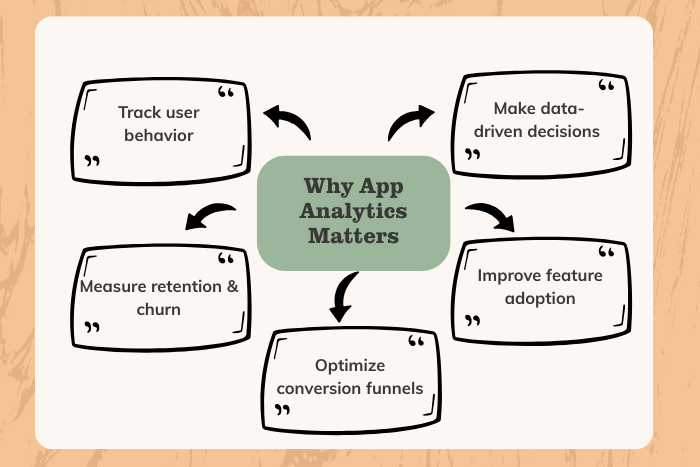
Here’s why integrating analytics into your app is essential:
Understand user behavior and engagement patterns
Measure acquisition, retention, and churn rates
Track marketing campaign performance
Optimize conversion funnels
Improve feature adoption rates
Identify bugs and performance bottlenecks
Make data-driven product decisions
Analytics allows businesses to measure ROI accurately and continuously refine their app experience to maximize engagement and revenue.
Types of App Analytics Solutions
When exploring how to integrate analytics in an app, it’s important to understand the various types of analytics systems available:
User Behavior Analytics
Tracks sessions, clicks, screen views, and navigation paths.Performance Analytics
Monitors crashes, load times, API latency, and system performance.Marketing & Attribution Analytics
Measures user acquisition sources, campaign effectiveness, and return on ad spend (ROAS).Engagement Analytics
Tracks user retention, daily active users (DAU), and feature usage.Revenue & eCommerce Analytics
Measures transactions, average order value (AOV), and customer lifetime value (LTV).Predictive Analytics
Uses AI to forecast churn, engagement, and revenue growth.
Selecting the right combination depends on your business model and app goals.
Key Features of App Analytics Integration
A robust analytics system should include:
SDK integration for iOS, Android, and web
Custom event tracking
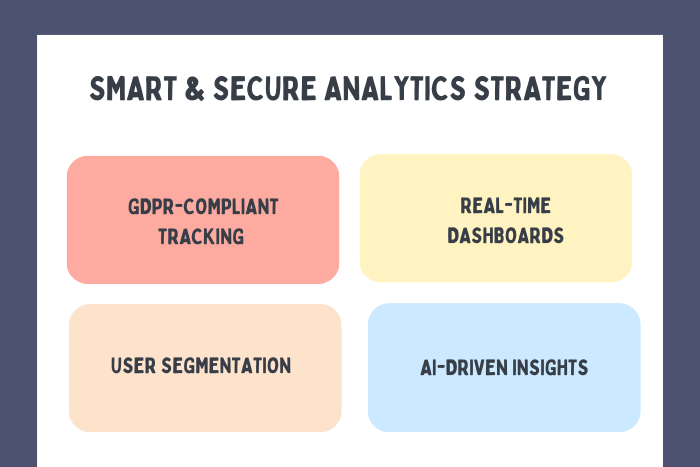
Real-time data dashboards
Funnel and cohort analysis
Crash reporting and performance monitoring
User segmentation
Attribution tracking
Data export and API access
GDPR and privacy compliance features
Automated reporting and alerts
A properly configured analytics system provides both macro and micro-level insights.
Development Process for Analytics Integration
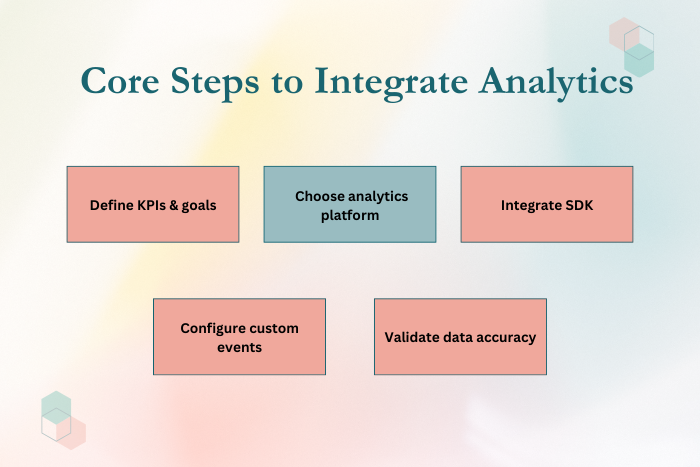
To effectively integrate analytics in your app, follow this structured process:
Define Business Objectives & KPIs
Identify what metrics matter — retention, revenue, or engagement.Choose the Right Analytics Platform
Select tools that match your scalability and reporting needs.Create Tracking Plan & Event Map
Define user actions and events to track within the app.Integrate SDKs into the Application
Implement analytics libraries in iOS, Android, or cross-platform frameworks.Configure Custom Events & Parameters
Track meaningful interactions such as sign-ups, purchases, or feature usage.Test Data Accuracy & Validation
Verify that events trigger correctly and data flows to dashboards.Implement Privacy & Consent Management
Ensure compliance with GDPR, CCPA, and other regulations.Launch & Monitor in Production
Continuously analyze metrics and refine tracking strategies.
A well-defined analytics roadmap prevents data inconsistencies and tracking gaps.
Technology Stack for Analytics Integration
Modern app analytics relies on a combination of tools and infrastructure.
Analytics Platforms: Google Analytics 4, Firebase Analytics, Mixpanel, Amplitude
Crash Reporting: Firebase Crashlytics, Sentry
Attribution Tools: Adjust, AppsFlyer
Backend Technologies: Node.js, Django, .NET Core
Cloud Infrastructure: AWS, Azure, Google Cloud
Data Warehousing: BigQuery, Snowflake
Visualization Tools: Google Data Studio, Tableau
Privacy Tools: Consent management platforms
Selecting scalable and secure tools ensures long-term reliability.
Cost Factors in App Analytics Integration
The cost of integrating analytics into an app depends on:
Choice of analytics platform (free vs enterprise tools)
Volume of tracked events
Custom dashboard and reporting needs
Data storage and warehousing requirements
Attribution and marketing integrations
Compliance and privacy implementation
Ongoing monitoring and optimization
Basic analytics setups can be cost-effective, while enterprise-level analytics with predictive modeling may require higher investment.
Latest Trends in App Analytics for 2024-2025
App analytics continues evolving with intelligent automation and privacy enhancements.
AI-driven predictive analytics
Privacy-first tracking frameworks
Cookieless attribution models
Real-time behavioral segmentation
Machine learning-based churn prediction
Cross-device tracking improvements
Integrated marketing mix modeling
Data-driven personalization engines
Businesses leveraging advanced analytics gain deeper insights and stronger competitive positioning.
Why Choose Us for App Analytics Integration?
Integrating analytics requires strategic planning, technical precision, and ongoing optimization. We provide end-to-end app analytics integration services tailored to your business goals.
Here’s why clients trust us:
Data-Driven Strategy Planning – Define KPIs aligned with growth objectives.
Accurate Event Tracking Implementation – Eliminate tracking errors and inconsistencies.
Advanced Dashboard Customization – Real-time actionable insights.
Secure & Privacy-Compliant Setup – GDPR and CCPA-ready frameworks.
Marketing Attribution Expertise – Maximize campaign ROI.
Scalable Infrastructure Design – Built for growing data volumes.
Ongoing Optimization & Reporting – Continuous performance improvement.
We don’t just integrate analytics — we help you turn data into measurable business growth.
Ready to integrate analytics into your app?
Let’s build a data-driven system that fuels smarter decisions and higher ROI.
Contact us today for a personalized analytics integration consultation.
Key Points :
- Step-by-step guide to integrating analytics in mobile and web apps, including SDK setup, event tracking, and KPI mapping.
- Comprehensive coverage of analytics solutions such as user behavior tracking, performance monitoring, marketing attribution, and revenue analytics.
- Custom event tracking and dashboard configuration to measure engagement, retention, and conversion funnels accurately.
- Scalable analytics technology stack recommendations including Firebase, Google Analytics 4, Mixpanel, and cloud data warehousing tools.
- Privacy-compliant implementation strategies aligned with GDPR, CCPA, and modern data protection standards.
- AI-driven analytics and predictive insights to improve churn prediction, user segmentation, and long-term revenue growth.
FAQ's
Define KPIs, choose an analytics platform, integrate SDKs, configure custom events, validate data accuracy, and monitor dashboards.
Popular options include Google Analytics 4, Firebase Analytics, Mixpanel, and Amplitude.
Basic tools like Firebase Analytics are free, but advanced features and enterprise tools may require subscription costs.
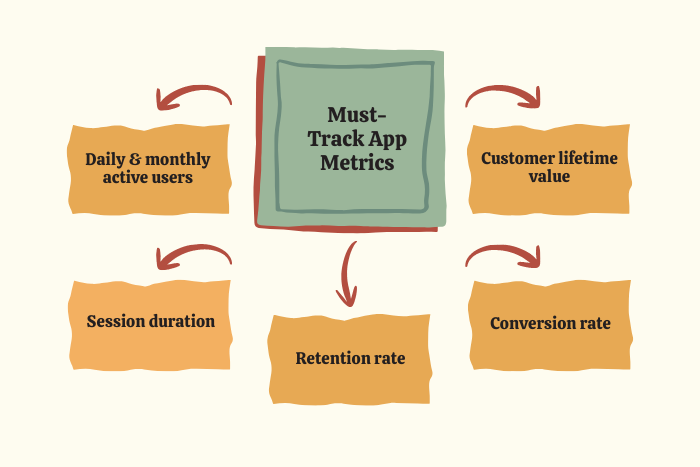
Key metrics include DAU, MAU, retention rate, churn rate, session duration, conversion rate, and customer lifetime value.
Implement consent management systems and follow GDPR/CCPA guidelines.
Yes. Analytics helps optimize funnels, personalize experiences, and increase conversions.
Basic integration can take a few days, while advanced event mapping and dashboard customization may take several weeks.
Yes. We offer monitoring, reporting, optimization, and continuous analytics strategy refinement.
