




Learn how to integrate Firebase in an app with authentication, cloud database, analytics, and push notifications for scalable mobile apps.
How Do I Integrate Firebase in an App?
Modern mobile and web applications require reliable backend infrastructure, real-time databases, authentication systems, and analytics tools. Google Firebase has become one of the most popular development platforms that provides these features in a unified environment. If you are wondering how do I integrate Firebase in an app, the process involves setting up a Firebase project, connecting your application to Firebase services, and implementing features like authentication, cloud storage, push notifications, and analytics.
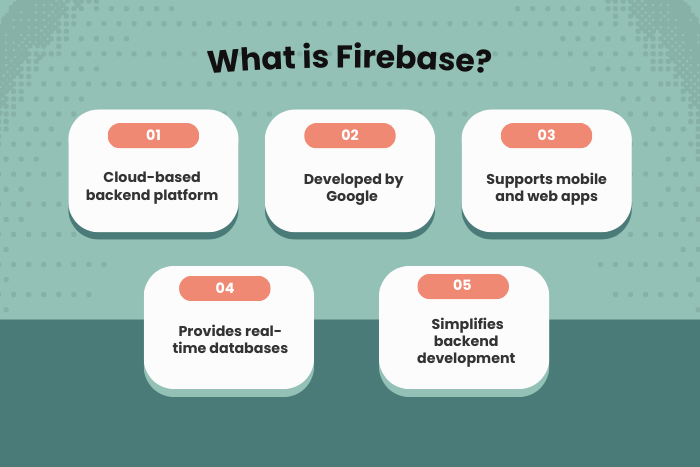
Firebase is a Backend-as-a-Service (BaaS) platform that simplifies application development by providing ready-to-use backend tools. Instead of building complex backend infrastructure from scratch, developers can integrate Firebase to handle data storage, user authentication, real-time synchronization, and serverless functions.
Firebase supports multiple platforms including Android, iOS, web applications, and cross-platform frameworks. With powerful features such as Firebase Authentication, Cloud Firestore, Firebase Analytics, and Cloud Messaging, developers can quickly build scalable and high-performance applications.
In this guide, we will explore how to integrate Firebase into an application, the types of Firebase solutions available, the development process, technology stack, cost factors, and the latest trends in Firebase-powered application development.
Why Firebase Integration is Important
Firebase integration plays a crucial role in simplifying application development and improving app performance.
Here are several reasons why Firebase integration is important:
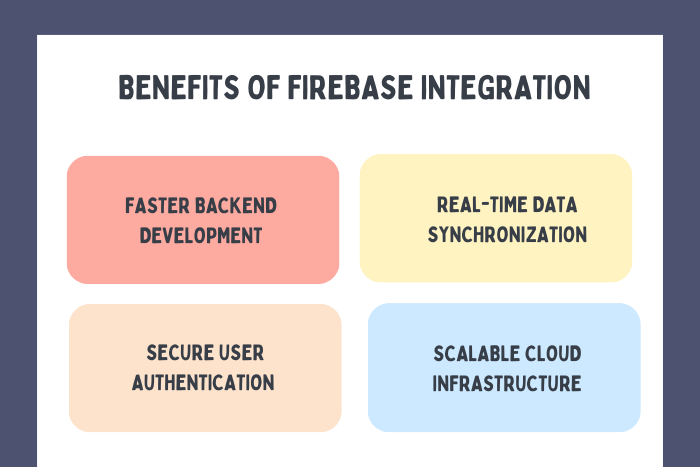
Rapid Backend Development
Firebase eliminates the need to build backend infrastructure from scratch.
Real-Time Data Synchronization
Applications can update data instantly across devices.
Secure User Authentication
Firebase provides secure authentication using email, phone, and social logins.
Scalable Cloud Infrastructure
Firebase automatically scales with application growth.
Powerful Analytics and Insights
Developers can track user behavior and app performance.
Simplified Push Notifications
Firebase Cloud Messaging allows easy implementation of notifications.
These advantages make Firebase one of the most widely used platforms for modern application development.
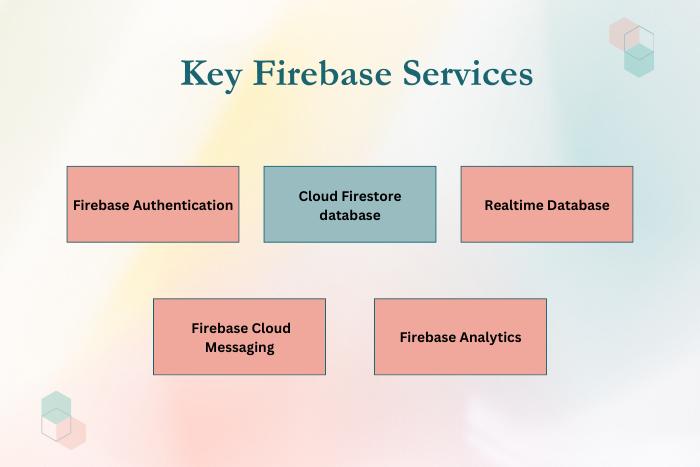
Types of Firebase Integration Solutions
Firebase offers multiple services that help developers integrate Firebase in an app efficiently.
Firebase Authentication
Authentication services help manage user identities securely.
Email and password authentication
Social login (Google, Facebook, Apple)
Phone number verification
Firebase Cloud Firestore
Firestore is a scalable NoSQL cloud database for storing and syncing data.
Real-time data synchronization
Offline support
Scalable data storage
Firebase Realtime Database
A cloud-hosted database that updates data instantly across connected devices.
Real-time data updates
Offline support
Firebase Cloud Messaging (FCM)
Enables developers to send push notifications to users.
Real-time notifications
Targeted messaging
Firebase Analytics
Helps track user behavior and app engagement.
User event tracking
Conversion analysis
Firebase Cloud Functions
Serverless functions allow developers to run backend code without managing servers.
Automated workflows
Backend logic execution
These services help developers build powerful and scalable applications.
Key Features of Firebase Integration in an App
Firebase provides several advanced features that simplify application development.
Important features include:
Real-time cloud databases
Secure authentication and user management
Serverless cloud functions
Push notifications and messaging services
Cross-platform app support
Scalable cloud infrastructure
Built-in analytics and performance monitoring
Integration with Google Cloud services
These features make Firebase an efficient backend solution for mobile and web applications.
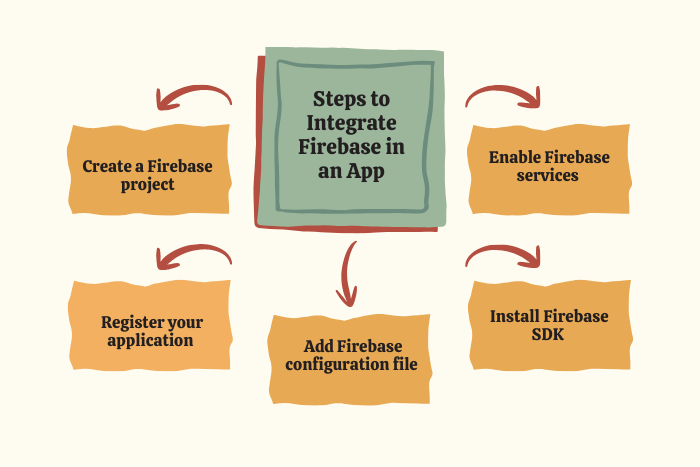
Firebase Integration Development Process
There are several structured steps to integrate Firebase in an app effectively.
Create a Firebase Project
Set up a new project in the Firebase Console.
Register the Application
Add your Android, iOS, or web application to the Firebase project.
Add Firebase Configuration File
Download and integrate the configuration file into the app.
Install Firebase SDK
Add the required Firebase libraries or SDKs to your application.
Enable Firebase Services
Configure services such as authentication, database, or cloud messaging.
Implement Firebase Features
Integrate authentication, data storage, analytics, or notifications.
Test Firebase Integration
Ensure all Firebase services work properly within the application.
Deploy and Monitor the App
Launch the app and track performance using Firebase analytics.
This development process ensures efficient and reliable Firebase integration.
Technology Stack used to Integrate Firebase in an App
Firebase works with a variety of development technologies and frameworks.
- Mobile Development: Kotlin, Java, Swift, Objective-C
- Cross-Platform Frameworks: Flutter, React Native, Xamarin
- Web Technologies: HTML5, CSS3, JavaScript, TypeScript
- Backend Technologies: Node.js, Python, Java
- Databases: Firebase Firestore, Realtime Database
- Cloud Infrastructure: Google Cloud Platform
- DevOps Tools: GitHub Actions, Docker
- Security Tools: Firebase Security Rules, OAuth authentication
These technologies help developers build scalable applications powered by Firebase.
Cost Factors to Integrate Firebase in an App
Firebase offers both free and paid plans depending on application requirements.
Key cost factors include:
Number of active users
Database storage and data transfer
Cloud function execution frequency
Push notification usage
Hosting and cloud infrastructure
Third-party API integrations
App analytics and monitoring tools
Application scalability requirements
Understanding these factors helps businesses optimize Firebase usage costs.
Latest Trends in Firebase App Development
Firebase continues to evolve with new technologies and features that make it easier to integrate Firebase in an app.
Some key trends include:
Serverless application architecture
Real-time mobile application development
Integration with AI and machine learning services
Advanced analytics for user engagement
Increased use of cross-platform frameworks
Cloud-native mobile app development
Improved security through Firebase security rules
Integration with Google Cloud AI services
These trends are shaping the future of cloud-based application development and making it easier to integrate Firebase in an app.
Why Choose Us for Firebase Integration?
Selecting the right development partner ensures successful Firebase integration.
Here’s why businesses choose our Firebase development services:
Firebase Certified Developers – Experienced professionals skilled in Firebase architecture.
Scalable Cloud Solutions – Applications designed for high performance and growth.
Secure Backend Infrastructure – Advanced authentication and data protection systems.
Real-Time Application Development – Expertise in building real-time apps and databases.
Cross-Platform Integration Expertise – Support for Android, iOS, and web applications.
Optimized Performance and Analytics – Integration with Firebase analytics and monitoring tools.
Agile Development Approach – Faster development and continuous improvements.
End-to-End Support – From setup and integration to maintenance and optimization.
We help businesses build scalable, secure, and high-performance applications using Firebase.
Ready to integrate Firebase into your application?
Let our experts build a scalable backend for your mobile or web app.
Contact us today for a free consultation and Firebase integration plan.
Key Points :
- Firebase provides a cloud-based backend for mobile and web applications.
- Developers integrate Firebase by creating a project and adding the Firebase SDK.
- Firebase Authentication enables secure user login and identity management.
- Cloud Firestore and Realtime Database support real-time data synchronization.
- Firebase Cloud Messaging allows push notifications for user engagement.
- Firebase Analytics helps track user behavior and app performance.
- Serverless Firebase services simplify scalable app development.
FAQ's
Firebase is a cloud-based platform developed by Google that provides backend services for mobile and web applications.
You can integrate Firebase by creating a Firebase project, registering your app, installing the Firebase SDK, and enabling required services.
Firebase offers authentication, real-time databases, cloud storage, analytics, push notifications, and serverless cloud functions.
Firebase provides a free plan with limited usage and paid plans for larger applications.
Yes, Firebase supports Android, iOS, and web applications.
Yes, Firebase provides authentication systems, security rules, and encryption to protect user data.
Firebase offers two main databases: Cloud Firestore and Realtime Database.
Yes, Firebase is designed to scale automatically as the number of users grows.

