



Learn how to integrate maps in an app using APIs like Google Maps, including features, development steps, technologies, and best practices.
How Do I Integrate Maps in an App?
Maps have become an essential feature in many modern mobile applications. From ride-hailing and food delivery to travel, logistics, and social networking apps, map integration plays a crucial role in improving user experience and functionality. If you’re wondering how do I integrate maps in an app, the process involves using map APIs and SDKs to display locations, routes, and navigation features within a mobile or web application.
Map integration allows developers to add powerful location-based features such as real-time navigation, geolocation tracking, nearby place searches, and route optimization. Popular mapping services like Google Maps Platform, Mapbox, Apple Maps, and OpenStreetMap provide APIs that make it easier to integrate maps into mobile apps.
Businesses benefit greatly from map-enabled applications. For example, delivery apps use maps for route tracking, travel apps provide directions and location discovery, and retail apps help customers find nearby stores. Integrating maps not only improves usability but also enhances operational efficiency.
In this guide, we will explore how to integrate maps into an app, the types of map integration solutions available, key features required, development processes, technologies used, cost considerations, and emerging trends in location-based applications.
Why Map Integration Is Important in Mobile Apps
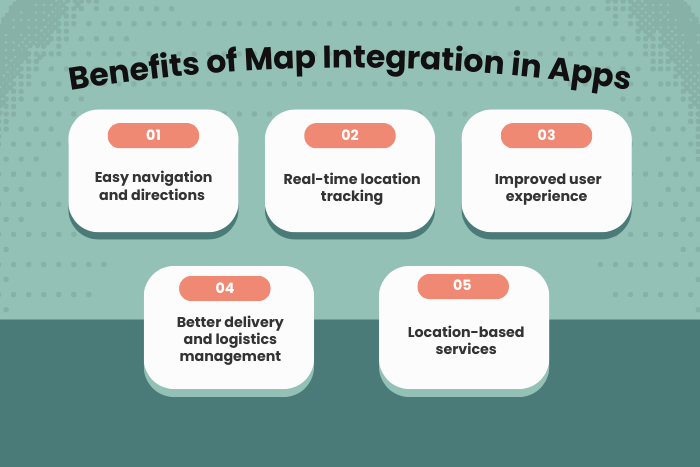
Map integration enhances mobile apps by enabling powerful location-based services.
Key benefits include:
Improved User Navigation
Users can easily find locations, routes, and directions.
Real-Time Location Tracking
Businesses can track deliveries, drivers, or user locations.
Better Customer Experience
Interactive maps improve app usability and engagement.
Location-Based Services
Apps can provide nearby restaurants, stores, or services.
Efficient Logistics and Delivery
Businesses can optimize routes and reduce delivery time.
Enhanced Data Insights
Location data helps businesses analyze user behavior and patterns.
Because of these advantages, map integration is widely used across industries such as transportation, travel, retail, and logistics.
Types of Applications That Integrate Maps in an App
Different types of map integration solutions can be implemented depending on app requirements.
Navigation and Direction Apps
Apps that help users navigate routes and destinations.
Turn-by-turn navigation
Route optimization
Traffic updates
Location Tracking Apps
Apps used for tracking vehicles, deliveries, or users.
Real-time GPS tracking
Driver location monitoring
Fleet management
Store Locator Applications
Retail apps that show nearby stores or service locations.
Nearby store search
Location filters
Distance calculation
Ride-Hailing Applications
Apps used for booking transportation services.
Driver location tracking
Pickup and drop-off mapping
Dynamic route updates
Travel and Tourism Applications
Apps that help users explore destinations and attractions.
Points of interest (POI) mapping
Route planning
Travel recommendations
Each solution leverages map APIs to provide interactive and dynamic location services.
Key Features Required to Integrate Maps in an App
Successful map-enabled applications include several advanced features.
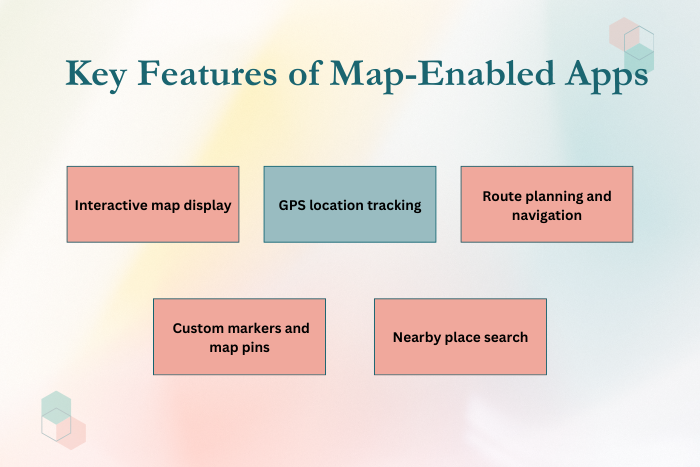
Important features include:
Interactive map visualization
GPS-based user location tracking
Route planning and navigation
Real-time traffic updates
Location search and autocomplete
Custom map markers and overlays
Geofencing and location alerts
Distance and travel time calculations
These features make location-based apps more useful and engaging.
Development Process for Map Integration in Apps
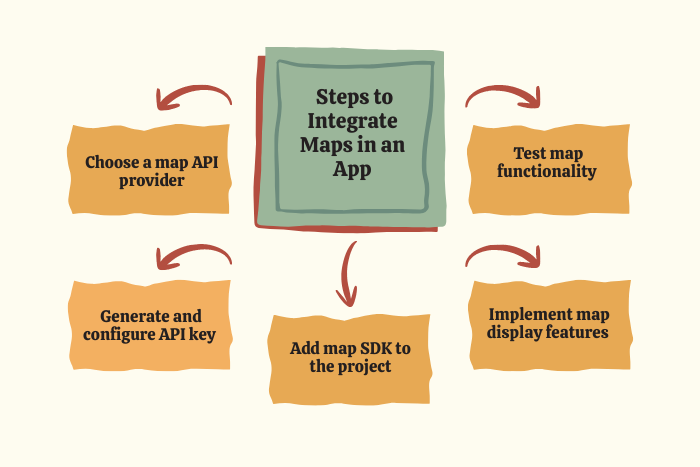
Integrating maps into a mobile application requires a structured development approach.
Define Location-Based Requirements
Identify how maps will be used within the application.
Choose a Map API Provider
Select services like Google Maps, Mapbox, or Apple Maps.
Set Up API Keys and Developer Accounts
Register for API access and configure credentials.
Integrate the Map SDK
Add the mapping library to your app’s development environment.
Implement Map Display and Controls
Display maps and add zoom, markers, and navigation controls.
Add Location Services
Enable GPS tracking and geolocation features.
Customize Map Interface
Add custom markers, routes, and overlays.
Testing and Optimization
Ensure maps work smoothly across devices and network conditions.
This process ensures efficient and stable map integration within mobile apps.
Technology Stack for Map Integration
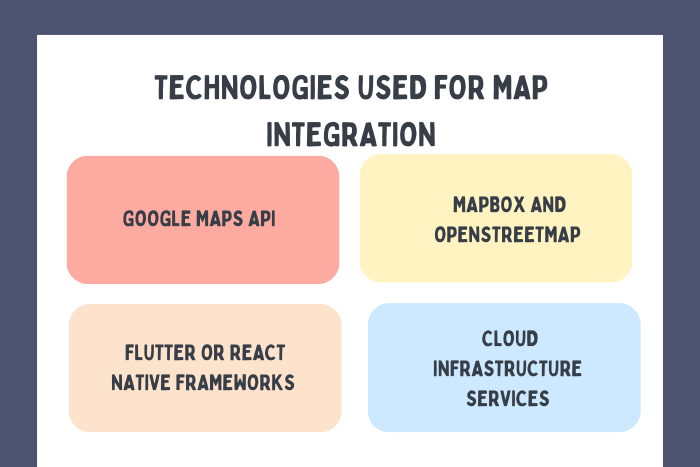
Developers use a combination of APIs, SDKs, and programming frameworks to integrate maps into applications.
- Map APIs: Google Maps API, Mapbox API, OpenStreetMap, Apple Maps
- Mobile Development: Flutter, React Native, Swift, Kotlin
- Backend Technologies: Node.js, Python, Java, PHP
- Database Systems: MongoDB, Firebase, PostgreSQL
- Cloud Services: AWS, Google Cloud Platform, Azure
- Geolocation Technologies: GPS, WebSockets, Location APIs
- Development Tools: Android Studio, Xcode, Visual Studio Code
These technologies help create reliable and scalable map-enabled applications.
Cost Factors in Map Integration for Apps
The cost of integrating maps into an app depends on several factors.
Choice of map API provider
Number of API requests and usage limits
App complexity and features
Real-time tracking and navigation features
UI customization and map styling
Development platform (iOS, Android, or cross-platform)
Third-party API integrations
Maintenance and API usage fees
Understanding these cost factors helps businesses estimate development budgets.
Latest Trends When Businesses Integrate Maps in an App
Location-based technologies continue to evolve with innovative features.
Some key trends include:
AI-powered route optimization
Real-time location analytics
Augmented reality navigation
Indoor mapping and navigation systems
Smart city and IoT-based mapping solutions
Geofencing and location-triggered notifications
3D maps and immersive navigation
Integration with autonomous vehicle systems
These trends are transforming how apps use location data and map technologies.
Why Choose Us for Map Integration App Development?
Choosing the right development team is essential for building high-performance location-based applications.
Here’s why businesses trust our map integration services:
Expert Map API Integration – Skilled developers experienced with Google Maps, Mapbox, and other APIs.
Scalable Location-Based Solutions – Applications designed to handle real-time location data efficiently.
Advanced Navigation Features – Integration of route optimization and traffic analysis.
Secure and Reliable Infrastructure – Strong security and stable cloud infrastructure.
Custom Map Interfaces – Interactive map designs tailored to your application.
Cross-Platform Development Expertise – Apps compatible with Android and iOS.
End-to-End Development Support – From planning and development to deployment and maintenance.
Cost-Effective Development Services – High-quality solutions within your project budget.
Ready to add powerful map features to your mobile application?
Let our experts build a location-based solution for your business.
Contact us today for a free consultation and development estimate.
Key Points :
- Map integration enables location-based services such as navigation, tracking, and nearby search in mobile apps.
- APIs like Google Maps, Mapbox, and Apple Maps help developers easily add interactive maps to applications.
- Real-time GPS tracking allows businesses to monitor deliveries, vehicles, and user locations efficiently.
- Features like route planning, traffic updates, and geolocation improve user experience in location-based apps.
- Custom map markers, overlays, and search functionality enhance the usability of map-enabled applications.
- Choosing the right map API and development framework is essential for smooth integration and performance.
- Map-based applications require scalable infrastructure and secure data handling for location services.
FAQ's
Map integration allows apps to display interactive maps, locations, routes, and navigation features.
Google Maps API is the most widely used mapping service for mobile applications.
Yes, developers can integrate GPS tracking to show real-time user or vehicle locations.
Costs depend on API usage, development complexity, and additional features.
Map APIs support Android, iOS, web applications, and cross-platform frameworks.
Some mapping services allow offline map functionality with downloaded map data.
Integration time depends on app complexity and required location features.

