


Learn how to integrate social media in your app using APIs, social login, sharing features, and engagement tools to improve user experience and app growth.
How Do I Integrate Social Media in My App?
Social media integration has become an essential feature for modern mobile and web applications. Businesses today rely on social platforms to increase engagement, attract users, and enhance the overall user experience. If you’re wondering how do I integrate social media in my app, the process involves connecting your application with social platforms such as Facebook, Instagram, Twitter, LinkedIn, or Google using APIs and authentication services.
Social media integration allows users to sign up quickly, share content, interact with friends, and engage with communities directly from within the app. These features significantly improve user retention and simplify the onboarding process.
Additionally, integrating social media helps businesses leverage existing networks to expand reach and promote their products or services. Features like social login, content sharing, user profile syncing, and real-time engagement tools can make your app more interactive and user-friendly.
In this guide, we will explore the best ways to integrate social media into your application, the development process involved, key technologies used, cost factors, and emerging trends in social media integration.
Why Social Media Integration Is Important
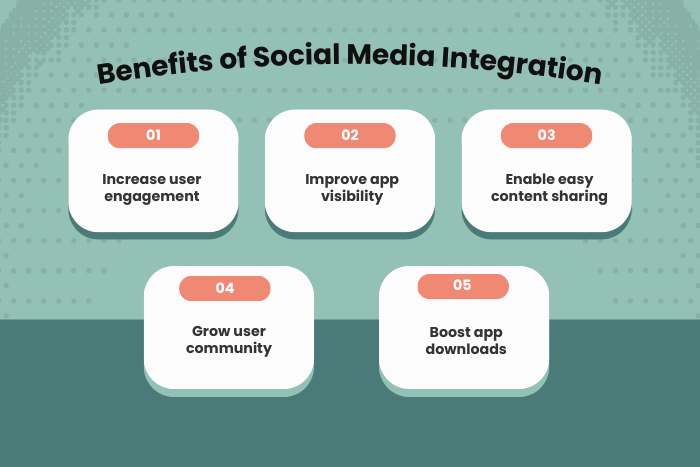
Integrating social media into your application provides several benefits for both users and businesses.
Key advantages include:
Improved User Engagement
Social features encourage users to interact more frequently with the app.Simplified User Registration
Social login allows users to sign up using existing accounts.Increased App Visibility
Sharing features help promote the app organically across social platforms.Enhanced User Experience
Users can easily connect with friends and communities.Better Marketing Opportunities
Businesses can promote products and content through social sharing.Higher User Retention
Interactive features encourage users to return to the app regularly.
By integrating social media capabilities, applications become more interactive and appealing to users.
Types of Solutions to Integrate Social Media in an App
There are several ways developers can integrate social media into mobile and web applications.
Social Login Integration
Allows users to sign in using social media accounts.
Facebook login
Google sign-in
Apple sign-in
LinkedIn authentication
Content Sharing Integration
Users can share app content directly on social platforms.
Share articles or products
Share achievements or updates
Share media or images
Social Feed Integration
Display social media feeds within the application.
Instagram feeds
Twitter timelines
Facebook posts
Messaging and Communication Integration
Enable social messaging and interactions.
Chat features
Community interactions
Comment systems
Social Analytics and Insights
Businesses can track user engagement and marketing performance.
User activity tracking
Engagement metrics
Campaign performance analysis
These solutions help create a more connected and interactive digital experience.
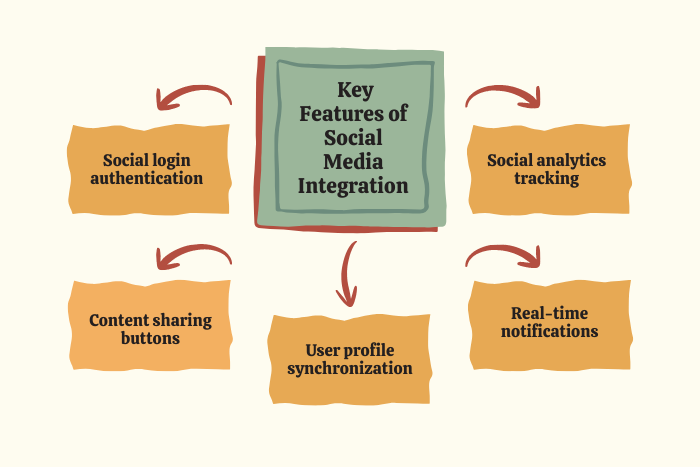
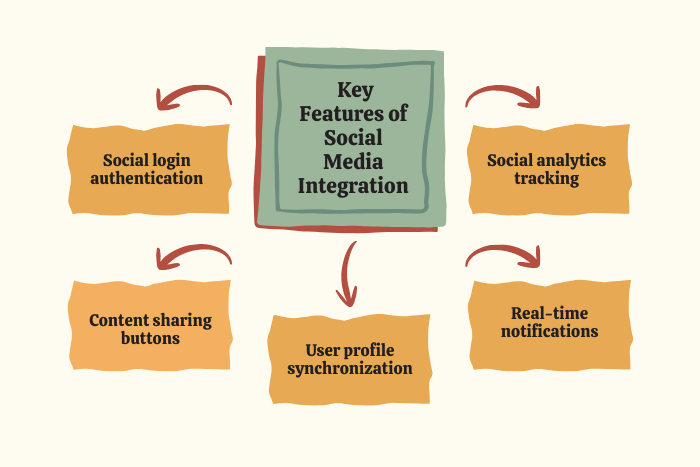
Key Features to Integrate Social Media in an App
A well-integrated social media system includes several powerful features.
Key features include:
Social media login and authentication
Easy content sharing across platforms
User profile synchronization
Real-time notifications and updates
Social engagement tools such as likes and comments
Integration with social media APIs
Secure authentication and privacy controls
Analytics and user activity tracking
These features help apps provide a seamless and engaging user experience.
Development Process for Social Media Integration
Integrating social media into an application requires a structured development process.
Define Integration Requirements
Identify which social platforms and features should be integrated.Select Social Media APIs
Choose APIs provided by platforms like Facebook, Instagram, or Twitter.Implement Social Authentication
Enable social login using OAuth authentication systems.Develop Sharing and Engagement Features
Add social sharing buttons and user interaction tools.Integrate Data and Profile Synchronization
Sync user profiles with social media accounts when needed.Testing and Security Validation
Ensure data privacy, authentication security, and smooth performance.Deployment and Monitoring
Launch the app and monitor engagement and performance metrics.Ongoing Updates and Optimization
Update integration as APIs and platform policies evolve.
This process ensures smooth and secure social media integration.
Technology Stack for Social Media Integration
Developers use a variety of technologies to implement social media features in applications.
Mobile Development: Flutter, React Native, Swift, Kotlin
Frontend Technologies: HTML5, CSS3, JavaScript, React
Backend Technologies: Node.js, Python, Java, PHP
Authentication Protocols: OAuth 2.0, OpenID Connect
Social Media APIs: Facebook Graph API, Instagram API, Twitter API, LinkedIn API
Databases: MongoDB, PostgreSQL, Firebase
Cloud Platforms: AWS, Google Cloud Platform, Microsoft Azure
Analytics Tools: Google Analytics, Firebase Analytics, Mixpanel
Using modern technologies ensures secure and scalable integration.
Cost Factors in Social Media Integration
The cost of integrating social media into an application depends on several factors.
Important cost factors include:
Number of social platforms integrated
Complexity of social features
User authentication implementation
Data privacy and compliance requirements
Backend infrastructure and hosting
Custom UI/UX development
API usage and maintenance
Ongoing updates and monitoring
Simple integrations like social login may require minimal development effort, while advanced integrations with feeds and analytics may increase costs.
Latest Trends in Social Media App Integration
Social media integration continues to evolve with new technologies and user expectations.
Major trends include:
AI-powered content recommendations
Social commerce integration
In-app live streaming features
Advanced user analytics and insights
Short-form video and story integrations
Augmented reality filters and effects
Voice-based social interactions
Enhanced privacy and data protection features
These trends help apps deliver richer and more engaging social experiences.
Why Choose Us for Social Media App Integration?
Choosing the right development partner ensures smooth and secure integration.
Here’s why businesses choose us:
Expertise in Social Media API Integration
Our developers specialize in integrating major social platforms.Secure Authentication Systems
We implement secure login and data protection mechanisms.Scalable Application Architecture
Our apps are designed to support large user communities.User-Focused Design Approach
We create engaging features that improve user interaction.Seamless Cross-Platform Integration
Social media features work smoothly across Android, iOS, and web apps.Advanced Analytics and Tracking
Our integrations help businesses measure engagement and growth.End-to-End Development Support
From planning to launch and maintenance, we handle the entire process.
Want to enhance your app with powerful social media features?
Our experts can help you integrate social media seamlessly into your application.
Contact us today for a free consultation and customized integration plan.
Key Points :
- Social media integration helps increase user engagement and app visibility.
- Apps can integrate platforms like Facebook, Instagram, Twitter, and LinkedIn using APIs.
- Social login allows users to sign in quickly using their social accounts.
- Social login allows users to sign in quickly using their social accounts.
- Secure authentication protocols like OAuth ensure safe integration.
- Analytics tools help track user engagement and social activity.
- Regular updates keep social media integration compatible with platform APIs.
FAQ's
Social media integration allows an app to connect with platforms like Facebook, Instagram, and Twitter for login, sharing, and engagement features.
It improves user engagement, simplifies login, increases visibility, and helps users share content easily.
Social login allows users to sign up or log in using their social media accounts.
Common platforms include Facebook, Instagram, Twitter, LinkedIn, and Google.
Simple integrations can take a few days, while advanced integrations may take several weeks.
Yes. Social sharing and promotions can increase app visibility and attract more users.
Yes. Social media platforms provide APIs that allow developers to connect apps with their services.

