



Learn how to test an app before launch with QA strategies, tools, beta testing, security checks, and performance testing to ensure a flawless release.
How Do I Test an App Before Launch?
If you’re asking, “How do I test an app before launch?”, you’re taking one of the most important steps toward ensuring your app’s success. Launching an app without proper testing can result in crashes, security vulnerabilities, negative reviews, and lost users. In today’s competitive app market, even minor bugs can damage your brand reputation and reduce retention rates.
App testing before launch involves a structured quality assurance (QA) process that validates functionality, usability, performance, compatibility, and security. It ensures your application works seamlessly across devices, operating systems, and network conditions. Whether you’re preparing a startup MVP, enterprise application, SaaS product, or on-demand platform, thorough mobile app testing reduces risk and improves user satisfaction.
From manual testing and automated testing to beta testing and performance optimization, this guide explains how to test an app before launch using proven methodologies, modern tools, and industry best practices — helping you release a stable, secure, and high-performing product.
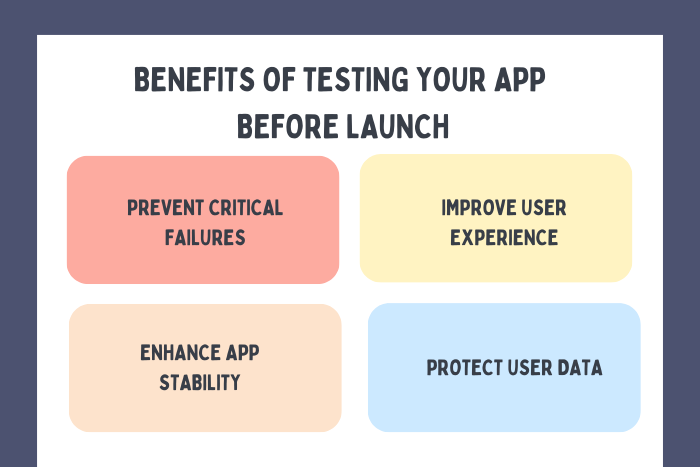
Why App Testing Before Launch Is Important
Pre-launch app testing directly impacts user experience and long-term growth.
Here’s why it matters:
Prevents crashes and critical bugs
Improves app performance and speed
Ensures compatibility across devices
Protects user data and enhances security
Reduces negative app store reviews
Increases user retention and engagement
Minimizes post-launch emergency fixes
Apps that undergo structured testing are more reliable, scalable, and competitive in the marketplace.
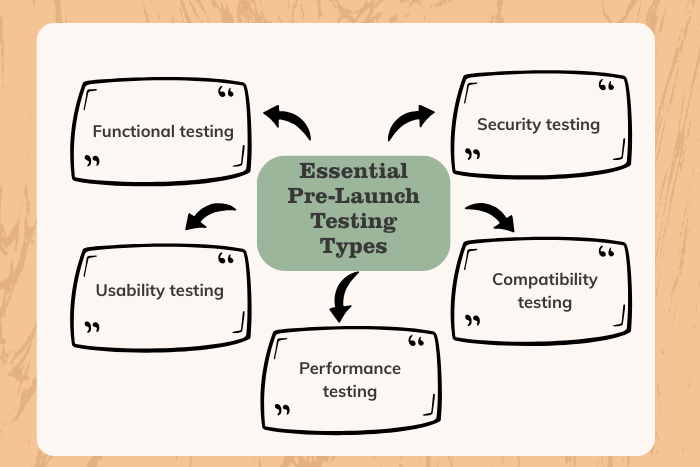
Types of App Testing Solutions
Different testing approaches ensure complete app validation when you test an app before launch:
Functional Testing
Verifies that all features work according to requirements.Usability Testing
Ensures intuitive navigation and smooth user experience.Performance Testing
Measures app speed, load handling, and responsiveness.Compatibility Testing
Tests app behavior across multiple devices, OS versions, and screen sizes.Security Testing
Identifies vulnerabilities, encryption issues, and authentication flaws.Beta Testing
Involves real users testing the app before public release.Automated Testing
Uses scripts and tools to test repetitive scenarios efficiently.
A comprehensive testing strategy combines multiple approaches for maximum coverage.
Key Features of Effective App Testing
A robust pre-launch testing framework includes:
Detailed test case documentation
Real device and emulator testing
Crash reporting and bug tracking
API and backend validation
Network condition testing
Cross-platform verification
Regression testing before release
Load and stress testing
Security audits and penetration testing
User feedback collection and analysis
These features ensure complete quality assurance before deployment.
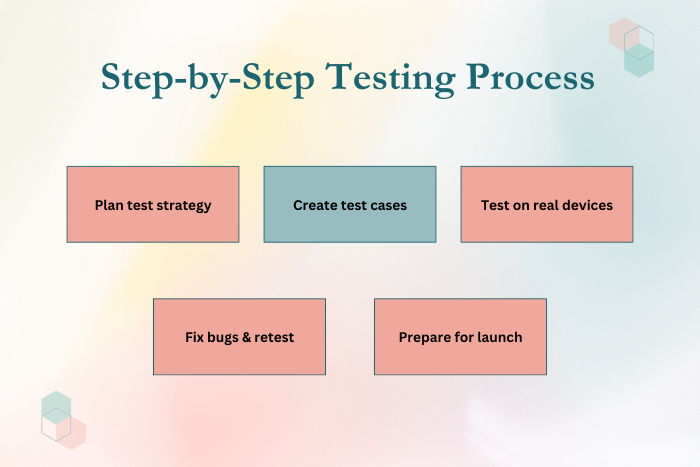
Development Process
Test Planning & Strategy Definition
Define testing scope, objectives, timelines, and coverage strategy.Test Case Design & Documentation
Prepare detailed test scenarios for functional and non-functional testing.Environment Setup
Configure real devices, simulators, staging servers, and cloud-based testing environments.Functional & UI Testing
Verify core features, workflows, navigation, and interface consistency.Performance & Load Testing
Simulate real-world traffic and stress conditions to ensure stability.Security & Compliance Testing
Conduct vulnerability assessments and encryption validation.Beta Testing & User Feedback
Release the app to a controlled audience to gather real-world insights.Bug Fixing & Regression Testing
Resolve identified issues and retest to ensure stability before launch.
A structured QA lifecycle prevents last-minute launch failures.
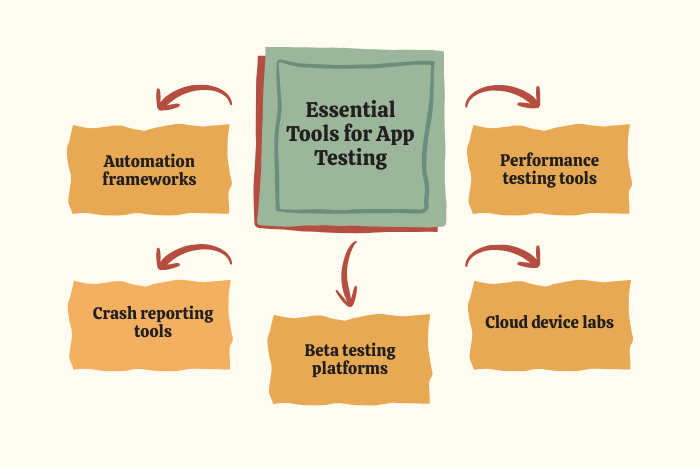
Technology Stack for App Testing
Modern tools streamline pre-launch testing processes, making it easier to test an app before launch efficiently :
Automated Testing Tools: Selenium, Appium, Espresso, XCTest
Performance Testing Tools: JMeter, LoadRunner
Crash Reporting Tools: Firebase Crashlytics, Sentry
Beta Testing Platforms: TestFlight, Google Play Console (Internal Testing)
Device Testing Platforms: BrowserStack, Sauce Labs
CI/CD Integration: Jenkins, GitHub Actions
Security Testing Tools: OWASP ZAP, Burp Suite
Using the right testing tools improves efficiency and test coverage.
Cost Factors in App Testing Before Launch
App testing costs vary depending on several factors when you test an app before launch :
App complexity and feature count
Number of platforms (iOS, Android, Web)
Device compatibility requirements
Manual vs automated testing approach
Security testing depth
Performance testing scale
Beta testing duration
QA team size and expertise
Testing typically accounts for 15–25% of total development cost but significantly reduces post-launch expenses.
Latest Trends in App Testing
Modern testing methodologies continue evolving:
AI-powered automated testing
Continuous testing in DevOps pipelines
Cloud-based device testing
Shift-left testing approach
Real-time user analytics for UX optimization
Security-first DevSecOps strategies
Automated regression testing
Performance monitoring with real-time dashboards
Adopting advanced testing practices ensures long-term app reliability.
Why Choose Us for Pre-Launch App Testing?
Releasing an app without comprehensive testing risks your brand credibility. We provide end-to-end app testing services tailored to your product and industry.
Here’s why businesses trust us:
Comprehensive QA Coverage – Functional, performance, security, and usability testing.
Real Device Testing Environment – Ensures cross-device compatibility.
Automated & Manual Testing Expertise – Balanced approach for efficiency and accuracy.
Scalable Testing Frameworks – Designed for startups and enterprises.
Transparent Reporting & Documentation – Clear bug tracking and resolution timelines.
Continuous Optimization Support – Post-launch monitoring and updates.
We don’t just test apps — we ensure flawless launches.
Ready to test your app before launch?
Let’s ensure your app delivers a seamless, bug-free user experience.
Contact us today for a comprehensive QA consultation.
Key Points :
- Step-by-step guide explaining how to test an app before launch using structured QA strategies.
- Covers essential testing types including functional, performance, compatibility, security, and usability testing.
- Explains the importance of beta testing and real-device validation before public release.
- Highlights automated vs manual testing approaches for maximum coverage.
- Includes modern app testing tools such as Appium, Selenium, Firebase, and CI/CD integration.
- Breaks down cost factors involved in pre-launch mobile app testing.
- Conversion-focused content with strong CTAs for businesses seeking professional app QA services.
FAQ's
Follow a structured QA process including functional testing, performance testing, security audits, and beta testing.
Both. Emulators are cost-effective for early testing, but real device testing ensures accurate performance validation.
Testing duration depends on app complexity but typically ranges from 2–6 weeks.
Yes. Automated testing tools help validate repetitive scenarios and improve efficiency.
Functional, performance, compatibility, security, and usability testing are critical.
Testing usually represents 15–25% of total development cost.
Yes. Beta testing provides real-user feedback before public release.
