





Learn how to test your mobile app with proven testing methods, tools, and strategies to ensure performance, security, and a smooth user experience.

How Do I Test My Mobile App?
Testing is one of the most critical stages in the mobile app development lifecycle. Many developers, startups, and businesses ask the question: How do I test my mobile app effectively before launching it to users? Proper mobile app testing ensures that the application works smoothly, performs reliably across devices, and provides a seamless user experience.
Without proper testing, mobile applications can suffer from crashes, security vulnerabilities, slow performance, or compatibility issues. These problems can negatively impact user satisfaction, app store ratings, and overall product success. Thorough testing helps identify and fix bugs before the app reaches real users.
Mobile app testing involves evaluating different aspects of the application such as functionality, usability, performance, security, and compatibility with various devices and operating systems. Both manual testing and automated testing methods are used to ensure high-quality results.
A well-planned testing strategy helps development teams detect issues early, optimize performance, and ensure that the app meets user expectations. In this guide, we’ll explain how to test a mobile app, the types of testing methods used, the development process for mobile app testing, and the tools that help ensure your application is ready for launch.
Why Mobile Application Testing Is Important
Mobile app testing ensures that your application performs reliably and delivers a positive user experience. Without proper testing, even a well-designed app may fail due to technical issues.
Here are some reasons why mobile app testing is essential:
Improved User Experience
Testing ensures that the application is easy to use and free from glitches.Bug and Error Detection
Identifies coding errors and software bugs before the app is released.Better App Performance
Ensures fast loading times, smooth navigation, and stable operation.Device and Platform Compatibility
Verifies that the app works across multiple devices, screen sizes, and operating systems.Enhanced Security
Detects vulnerabilities and protects user data from potential threats.Higher App Store Ratings
A stable and reliable app increases positive user reviews and downloads.
Testing plays a vital role in delivering high-quality mobile applications that users trust.
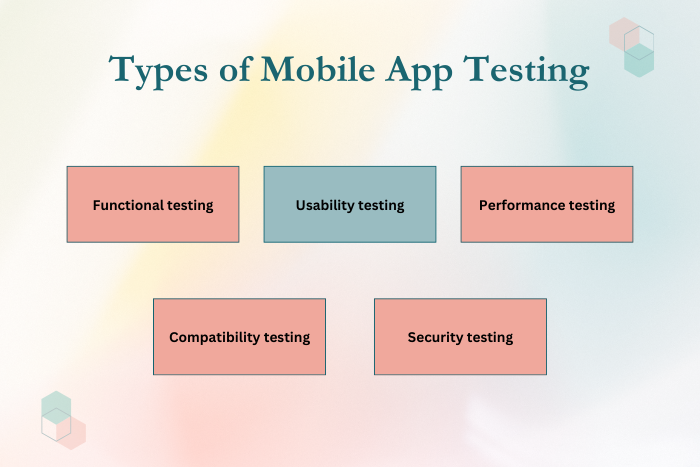
Types of Mobile App Testing Solutions
Different testing methods are used to evaluate various aspects of mobile applications.
Functional Testing
Ensures that all app features and functions work according to requirements.
Usability Testing
Evaluates how easy and intuitive the application is for users.
Performance Testing
Measures app speed, responsiveness, and stability under different conditions.
Compatibility Testing
Ensures the app works across different devices, screen sizes, and operating systems.
Security Testing
Identifies vulnerabilities and protects sensitive user data.
Automated Testing
Uses automated scripts and tools to perform repetitive testing tasks efficiently.
Manual Testing
Human testers evaluate the application by interacting with it directly.
These testing approaches help ensure that mobile applications are reliable and user-friendly.
Key Features of Mobile Application Testing
To effectively test a mobile app, several essential features are required to maintain application quality.
Key features include:
Comprehensive test coverage across all app functionalities
Multi-device and cross-platform compatibility testing
Real-time bug tracking and reporting
Automated testing for repetitive tasks
Continuous integration and testing pipelines
Performance monitoring and analytics
Security and vulnerability testing
Detailed testing reports and documentation
These features help development teams identify issues quickly and maintain consistent app performance.
Development Process for Mobile App Testing
Testing is integrated into different stages of the mobile app development lifecycle.
Define Testing Objectives
Identify what needs to be tested, including features, user flows, and technical components.
Create a Test Plan
Develop a structured testing strategy including test cases and testing methods.
Prepare the Testing Environment
Set up devices, operating systems, and testing tools required for the process.
Execute Functional Testing
Verify that all app features and functionalities work correctly.
Perform Performance and Security Testing
Test the app under various conditions to ensure reliability and security.
Track Bugs and Issues
Document errors, prioritize fixes, and communicate with developers.
Retesting and Validation
Verify that previously identified issues have been resolved successfully.
Final Testing Before Launch
Conduct final quality assurance checks before releasing the app to users.
This structured approach ensures that the mobile app is stable, secure, and ready for deployment.
Technology Stack for Mobile App Testing
Modern mobile app testing uses a variety of tools and technologies to improve testing efficiency.
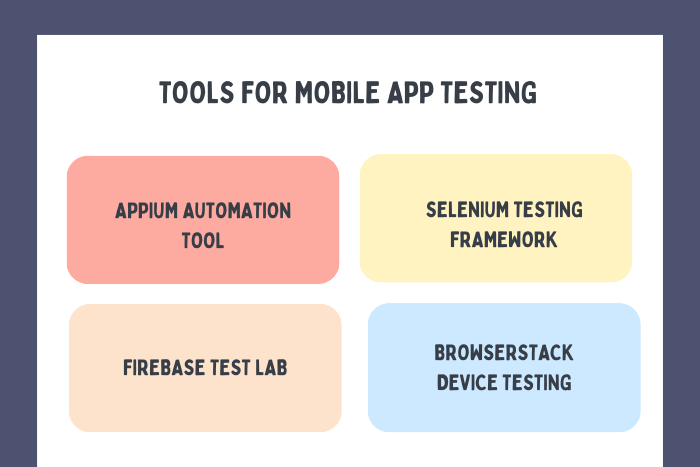
- Automation Testing Tools: Appium, Selenium, Espresso, XCTest
- Performance Testing Tools: JMeter, LoadRunner, BlazeMeter
- Cloud Testing Platforms: Firebase Test Lab, BrowserStack, AWS Device Farm
- Bug Tracking Tools: Jira, Bugzilla, Trello
- Continuous Integration Tools: Jenkins, GitHub Actions, GitLab CI/CD
- Mobile Development Platforms: Android Studio, Xcode
- Security Testing Tools: OWASP ZAP, MobSF
Using the right testing tools ensures faster testing cycles and reliable results.

Cost Factors in Mobile App Testing
The cost to test a mobile app depends on several factors, including complexity and test requirements.
Key cost factors include:
Application complexity and feature set
Number of supported devices and operating systems
Manual versus automated testing approach
Performance and load testing requirements
Security and compliance testing needs
Testing team expertise and resources
Integration with CI/CD pipelines
Maintenance and continuous testing after launch
Comprehensive testing may increase initial costs but significantly reduces long-term development risks.
Latest Trends in Mobile App Testing
Mobile app testing continues to evolve with advancements in technology and development practices.
Some emerging trends include:
AI-powered automated testing tools
Cloud-based device testing environments
Continuous testing integrated with DevOps pipelines
Real-device testing for better accuracy
Automated visual testing for UI consistency
Security-focused mobile testing frameworks
Low-code testing automation platforms
Testing for foldable and wearable devices
These innovations help development teams improve test efficiency and deliver high-quality mobile app.
Why Choose Us for Mobile App Testing?
Choosing the right testing partner ensures your mobile application meets the highest standards of performance, security, and reliability.
Here’s why businesses trust us for mobile app testing:
Comprehensive Testing Strategies – Covering functional, usability, performance, and security testing.
Expert QA Engineers – Experienced professionals specializing in mobile application quality assurance.
Real Device Testing – Testing across multiple devices and operating systems.
Automated Testing Expertise – Faster testing cycles with advanced automation frameworks.
Agile Testing Approach – Continuous testing throughout the development lifecycle.
Detailed Reporting and Bug Tracking – Clear insights into app performance and issues.
Scalable Testing Solutions – Testing strategies designed for growing applications.
Post-Launch Testing Support – Ongoing quality assurance and updates.
We ensure your mobile application is stable, secure, and ready for real users.
Ready to ensure your mobile app performs flawlessly?
Let our QA experts test and optimize your application for success.
Contact us today for a free consultation and testing strategy.
Key Points :
- Mobile app testing ensures the app works smoothly across devices, operating systems, and screen sizes.
- Testing helps identify bugs, errors, and performance issues before launching the app.
- Different testing types include functional, usability, performance, compatibility, and security testing.
- Both manual testing and automated testing are used to ensure comprehensive test coverage.
- A structured testing process includes test planning, execution, bug tracking, and retesting.
- Effective testing improves user experience, security, and app store ratings.
FAQ's
Mobile apps are tested through functional testing, performance testing, usability testing, security testing, and compatibility testing.
Common tools include Appium, Selenium, Firebase Test Lab, BrowserStack, and Espresso.
Manual testing involves human testers interacting with the app, while automated testing uses scripts to execute test cases.
Testing timelines depend on app complexity, but most apps require multiple testing cycles before launch.
It ensures the application works properly across different devices, screen sizes, and operating systems.
Performance testing evaluates app speed, stability, and responsiveness under different conditions.
Yes. Continuous testing helps maintain performance, fix bugs, and introduce improvements over time.

