

Discover what are the requirements for iOS app development including tools, skills, hardware, software, cost factors, and App Store guidelines.
What Are the Requirements for iOS App Development?
If you’re planning to build an application for Apple devices, you may be asking: what are the requirements for iOS app development? Developing an iOS application involves more than just coding — it requires the right hardware, software tools, programming knowledge, Apple developer registration, design standards, and compliance with strict App Store guidelines.
iOS app development is known for its high-quality standards, secure ecosystem, and premium user base. Apple’s closed ecosystem ensures better performance optimization, device consistency, and enhanced security — but it also requires developers to follow specific technical and design requirements.
Whether you’re a startup building your first iPhone app, a business expanding into the Apple ecosystem, or an enterprise launching a scalable digital product, understanding these requirements is critical for smooth development and successful App Store approval.
This guide outlines the essential technical, business, and compliance requirements needed to develop and launch a successful iOS app.
Why Understanding iOS App Development Requirements Is Important
Knowing the requirements for iOS app development helps you:
Avoid App Store rejections
Ensure compatibility across Apple devices
Improve app performance and security
Plan development costs accurately
Reduce development delays
Maintain long-term scalability
Apple maintains strict review guidelines, so failing to meet technical or compliance standards can result in delays or rejections. A structured approach ensures your app is ready for development, testing, and distribution.
Types of iOS App Development Solutions
iOS development requirements vary depending on the approach you choose.
Native iOS App Development
Built specifically for iPhone and iPad
High performance and full device integration
Uses Swift or Objective-C
Cross-Platform iOS Development
Built using Flutter or React Native
Single codebase for iOS and Android
Faster development cycle
Enterprise iOS App Development
Internal business applications
Secure authentication systems
Advanced backend integration
iOS MVP Development
Lean feature implementation
Rapid deployment
Market validation focus
Each approach has specific hardware, software, and compliance requirements.
Key Features Required for iOS App Development
Successful iOS applications require:
User-centric UI/UX design
Secure data handling
Performance optimization
Compatibility with latest iOS versions
Accessibility compliance
Internationalization support
Push notification capability
Cloud backend integration
Meeting these requirements ensures smooth App Store approval and positive user engagement.
Development Process
The iOS development lifecycle includes several structured stages:
Project Planning & Research
Define target audience, features, and business goals.UI/UX Design Following Apple Guidelines
Align with Apple Human Interface Guidelines.Environment Setup
Install Xcode and configure development tools.App Development Using Swift/Objective-C
Implement frontend and backend logic.Testing & Debugging
Use simulators and real devices for testing.App Store Preparation
Create app listing, screenshots, and metadata.App Store Submission & Review
Submit via Apple Developer account.Post-Launch Updates & Maintenance
Continuous updates and performance monitoring.
Each step must align with Apple’s technical and compliance requirements.
Technology Stack
A modern iOS app development tech stack includes the following components:
Front-End Technologies:
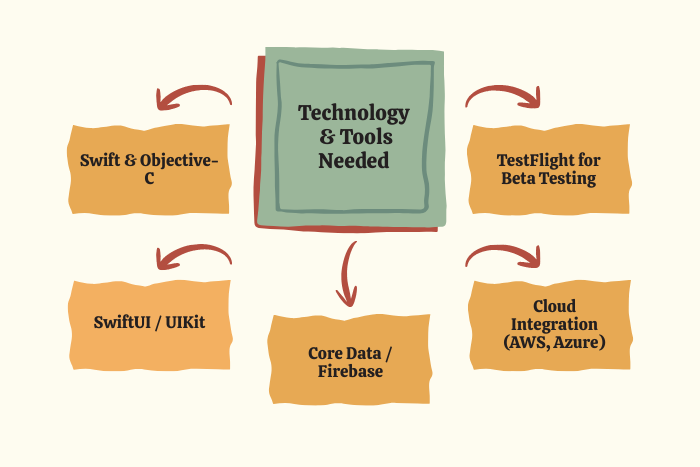
Swift, Objective-C, SwiftUI, UIKitCross-Platform Technologies:
Flutter, React Native, XamarinBack-End Technologies:
Node.js, Python (Django/Flask), Java (Spring Boot), .NETDatabases:
Core Data, SQLite, MongoDB, PostgreSQL, FirebaseCloud Services:
Apple CloudKit, Amazon Web Services (AWS), Google Cloud Platform (GCP), Microsoft AzureDevOps & Deployment:
Xcode, TestFlight, CI/CD pipelinesSecurity Technologies:
OAuth 2.0, SSL/TLS Encryption, Keychain, Biometric Authentication
Selecting the right stack ensures optimal performance and scalability.
Cost Factors in iOS App Development
The cost of meeting iOS app development requirements depends on:
App complexity (basic, mid-level, enterprise)
UI/UX customization level
Backend integration needs
Security and compliance requirements
Developer expertise level
Maintenance and updates
Estimated cost ranges:
Basic iOS app: $20,000 – $50,000
Mid-level app: $50,000 – $100,000
Enterprise app: $100,000+
Additionally, Apple Developer Program membership costs $99 per year.
Latest Trends in iOS App Development
iOS development continues evolving with:
AI and machine learning integration
SwiftUI adoption
ARKit and VR experiences
IoT integration
5G performance optimization
Enhanced privacy features
Cloud-native iOS applications
App Clips and lightweight app experiences
Keeping up with trends ensures competitive and future-ready applications.
Why Choose Us for iOS App Development?
We help businesses meet all iOS app development requirements with precision and efficiency.
Experienced iOS developers
Compliance with Apple guidelines
Agile and transparent development process
Secure architecture planning
Performance-focused coding standards
Post-launch support and updates
We deliver scalable, secure, and high-performing iOS applications tailored to your business goals.
Ready to build your iOS app?
Let’s ensure you meet every development requirement from day one.
Contact us today for a free consultation and roadmap.
Key Points :
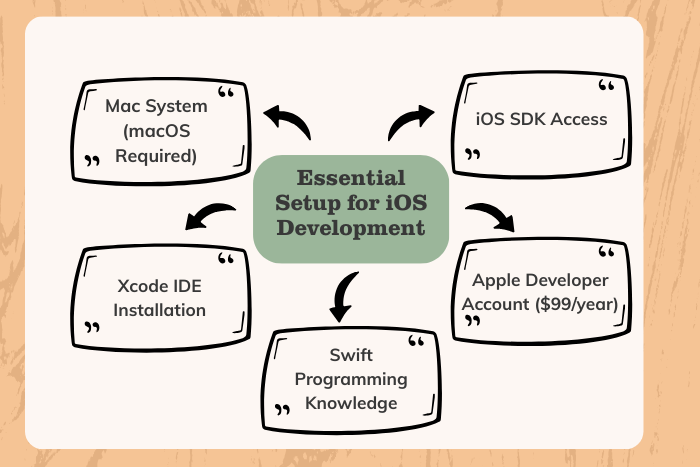
- iOS app development requires a Mac system and Xcode IDE for building applications.
- Swift is the primary programming language used for modern iOS app development.
- An Apple Developer Program membership ($99/year) is required for App Store submission.
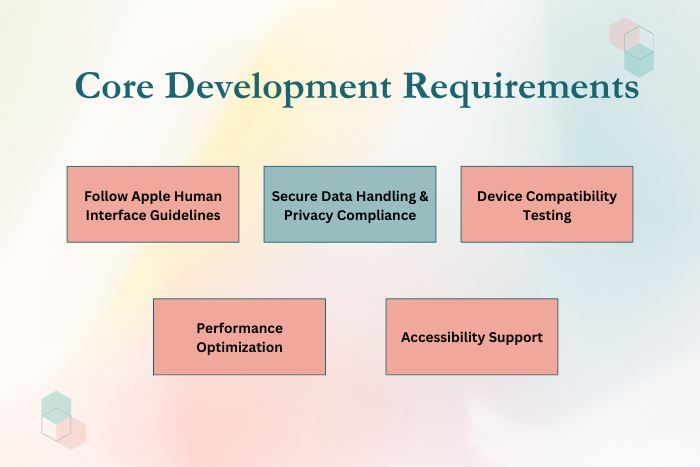
- Apps must follow Apple’s Human Interface Guidelines for approval.
- Strong focus on data security and privacy compliance is mandatory.
- Backend integration and cloud services are essential for scalable iOS apps.
- Testing using simulators and real Apple devices ensures performance optimization.
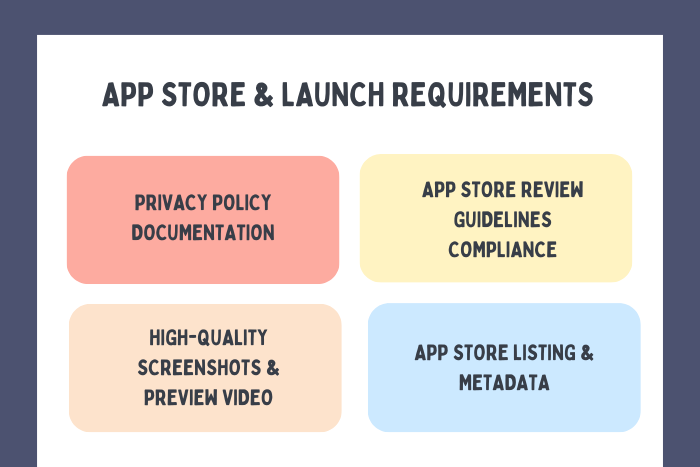
- Proper App Store metadata, screenshots, and documentation are required for publishing.
FAQ's
A Mac computer, Xcode, Swift programming knowledge, and an Apple Developer account.
Yes, Xcode runs only on macOS.
Swift is the primary language, though Objective-C is still supported.
Apple charges $99 per year for the Developer Program.
Yes, Apple’s ecosystem provides strong built-in security features.
Yes, frameworks like Flutter and React Native support iOS deployment.
Typically 3–6 months depending on complexity.
Non-compliance with guidelines, poor performance, or privacy violations.

