




How many days are needed to publish an app in Play Store? Learn approval timelines, review delays, rejection reasons, and how to speed up launch.
How Many Days Are Needed to Publish an App in Play Store?
If you’re wondering how many days are needed to publish an app in Play Store, the answer depends on several factors including account status, app type, compliance readiness, and Google’s review workload.
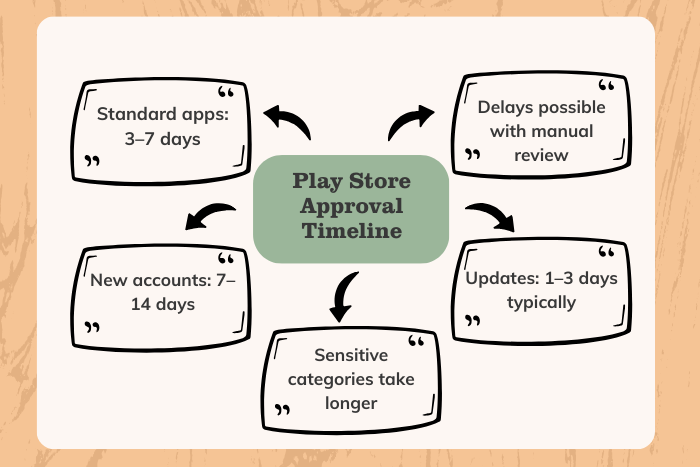
On average, Google Play Store approval takes 3 to 7 days for most standard applications. However, new developer accounts, apps in sensitive categories (finance, health, children’s content), or applications requiring manual review may take 7 to 14 days or longer. In rare cases, approvals can extend beyond 3–4 weeks due to policy verification or testing requirements.
Understanding the Google Play app review process is critical before submitting your application. From preparing store listing assets to meeting Play Console compliance requirements, small mistakes can delay approval or lead to rejection.
In this complete guide, we break down the Play Store publishing timeline, key approval factors, review stages, cost considerations, and proven strategies to get your app approved faster in 2026.
Why Is It Important to Know How Many Days Are Needed to Publish an App in Play Store?
Knowing how many days are needed to publish an app in Play Store helps you:
Plan product launch timelines accurately
Coordinate marketing campaigns effectively
Avoid costly last-minute delays
Ensure compliance with Google Play policies
Reduce the risk of rejection
For startups and businesses launching MVPs, even a one-week delay can affect investor demos, ad campaigns, or partnership deals. A well-prepared submission minimizes review time and improves first-time approval chances.
Publishing your Android app is not just about uploading an APK or AAB file — it involves policy compliance, testing tracks, data safety forms, content rating questionnaires, and proper app metadata.
Types of Publishing Solutions
Depending on your situation, you can choose different approaches to publishing your app:
Standard Production Release
Submit directly to production after internal testing.Closed Testing Track
Limited testers validate your app before public launch.Open Testing (Beta Release)
Public beta access for gathering feedback before final approval.Staged Rollout
Gradually release the app to a percentage of users to monitor performance.Professional Play Store Publishing Support
Work with experts to ensure compliance and faster approval.
Choosing the right release strategy can reduce delays and prevent rejections.
Key Features That Affect How Many Days Are Needed to Publish an App in Play Store
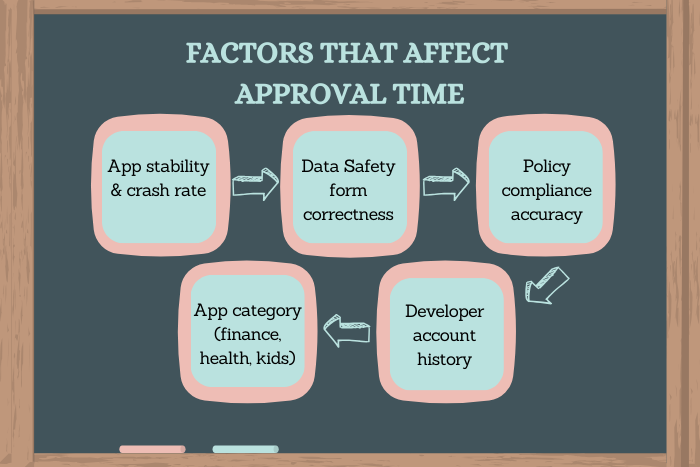
If you’re asking how many days are needed to publish an app in Play Store, these factors directly impact approval time:
Developer Account Type
New accounts may undergo longer manual review.App Category Sensitivity
Finance, healthcare, crypto, and kids apps require stricter verification.Policy Compliance Accuracy
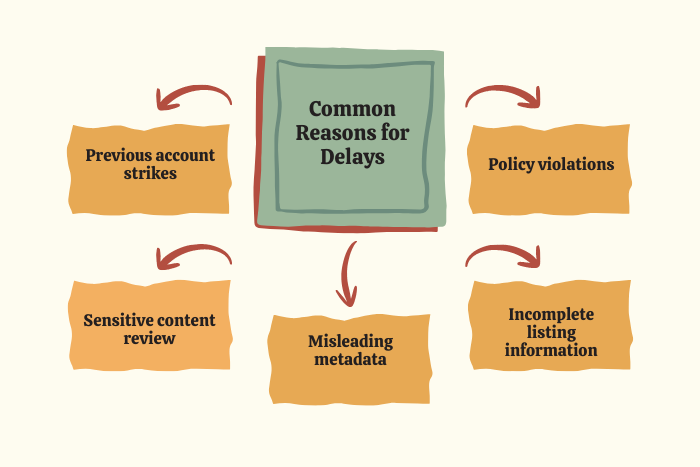
Incorrect Data Safety forms or misleading descriptions can trigger rejection.Testing Requirements
Some accounts must complete testing phases before full approval.App Stability & Performance
Crashes, bugs, or broken features delay review.Content Rating and Permissions
Incorrect permission declarations can slow the process.Previous Policy Violations
Accounts with past violations face longer scrutiny.
Development Process Before Publishing
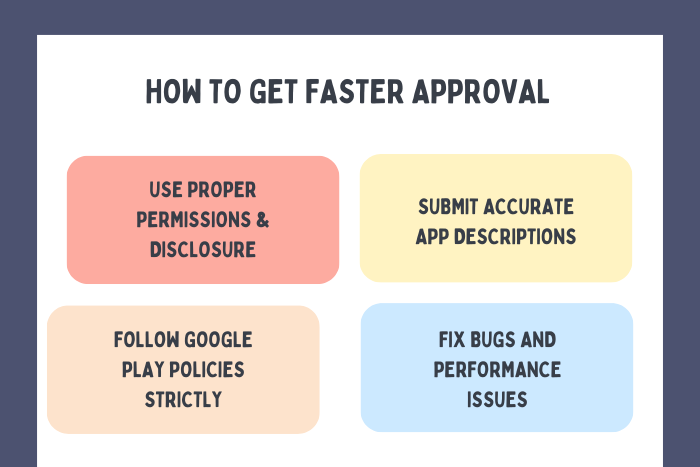
A structured pre-publishing process ensures faster Play Store approval:
Finalize app development and QA testing
Conduct internal and device compatibility testing
Optimize app performance and fix crashes
Prepare Play Store listing (title, description, screenshots, video)
Complete Data Safety and content rating forms
Generate signed App Bundle (AAB)
Upload to Google Play Console
Submit for review
Monitor review status and respond if required
Careful preparation significantly reduces review time.
Technology Stack and Compliance Tools
Certain tools and technologies streamline publishing:
App Development Frameworks:
Kotlin, Java, Flutter, React Native
Testing Tools:
Firebase Test Lab, BrowserStack, Android Emulator
Analytics & Monitoring:
Firebase Analytics, Google Play Console Reports
Crash Reporting:
Firebase Crashlytics
CI/CD & Deployment:
GitHub Actions, Bitrise, Codemagic
Using modern deployment pipelines reduces submission errors and speeds up approval.
Cost Factors Related to Publish an App in Play Store
Publishing an app on the Play Store also includes associated costs:
Google Play Developer Account Fee:
$25 one-time registration feeApp Development & Testing Costs:
Depends on complexity and quality assurance processCompliance & Legal Consultation (if required)
Third-Party SDK Licenses
Ongoing Maintenance & Updates
While publishing itself is affordable, ensuring compliance and stability may require additional investment.
Latest Trends in Play Store Publishing (2026)
Google continuously updates policies and review processes. Current trends include:
Mandatory Data Safety disclosures
Increased AI-based app review systems
Stricter financial and crypto app regulations
Expanded testing requirements for new developers
Enhanced child safety policies
Improved Play Integrity API enforcement
Understanding these trends helps you prepare better and avoid approval delays.
Why Choose Us
If you’re concerned about how many days are needed to publish an app in Play Store, we simplify the entire process.
Here’s how we help:
Pre-submission compliance audit
Policy-aligned app development
Professional Play Store listing optimization
Testing strategy guidance
Faster approval preparation
Post-launch monitoring and updates
We ensure your app meets Google Play policies from day one — minimizing rejections and accelerating launch timelines.
Planning to launch your Android app soon?
Let’s ensure smooth Play Store approval without delays.
Contact us today for expert publishing assistance.
Key Points :
- Play Store approval typically takes 3–7 days for most standard apps.
- New developer accounts may experience 7–14 days or longer review times.
- Apps in sensitive categories (finance, health, kids) undergo stricter manual review.
- Incorrect Data Safety forms or policy violations can delay approval.
- Thorough testing before submission reduces rejection risk.
- There is no official fast-track option, but proper preparation speeds up review.
- Compliance with Google Play policies is essential for smooth publishing.
FAQ's
Typically 3–7 days. New developer accounts or sensitive app categories may take 7–14 days or longer.
Manual review, compliance verification, or policy checks can extend approval time.
Yes. Ensure accurate Data Safety forms, test thoroughly, and avoid policy violations.
Yes, Google often reviews new accounts more strictly.
You’ll receive policy violation details and can resubmit after corrections.
No official fast-track exists, but proper preparation reduces delays.
Updates usually take 1–3 days but can vary depending on changes.
