

What are the steps to publish an app in App Store? Learn the complete iOS submission process, approval timeline, costs, and expert tips.
What Are the Steps to Publish an App in App Store?
If you’re asking what are the steps to publish an app in App Store, you’re likely preparing to launch your iOS application to millions of users worldwide. Publishing an app on Apple’s App Store involves more than simply uploading a file — it requires strict compliance with Apple’s guidelines, technical preparation, legal documentation, and a detailed review process.
Apple maintains high standards for quality, privacy, security, and user experience. As a result, the App Store approval process can take anywhere from 1 to 7 days, depending on the app category, complexity, and submission accuracy. Apps that fail to meet Apple’s policies may face rejection, requiring revisions and resubmission.
This comprehensive guide explains the exact steps to publish an app in the App Store — from creating a developer account to responding to App Review feedback. Whether you’re a startup, enterprise, or independent developer, following a structured process ensures smooth approval and a successful iOS launch.
Why This Service Is Important
Understanding what are the steps to publish an app in App Store helps you:
Avoid costly rejections and delays
Meet Apple’s strict App Review Guidelines
Ensure legal and privacy compliance
Optimize app listing for visibility
Launch your app on time
The Apple ecosystem prioritizes security, performance, and user trust. Even small issues such as missing privacy disclosures, improper permissions, or metadata inaccuracies can lead to rejection.
A professional, well-managed submission process improves first-time approval rates and protects your brand reputation.
Types of Publishing Solutions
Depending on your business goals, you can choose from several App Store release strategies:
Standard Public Release
Submit directly for public distribution worldwide.TestFlight Beta Testing
Distribute your app to testers before final release.Staged Rollout Release
Gradually release your app to manage performance and feedback.Custom App Distribution (B2B)
Distribute privately to specific organizations.Enterprise Distribution
Internal company app distribution via Apple Enterprise Program.
Selecting the right release model affects timeline, compliance requirements, and marketing strategy.
Key Features That Influence App Store Approval
If you’re evaluating what are the steps to publish an app in App Store, consider these critical approval factors:
Apple Developer Account Setup
Active Apple Developer Program membership is mandatory.App Store Guidelines Compliance
Strict adherence to Apple’s review policies.Privacy and Data Disclosure Accuracy
Correct completion of App Privacy details.App Stability and Performance
No crashes, broken links, or placeholder content.User Experience (UX) Quality
Intuitive design and smooth navigation.Accurate Metadata and Screenshots
Clear descriptions, keywords, and compliant visuals.Proper Certificates and Provisioning Profiles
Secure signing through Apple’s ecosystem.
Development Process: Step-by-Step Publishing Guide
Here are the exact steps to publish an app in the App Store:
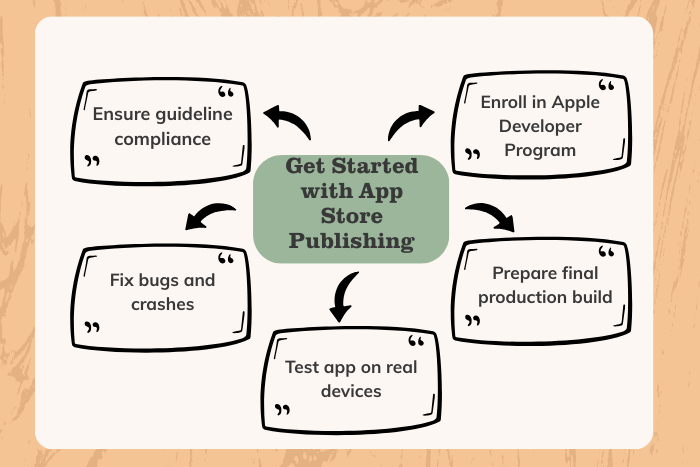
Enroll in Apple Developer Program
Register and pay the annual $99 membership fee.Prepare App for Submission
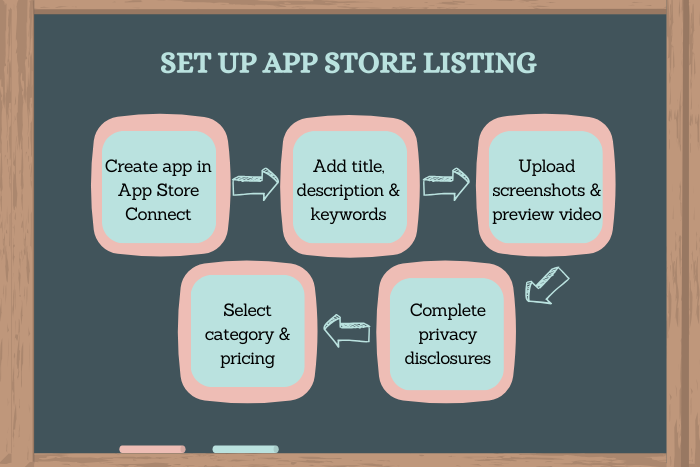
Finalize development, test thoroughly on real devices, and fix bugs.Create App Listing in App Store Connect
Add app name, description, keywords, category, pricing, and availability.Complete App Privacy and Compliance Forms
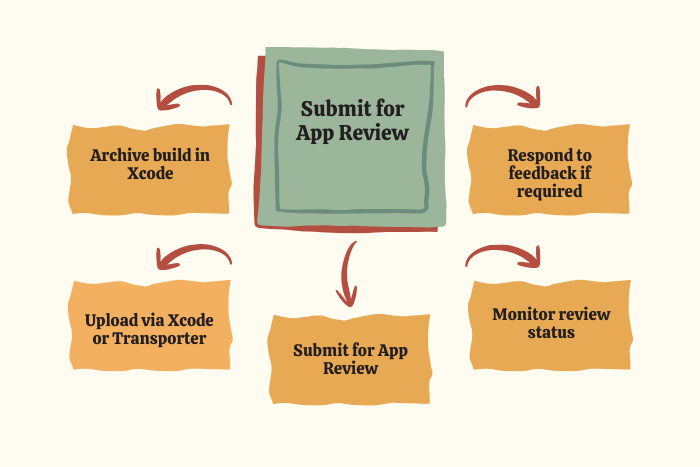
Declare data collection practices and encryption usage.Generate Production Build in Xcode
Archive the app and upload via Xcode or Transporter.Submit for App Review
Apple’s review team evaluates policy compliance and performance.Respond to Review Feedback (If Needed)
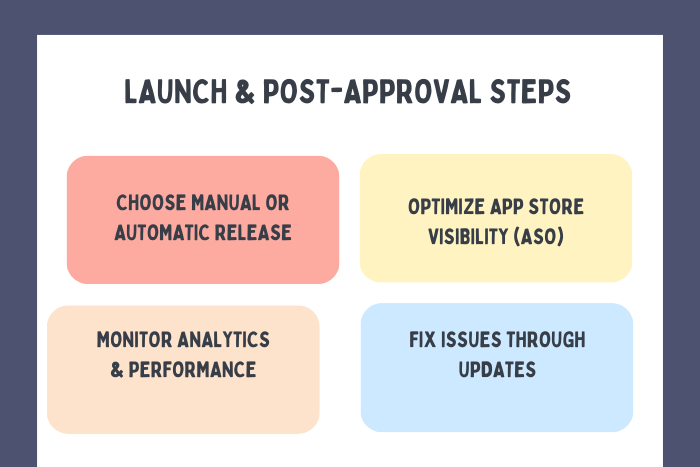
Make changes if rejected and resubmit.Release the App
Choose automatic release or manual release after approval.
Following this structured approach significantly increases first-time approval success.
Technology Stack and Tools
Efficient submission relies on modern tools and frameworks:
Development Tools:
Swift, Objective-C, SwiftUI
IDE & Submission Tools:
Xcode, Transporter
Testing Tools:
TestFlight, Firebase, BrowserStack
Analytics & Monitoring:
Firebase Analytics, App Store Connect Analytics
CI/CD Pipelines:
GitHub Actions, Bitrise, Codemagic
Using automated deployment systems reduces submission errors and speeds up review readiness.
Cost Factors for Publishing in the App Store
Publishing costs involve more than just development:
Apple Developer Program Fee:
$99 per yearApp Development Costs:
Depends on app complexity and featuresUI/UX Design Costs
Third-Party SDK Licenses
Legal & Compliance Consultation (if required)
Ongoing Maintenance and Updates
While the App Store submission itself is affordable, ensuring compliance and quality requires strategic investment.
Latest Trends in App Store Publishing (2026)
Apple continuously updates review standards. Key trends include:
Enhanced privacy transparency requirements
Stricter child data protection enforcement
AI-based app content scanning
Increased in-app purchase compliance checks
Improved accessibility guidelines
Expanded App Tracking Transparency enforcement
Staying aligned with these evolving policies ensures smooth approval.
Why Choose Us
Publishing on the App Store requires precision, compliance, and technical expertise — and that’s where we help.
Here’s what makes us different:
Pre-submission compliance audit
Policy-aligned iOS development
Expert App Store listing optimization (ASO)
TestFlight beta strategy support
Faster approval preparation
Dedicated post-launch monitoring
We don’t just upload your app , we ensure it meets Apple’s standards and launches successfully.
Planning to launch your iOS app?
Let’s streamline your App Store submission process.
Contact us today for expert publishing support.
Key Points :
- Enroll in the Apple Developer Program ($99/year required).
- Ensure your app fully complies with Apple’s App Store Review Guidelines.
- Test thoroughly for crashes, bugs, and performance issues.
- Create and optimize your app listing in App Store Connect.
- Accurately complete privacy, data collection, and compliance forms.
- Upload the final build using Xcode or Transporter.
- Submit the app for review and respond promptly to feedback.
- Release the app manually or automatically after approval.
FAQ's
Enroll in Apple Developer Program, prepare your app, create listing in App Store Connect, upload build via Xcode, submit for review, and release after approval.
Typically 1–7 days, but complex apps may take longer.
Apple charges $99 per year for the Developer Program.
Common reasons include privacy violations, crashes, incomplete metadata, or guideline non-compliance.
Yes, individuals can enroll as individual developers.
Yes, most updates go through review and usually take 1–3 days.
Follow Apple guidelines strictly, test thoroughly, and ensure accurate privacy disclosures.

