

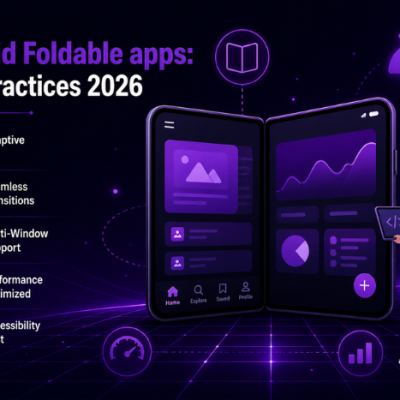
Learn Android foldable apps best practices 2026 to build adaptive, seamless, and high-performance multi-screen experiences.
Introduction
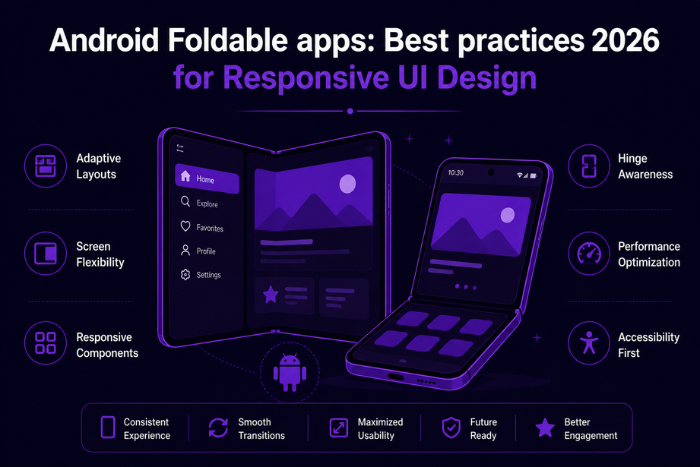
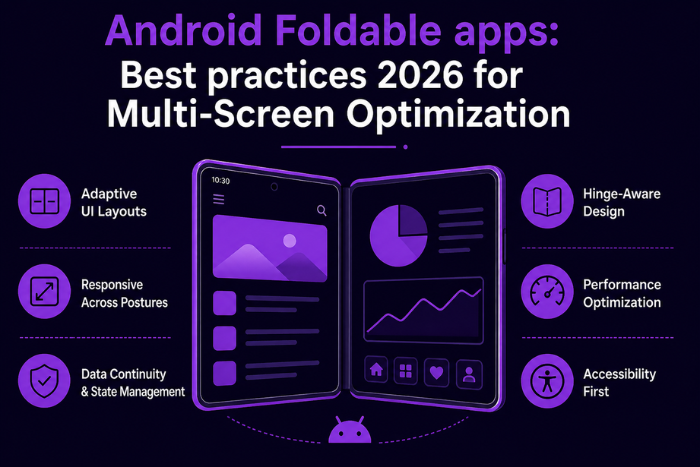
The rise of foldable smartphones is transforming the Android ecosystem, introducing new screen sizes, device postures, and user interaction patterns. Unlike traditional smartphones, foldable devices offer dynamic layouts that can switch between compact and expanded modes, creating unique opportunities—and challenges—for developers. Understanding Android foldable apps: best practices 2026 is essential for building apps that deliver seamless and adaptive user experiences across these evolving form factors.
Foldable devices require applications to handle screen continuity, multi-window functionality, hinge-based layouts, and real-time UI adjustments. Users expect apps to transition smoothly when folding or unfolding the device, without losing context or performance. Poorly optimized apps can result in broken layouts, usability issues, and reduced engagement.
In 2026, businesses that embrace foldable app development gain a competitive advantage by offering enhanced productivity, immersive experiences, and innovative interfaces. By following best practices, developers can ensure their apps are responsive, scalable, and future-ready for the next generation of Android devices.
Why Android Foldable Apps: Best Practices 2026 is Important
Optimizing for foldable devices is no longer optional—it’s becoming a standard requirement.
- Growing Foldable Device Market
Increasing adoption of foldable smartphones worldwide. - Enhanced User Experience
Seamless transitions between folded and unfolded states. - Improved Productivity
Multi-window support enables better multitasking. - Better App Engagement
Larger screens provide immersive interactions. - Future-Proof Development
Prepares apps for emerging device categories. - Competitive Advantage
Early adoption differentiates your app. - Cross-Device Compatibility
Ensures consistent performance across devices. - Optimized Performance
Efficient handling of dynamic layouts.
Types of Solutions for Android Foldable Apps: Best Practices 2026
Foldable app development supports multiple solution types:
- Productivity Apps
Multi-window workflows and split-screen functionality. - Media & Entertainment Apps
Enhanced video playback and immersive content viewing. - E-commerce Applications
Dual-screen browsing and product comparison. - Gaming Applications
Expanded gameplay and interactive layouts. - Education Apps
Multi-panel learning experiences. - Enterprise Applications
Dashboards and real-time data visualization. - Communication Apps
Chat and video calls with multitasking features. - Creative & Design Apps
Advanced editing with larger workspaces.
Key Features of Android Foldable Apps: Best Practices 2026
Modern foldable apps include advanced capabilities:
- Responsive UI Layouts
Adaptive designs for different screen sizes. - Screen Continuity
Smooth transitions between folded and unfolded states. - Multi-Window Support
Running multiple apps or instances simultaneously. - Posture Awareness
Detecting hinge angles and device states. - Dynamic Content Adjustment
Real-time UI updates based on screen configuration. - Optimized Navigation
Flexible navigation patterns for large screens. - High Performance
Efficient rendering and resource management. - Seamless Orientation Changes
Handling rotations and layout shifts smoothly.
Development Process
A structured approach ensures successful foldable app development:
- Requirement Analysis
Identify use cases for foldable devices. - UX Strategy & Design
Plan adaptive layouts and interactions. - Architecture Planning
Design scalable and flexible app structure. - UI Development
Implement responsive layouts using modern frameworks. - Foldable API Integration
Use tools like Jetpack WindowManager. - Testing Across Postures
Validate behavior in folded, unfolded, and multi-window modes. - Performance Optimization
Ensure smooth transitions and responsiveness. - Deployment & Continuous Improvement
Launch and refine based on user feedback.
Technology Stack for Android Foldable Apps: Best Practices 2026
Modern foldable apps rely on advanced tools:
Programming Languages: Kotlin, Java
Frameworks: Android SDK, Jetpack Compose
Libraries: Jetpack WindowManager
UI Tools: ConstraintLayout, Compose UI
Development Tools: Android Studio, Emulator
Testing Tools: Firebase Test Lab, device testing
Backend: Node.js, Python, Java
Analytics: Firebase Analytics, performance monitoring tools
Cost Factors for Android Foldable Apps: Best Practices 2026
Several factors influence development costs:
- App Complexity
More features increase development effort. - UI/UX Design Requirements
Adaptive design adds complexity. - Multi-Device Testing
Testing across foldable devices increases cost. - Integration Requirements
APIs and features add development time. - Performance Optimization
Ensuring smooth transitions requires effort. - Maintenance & Updates
Continuous improvements for new devices. - Development Team Expertise
Skilled developers impact cost. - Time-to-Market Goals
Faster delivery may increase cost.
Latest Trends
Key trends shaping foldable app development in 2026:
- Adaptive UI Design
Dynamic layouts for multiple screen sizes. - Multi-Tasking Experiences
Split-screen and multi-instance apps. - AI-Driven UI Adjustments
Smart layout optimization based on usage. - Large-Screen Optimization
Tablet-like experiences on foldable devices. - Cross-Device Continuity
Seamless transitions between devices. - Enhanced Gaming Experiences
Expanded interactive environments. - Enterprise Productivity Tools
Advanced workflows on foldable devices.
Why Choose Us for Android Foldable Apps: Best Practices 2026
Building foldable-ready apps requires expertise in adaptive design and modern Android frameworks.
Foldable Development Expertise
Experience in building apps for emerging device formats.
Adaptive UI Design
User-centric designs optimized for foldable screens.
Scalable Architecture
Apps built for future device compatibility.
Advanced Tool Integration
Use of Jetpack WindowManager and modern frameworks.
Performance Optimization
Smooth transitions and efficient rendering.
Custom Solutions
Tailored apps for specific industries.
Transparent Process
Clear communication and development workflow.
End-to-End Support
From design to deployment and maintenance.
We help businesses build innovative, high-performance Android apps optimized for foldable devices.
Ready to build foldable-ready Android apps for 2026?
Let’s create adaptive, future-proof mobile experiences.
Contact us today for expert foldable app development.
Key Points :
- Android foldable apps require adaptive UI for different screen sizes and postures.
- Seamless screen continuity ensures smooth transitions between folded and unfolded states.
- Multi-window support enhances productivity and multitasking experiences.
- Jetpack WindowManager helps manage foldable device behavior and layouts.
- Optimized navigation and responsive design improve user engagement.
FAQ's
Apps designed to work seamlessly across foldable device screen sizes and postures.
It ensures smooth user experience and better performance on modern devices.
Using responsive layouts and posture-aware APIs.
Yes, they require adaptive design and multi-window support.
Costs depend on complexity, design, and f
Yes, existing apps can be updated with responsive UI and APIs.

