

Follow Material You 3 design guidelines for Android apps to create modern, adaptive, and user-centric mobile experiences.
Introduction
Design plays a critical role in the success of modern mobile applications, and Google’s Material You 3 is redefining how Android apps look and feel. With a focus on personalization, dynamic color systems, responsive layouts, and expressive UI elements, Material You 3 empowers developers to create visually engaging and user-centric applications.
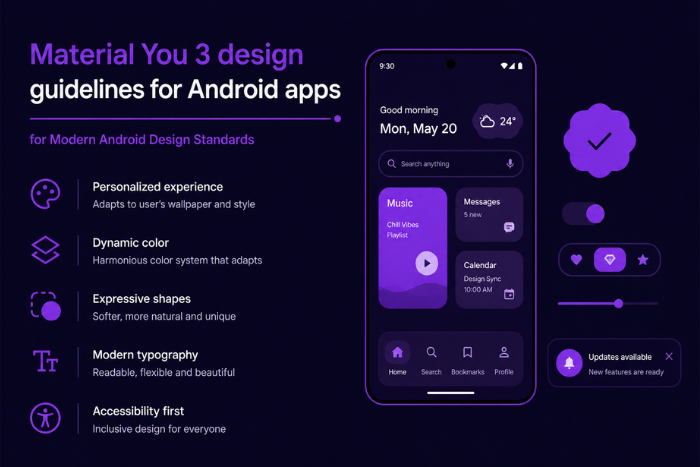
Adopting Material You 3 design guidelines for Android apps is essential for businesses aiming to deliver modern, intuitive, and adaptive user experiences. Unlike traditional design systems, Material You emphasizes customization based on user preferences, device themes, and contextual interactions. This results in apps that feel more personal, accessible, and aligned with user expectations.
In 2026, users expect seamless, beautiful, and consistent interfaces across devices. By implementing Material You 3, businesses can enhance usability, improve engagement, and build stronger brand identity through design. Whether you’re redesigning an existing app or building a new one, leveraging Material You 3 ensures your Android application stays competitive in an evolving digital ecosystem.
Why Material You 3 Design Guidelines for Android Apps is Important
Modern Android users demand more than functionality—they expect visually appealing and personalized experiences.
- Enhanced User Experience
Intuitive and visually consistent interfaces improve usability. - Dynamic Personalization
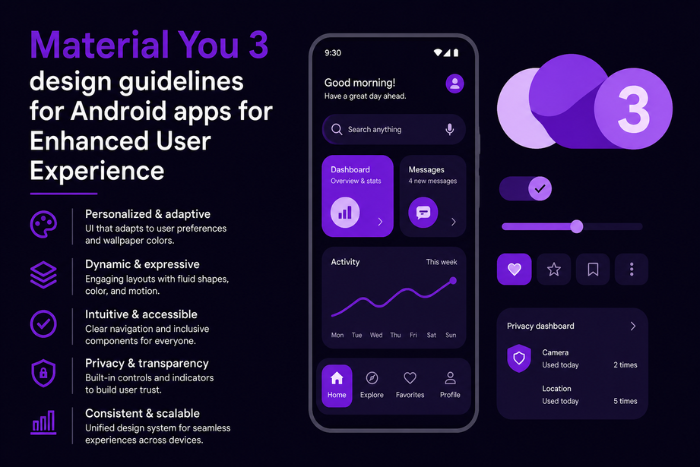
UI adapts to user preferences and system themes. - Improved Accessibility
Better readability, contrast, and usability for all users. - Consistent Design Language
Uniform experience across Android devices. - Higher User Engagement
Attractive UI increases retention and interaction. - Future-Proof Design
Aligns with Google’s evolving design standards. - Brand Differentiation
Customizable UI enhances brand identity. - Better Performance
Optimized design reduces UI complexity.
Types of Solutions for Material You 3 Design Guidelines for Android Apps
Material You 3 can be applied across various types of Android applications:
- Consumer Mobile Apps
Social media, e-commerce, and lifestyle apps with personalized UI. - Enterprise Applications
Clean, efficient dashboards and productivity tools. - Healthcare Apps
Accessible and user-friendly interfaces for patient care. - Fintech Applications
Secure and visually structured financial dashboards. - Media & Entertainment Apps
Dynamic layouts and immersive content presentation. - Education Apps
Interactive and adaptive learning interfaces. - IoT & Smart Device Apps
Control interfaces with responsive design elements. - Wearable & Cross-Device Apps
Consistent UI across phones, tablets, and wearables.
Key Features of Material You 3 Design Guidelines for Android Apps
Material You 3 introduces advanced design capabilities:
- Dynamic Color System
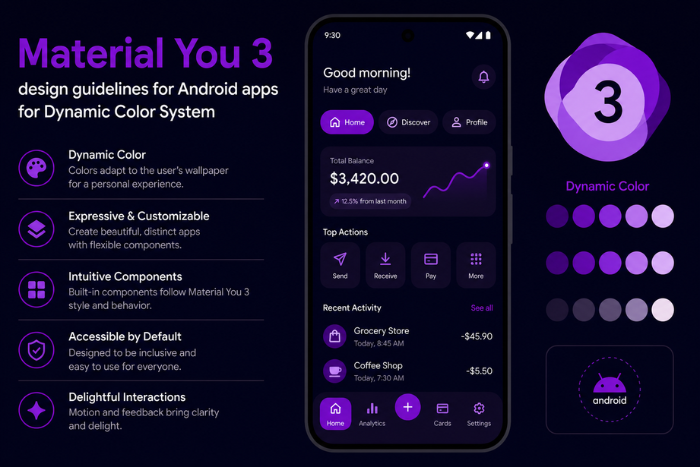
UI adapts colors based on wallpaper and user preferences. - Adaptive Layouts
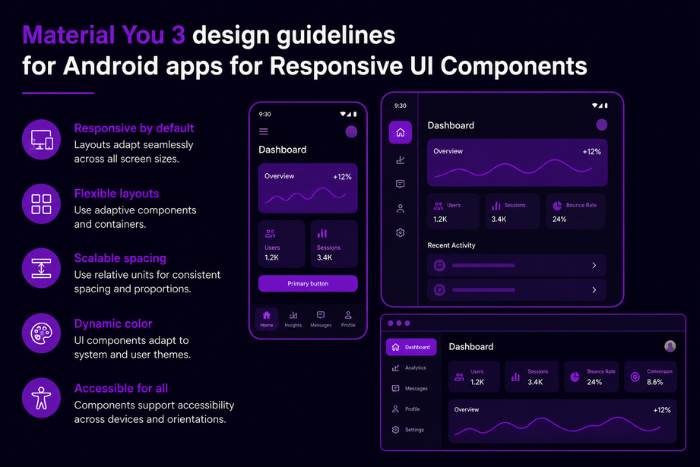
Responsive designs for different screen sizes and orientations. - Modern Typography
Improved readability and scalable text systems. - Enhanced Components
Updated buttons, cards, navigation, and surfaces. - Expressive Animations
Smooth transitions and motion design. - Elevation & Shadows
Depth-based UI for better visual hierarchy. - Accessibility Enhancements
Inclusive design for diverse user needs. - Dark Mode Optimization
Seamless support for light and dark themes.
Development Process
Implementing Material You 3 requires a structured design and development workflow:
- Design Audit & Research
Analyze existing UI and identify improvement areas. - User Experience Strategy
Define design goals based on user needs. - Wireframing & Prototyping
Create initial layouts and design flows. - Material You Integration
Apply dynamic colors, components, and typography. - UI Development
Build interfaces using modern Android tools. - Testing & Accessibility Checks
Ensure usability across devices and user groups. - Performance Optimization
Optimize UI for speed and responsiveness. - Deployment & Continuous Improvement
Launch and refine based on feedback.
Technology Stack for Material You 3 Design Guidelines for Android Apps
Modern UI development relies on advanced tools and frameworks:
Programming Languages: Kotlin, Java
UI Frameworks: Jetpack Compose, Android Views
Design Tools: Figma, Adobe XD, Sketch
Libraries: Material 3 Components, Compose Material3
Development Tools: Android Studio
Testing Tools: Espresso, UI Automator
Accessibility Tools: Accessibility Scanner
Version Control: Git, GitHub
Cost Factors for Material You 3 Design Guidelines for Android Apps
Several factors influence design implementation costs:
- App Complexity
More screens and features increase effort. - Design Customization Level
Highly personalized UI requires more resources. - Redesign vs New Design
Updating existing apps may involve additional work. - Animation & Interaction Complexity
Advanced motion design increases cost. - Accessibility Requirements
Inclusive design adds testing and implementation time. - Device Compatibility
Ensuring consistency across devices. - Testing & Iteration
Multiple design revisions impact cost. - Team Expertise
Skilled designers and developers influence pricing.
Latest Trends
Material You 3 is shaping modern Android UI trends:
- Hyper-Personalized Interfaces
UI adapts dynamically to user preferences. - Minimalist Design
Clean and clutter-free layouts. - Motion-Driven UX
Increased use of animations for engagement. - Cross-Device Consistency
Unified design across phones, tablets, and wearables. - AI-Assisted UI Design
Smart UI adjustments based on user behavior. - Dark Mode First Design
Designing primarily for dark themes. - Voice & Gesture Integration
Alternative interaction methods gaining traction.
Why Choose Us for Material You 3 Design Guidelines for Android Apps
Creating modern Android UI requires expertise in design systems, user experience, and technical implementation.
Material Design Expertise
Deep understanding of Material You 3 principles.
User-Centric Approach
Focus on usability and engagement.
Custom UI Solutions
Tailored designs aligned with your brand.
Scalable Design Systems
UI built for long-term growth and updates.
Advanced UI Development
Expertise in Jetpack Compose and modern frameworks.
Performance Optimization
Fast and responsive user interfaces.
Transparent Workflow
Clear communication and iterative feedback.
End-to-End Support
From design strategy to deployment.
We help businesses create visually stunning, high-performance Android apps that deliver exceptional user experiences.
Ready to upgrade your app with Material You 3 design?
Let’s create a modern, personalized Android UI for your users.
Contact us today for expert UI/UX design and development.
Key Points :
- Enhances user experience with adaptive colors, typography, and layouts.
- Improves accessibility, readability, and overall usability.
- Supports consistent design across multiple Android devices.
- Jetpack Compose and Material 3 components simplify implementation.
- Motion design and animations increase user engagement.
- Helps businesses create modern, scalable, and future-ready apps.
FAQ's
Material You 3 is Google’s latest design system focused on personalization, dynamic colors, and modern UI components.
It improves user experience, engagement, and aligns with modern Android standards.
Colors adapt based on user wallpaper and system preferences.
Jetpack Compose, Material 3 libraries, and Android Studio.
Yes, it offers seamless light and dark theme support.
Costs vary based on app complexity, design scope, and customization.

