
Why Do Game Developers Need a Gaming App? Discover why game developers need a gaming app to improve user engagement, monetization, gameplay experiences, and digital growth. Introduction The gaming industry has evolved into one of the fastest-growing digital sectors worldwide, driven by mobile technology, cloud gaming, esports, augmented reality, and immersive user experiences. Modern gamers expect interactive gameplay, real-time multiplayer features, smooth performance, and engaging digital environments across mobile and web platforms. Traditional gaming distribution methods are no longer sufficient for developers looking to reach wider audiences and build scalable gaming ecosystems. This is why understanding why do game developers need a gaming app is essential for businesses and studios aiming to improve player engagement, monetization opportunities, and competitive market positioning. A gaming app allows developers to create interactive digital experiences that can reach millions of users globally through smartphones, tablets, and connected devices. These applications help game developers manage gameplay systems, in-app purchases, multiplayer interactions, player analytics, notifications, and cloud synchronization efficiently. Gaming apps also enable developers to build communities, improve user retention, and create long-term monetization strategies. Modern gaming applications integrate advanced technologies such as AI-powered gameplay personalization, AR/VR experiences, cloud gaming infrastructure, blockchain-based gaming assets, multiplayer networking systems, and real-time analytics dashboards. As the gaming industry continues to expand rapidly, developers investing in scalable and intelligent gaming apps gain a strong competitive advantage in user acquisition, engagement, and revenue generation. Why Why Do Game Developers Need a Gaming App is Important Global Audience ReachGaming apps help developers connect with millions of users worldwide. Improved User EngagementInteractive gameplay features increase player retention and satisfaction. Multiple Revenue OpportunitiesIn-app purchases, subscriptions, and ads create monetization channels. Real-Time Multiplayer ExperiencesGaming apps enable online multiplayer and social gaming features. Cross-Platform AccessibilityPlayers can access games across mobile, tablet, and web platforms. Advanced Analytics & InsightsDevelopers can monitor player behavior and game performance in real time. Brand Growth & Community BuildingGaming apps help studios build loyal gaming communities. Competitive Gaming Industry AdvantageBusinesses can stay competitive in the rapidly evolving gaming market. Types of Solutions for Gaming Apps Casual Gaming Apps Puzzle games Arcade games Endless runner games Hyper-casual gaming experiences Multiplayer Gaming Apps Real-time multiplayer systems Social gaming integration In-game chat systems Online matchmaking features AR & VR Gaming Apps Augmented reality gameplay Virtual reality experiences Immersive 3D gaming environments Interactive simulations Educational Gaming Apps Gamified learning systems Quiz and trivia games Skill-based educational apps Interactive learning experiences Simulation Gaming Apps Business simulation games Sports simulation systems Life simulation gameplay Strategy management games Blockchain & NFT Gaming Apps Play-to-earn gaming systems Digital asset management NFT marketplace integration Blockchain-powered rewards Cloud Gaming Platforms Cloud-based gameplay streaming Device-independent gaming Real-time game synchronization Scalable gaming infrastructure Esports & Competitive Gaming Apps Tournament management systems Leaderboards and rankings Live streaming integration Competitive gaming analytics Get Free Quotation Now..!! Key Features of Why Do Game Developers Need a Gaming App High-Performance Gameplay EngineSmooth gameplay and optimized performance improve player experiences. Multiplayer & Real-Time NetworkingReal-time multiplayer systems improve user engagement and social interaction. Cross-Platform CompatibilityGaming apps support Android, iOS, tablets, PCs, and web platforms. In-App Purchases & MonetizationSecure payment systems enable subscriptions, rewards, and digital purchases. AI-Powered Gameplay PersonalizationAI improves player recommendations, difficulty balancing, and engagement. Cloud Save & SynchronizationPlayers can access progress across multiple devices securely. Push Notifications & Engagement ToolsNotifications improve retention and player re-engagement. Advanced Analytics DashboardReal-time analytics help developers track gameplay behavior and monetization. Leaderboards & AchievementsCompetitive systems improve player motivation and community engagement. AR/VR IntegrationImmersive technologies improve interactive gaming experiences. Secure Authentication & Data ProtectionEncryption and account security improve player trust and safety. Social Media IntegrationSocial sharing features increase visibility and community growth. Development Process Requirement Analysis & Game Planning Understand game objectives and target audience Analyze gameplay mechanics and monetization strategies Define app features and scalability goals UI/UX & Game Design Design engaging gaming interfaces Create immersive player experiences Optimize mobile-first gameplay interactions Game Architecture Planning Build scalable gaming infrastructure Design secure cloud-based systems Ensure high performance and stability Frontend & Backend Development Develop gameplay systems and multiplayer modules Build server-side logic and APIs Implement monetization and analytics tools Graphics, Animation & Audio Integration Add 2D/3D graphics and animations Integrate immersive sound effects and music Optimize visual performance across devices Testing & Quality Assurance Test gameplay performance and responsiveness Perform security and compatibility testing Optimize bug fixing and user experiences Deployment & Launch Publish games on Android and iOS platforms Configure cloud gaming infrastructure Monitor player engagement after launch Maintenance & Live Updates Release new content and updates Improve gameplay balancing and security Provide long-term technical support Technology Stack for Why Do Game Developers Need a Gaming App Game Engines Unity Unreal Engine Godot Engine Cocos2D Frontend Technologies Flutter React Native Swift Kotlin Backend Technologies Node.js Python Java Spring Boot Photon Engine Database Solutions MongoDB PostgreSQL Firebase Realtime Database Cloud Gaming Platforms AWS GameLift Google Cloud Gaming Services Microsoft Azure PlayFab Graphics & Animation Tools Blender Maya Spine Adobe After Effects AI & Analytics Tools TensorFlow Machine Learning Models Firebase Analytics Unity Analytics DevOps & Security Tools Docker Kubernetes Jenkins SSL Encryption Cost Factors for Why Do Game Developers Need a Gaming App Game ComplexityMultiplayer, AR/VR, and AI features increase development costs. Platform SelectionNative and cross-platform game development affect project budgets. Graphics & Animation QualityHigh-end 3D graphics and animations require additional investment. Cloud Infrastructure CostsMultiplayer servers and cloud synchronization increase operational expenses. AI & Advanced Gameplay FeaturesPersonalized gameplay and predictive systems increase complexity. Testing & Device CompatibilityMulti-device optimization requires extensive testing effort. Security & Anti-Cheat SystemsPlayer account security and anti-cheat technologies increase implementation costs. Post-Launch Updates & MaintenanceContinuous updates and live support require long-term investment. Latest Trends AI-Powered Personalized GamingAI improves player engagement and adaptive gameplay experiences. AR & VR Gaming ExperiencesImmersive technologies continue to transform mobile gaming. Cloud Gaming PlatformsCloud-based gameplay streaming improves accessibility and scalability. Blockchain & Play-to-Earn GamingDigital ownership and blockchain rewards are growing rapidly. Cross-Platform Multiplayer GamingGamers increasingly expect seamless cross-device gameplay. Esports & Competitive Gaming GrowthCompetitive gaming communities

KMP vs Flutter for Android-First Startups 2026
KMP vs Flutter for Android-First Startups 2026 Compare KMP vs Flutter for Android-first startups 2026 to choose the best framework for performance, scalability, and growth. Introduction Choosing the right development framework is one of the most critical decisions for Android-first startups in 2026. With increasing demand for faster development, cross-platform scalability, and high-performance applications, startups are often deciding between Kotlin Multiplatform (KMP) and Flutter. Both technologies offer powerful capabilities, but they differ significantly in architecture, performance, flexibility, and long-term scalability. Understanding KMP vs Flutter for Android-first startups 2026 is essential for building efficient, future-ready mobile applications. While Flutter provides a unified UI toolkit for building cross-platform apps quickly, Kotlin Multiplatform focuses on sharing business logic while maintaining native UI experiences. This distinction plays a crucial role in how startups approach product development, user experience, and technical scalability. For startups prioritizing Android-first strategies, the choice becomes even more important. Factors like time-to-market, developer expertise, performance requirements, and long-term maintenance all influence the decision. This guide helps startups evaluate both technologies and choose the best approach to build scalable, high-quality mobile applications in 2026 and beyond. Why KMP vs Flutter for Android-First Startups 2026 is Important Selecting the right framework directly impacts product success, scalability, and development efficiency. Faster Time-to-MarketChoosing the right framework accelerates development. Cost OptimizationEfficient development reduces initial and long-term costs. Performance ConsiderationsNative vs cross-platform rendering impacts speed. ScalabilityFuture expansion depends on architecture decisions. Developer ProductivityTools and ecosystem influence development speed. User Experience QualityNative UI vs custom rendering affects usability. Maintenance EfficiencyCode sharing reduces long-term effort. Competitive AdvantageThe right choice helps startups innovate faster. Types of Solutions for KMP vs Flutter for Android-First Startups 2026 Different startup needs determine which framework is more suitable: Android-First Native Apps (KMP)Shared business logic with native Android UI. Cross-Platform MVP Apps (Flutter)Single codebase for Android and iOS. Scalable Enterprise Apps (KMP)Flexible architecture for long-term growth. UI-Heavy Applications (Flutter)Custom UI with consistent design across platforms. Performance-Critical Apps (KMP)Native performance for complex operations. Rapid Prototyping Apps (Flutter)Quick development and iteration. Hybrid Architecture SolutionsCombining KMP logic with Flutter UI. Multi-Platform Ecosystem AppsApps targeting mobile, web, and desktop. Get Free Quotation Now..!! Key Features of KMP vs Flutter for Android-First Startups 2026 Both frameworks offer unique advantages: Kotlin Multiplatform (KMP) Features Native UI with shared business logic Direct access to platform APIs High performance and scalability Seamless integration with existing Android code Flutter Features Single codebase for multiple platforms Custom rendering engine (high UI consistency) Fast development with hot reload Rich widget library Common Advantages Cross-platform capabilities Strong developer communities Continuous ecosystem improvements Development Process The development workflow differs based on the chosen framework: Requirement AnalysisDefine business goals and platform priorities. Framework SelectionChoose between KMP, Flutter, or hybrid approach. Architecture PlanningDesign scalable app structure. UI/UX DesignNative UI (KMP) or custom UI (Flutter). Development PhaseBuild features and integrate APIs. Testing & QAEnsure performance across devices. DeploymentRelease on Play Store and other platforms. Maintenance & ScalingUpdate and expand app capabilities. Technology Stack for KMP vs Flutter for Android-First Startups 2026 Modern app development uses advanced technologies: KMP Stack: Kotlin, Android SDK, Ktor, SQLDelightFlutter Stack: Dart, Flutter SDK, FirebaseBackend: Node.js, Java, PythonDatabase: PostgreSQL, MongoDB, FirebaseDevOps: Docker, CI/CD pipelinesCloud: AWS, Google Cloud, AzureTesting Tools: JUnit, Espresso, Flutter Test Cost Factors for KMP vs Flutter for Android-First Startups 2026 Several factors influence development costs: Framework ChoiceFlutter may reduce initial cost; KMP may reduce long-term cost. App ComplexityAdvanced features increase development effort. UI Design RequirementsCustom UI may increase cost in Flutter. Team ExpertiseAvailability of Kotlin or Dart developers. Maintenance CostsCode sharing reduces long-term expenses. Testing RequirementsCross-platform testing adds effort. Scalability NeedsFuture expansion impacts cost. Time-to-MarketFaster delivery may require more resources. Latest Trends Key trends shaping cross-platform development in 2026: KMP Adoption GrowthIncreasing use in enterprise and startups. Flutter Ecosystem ExpansionStrong support for web and desktop. Hybrid ArchitecturesCombining native and cross-platform approaches. AI IntegrationAI-powered mobile applications. Performance OptimizationFocus on speed and responsiveness. Developer Experience ImprovementsBetter tooling and frameworks. Multi-Platform StrategyApps targeting multiple platforms simultaneously. Why Choose Us for KMP vs Flutter for Android-First Startups 2026 Choosing the right framework requires expertise in both technologies and startup strategy. Cross-Platform Expertise Experience with both KMP and Flutter development. Startup-Focused Approach Solutions tailored for fast-growing startups. Performance Optimization High-performance apps for better user experience. Scalable Architecture Future-ready app design. Cost-Efficient Development Optimized strategies for budget-conscious startups. Custom Recommendations Framework selection based on your business needs. Transparent Process Clear communication and development milestones. End-to-End Support From strategy to deployment and scaling. We help startups choose and implement the right technology stack to build scalable, high-performance mobile applications. Not sure whether to choose KMP or Flutter for your startup?Let’s build the right mobile strategy for your business.Contact us today for expert consultation and development support. Get Free Quotation Now..!! Key Points : KMP offers native UI with shared business logic, ideal for Android-first strategies. Flutter provides a single codebase for faster cross-platform development. KMP delivers better native performance and long-term flexibility. Flutter excels in rapid MVP development and UI consistency. Cost differs: Flutter lowers initial cost, KMP reduces long-term maintenance. Choosing the right framework gives startups a strong competitive advantage. FAQ’s What is Kotlin Multiplatform (KMP)? KMP allows sharing business logic across platforms while maintaining native UI. What is Flutter? Flutter is a cross-platform framework that uses a single codebase for multiple platforms. Is Flutter faster than KMP? Flutter offers faster development, but KMP provides better native performance. Can KMP and Flutter be used together? Yes, hybrid approaches are possible. Which is more cost-effective? Flutter is cost-effective initially; KMP may reduce long-term costs. Which has better performance? KMP generally offers better native performance. Get Free Quotation Now..!!

Android 16 Background Task Limits: Developer Impact
Android 16 Background Task Limits: Developer Impact Understand Android 16 background task limits developer impact to optimize performance, battery usage, and app behavior. Introduction With each Android release, Google continues to refine how apps interact with system resources, and Android 16 introduces stricter background task limits that significantly affect how applications operate behind the scenes. These changes are designed to improve battery efficiency, enhance system performance, and provide a smoother user experience—but they also require developers to rethink app architecture and background processing strategies. Understanding Android 16 background task limits: developer impact is essential for building modern, compliant, and high-performing Android applications in 2026. Apps that rely heavily on background services—such as messaging platforms, fitness trackers, or real-time data apps—must adapt to new restrictions on job scheduling, background execution, and system-triggered tasks. Failing to comply with these changes can result in performance issues, delayed processes, or even app rejection on the Play Store. By adopting updated best practices, developers can ensure their apps remain efficient, responsive, and aligned with Android 16 requirements while maintaining seamless functionality for users. Why Android 16 Background Task Limits: Developer Impact is Important The new background task restrictions directly affect app performance and user experience. Improved Battery EfficiencyLimits unnecessary background activity. Better System PerformanceReduces resource consumption across apps. Enhanced User ExperienceFaster and smoother app interactions. Play Store ComplianceEnsures apps meet modern Android guidelines. Optimized Resource ManagementEfficient use of CPU, memory, and network. Reduced App CrashesBetter handling of background processes. Future-Proof DevelopmentAligns with evolving Android architecture. Increased App StabilityControlled execution improves reliability. Types of Solutions for Android 16 Background Task Limits: Developer Impact Developers can implement various solutions to adapt to new restrictions: WorkManager-Based Task SchedulingRecommended for deferrable background tasks. Foreground Services OptimizationHandling critical real-time processes. JobScheduler ImprovementsEfficient scheduling aligned with system constraints. Event-Driven ArchitectureTriggering tasks based on user or system events. Push Notification IntegrationReducing background polling. Data Sync OptimizationSmart syncing strategies for minimal resource use. Battery-Aware Task ManagementAdjusting behavior based on device state. Lifecycle-Aware ComponentsEnsuring tasks align with app lifecycle. Get Free Quotation Now..!! Key Features of Android 16 Background Task Limits: Developer Impact Android 16 introduces several key improvements: Stricter Background Execution LimitsControls long-running background tasks. Optimized Job SchedulingImproved efficiency for scheduled work. System-Triggered ProfilingBetter insights into app performance. Enhanced Job IntrospectionDevelopers can monitor background tasks more effectively. Foreground Service RestrictionsEncourages responsible usage. Adaptive Resource AllocationDynamic system resource management. Improved Battery OptimizationReduced power consumption. Better Debugging ToolsEnhanced visibility into task execution. Development Process Adapting to Android 16 requires a structured approach: App Behavior AnalysisIdentify existing background tasks and dependencies. Requirement MappingAlign app functionality with Android 16 guidelines. Architecture RedesignImplement event-driven and lifecycle-aware systems. WorkManager IntegrationReplace legacy background services. Foreground Service OptimizationUse only for critical tasks. Testing & DebuggingValidate behavior under new restrictions. Performance OptimizationEnsure minimal resource consumption. Deployment & MonitoringTrack real-world performance and adjust accordingly. Technology Stack for Android 16 Background Task Limits: Developer Impact Modern Android development uses advanced tools: Programming Languages: Kotlin, JavaFrameworks: Android SDK, JetpackBackground Processing: WorkManager, JobSchedulerLifecycle Tools: LiveData, ViewModelDevelopment Tools: Android StudioTesting Tools: Android Emulator, Firebase Test LabMonitoring Tools: Firebase Performance MonitoringCI/CD: Jenkins, GitHub Actions Cost Factors for Android 16 Background Task Limits: Developer Impact Several factors influence implementation costs: App ComplexityMore background processes require more changes. Legacy Code RefactoringUpdating outdated architectures adds effort. Testing RequirementsExtensive testing for compliance. Performance OptimizationEnsuring efficiency increases development time. Integration ChangesUpdating APIs and services. Development Team ExpertiseSkilled developers influence cost. Maintenance & UpdatesContinuous monitoring and improvements. Time ConstraintsFaster delivery may increase cost. Latest Trends Key trends shaping background task management in 2026: Event-Driven ArchitectureReducing reliance on continuous background tasks. Battery-First DevelopmentPrioritizing energy efficiency. AI-Based Resource OptimizationSmart task scheduling. Foreground Service MinimizationLimiting long-running processes. Push-Based Data UpdatesReplacing polling mechanisms. Improved Developer ToolingBetter debugging and monitoring tools. Cloud OffloadingMoving heavy processing to servers. Why Choose Us for Android 16 Background Task Limits: Developer Impact Adapting to new Android standards requires deep expertise in system architecture and performance optimization. Android Expertise Strong experience with modern Android development practices. Performance Optimization Focus on efficient and responsive app behavior. Compliance Assurance Ensure apps meet Android 16 requirements. Scalable Architecture Future-ready app structures. Advanced Tool Integration Use of modern frameworks and tools. Custom Solutions Tailored strategies based on app needs. Transparent Workflow Clear communication and reporting. End-to-End Support From analysis to deployment and monitoring. We help businesses optimize Android apps for performance, compliance, and scalability under the latest platform changes. Ready to optimize your app for Android 16 background task limits?Let’s build efficient, compliant, and high-performance applications.Contact us today for expert Android optimization services. Get Free Quotation Now..!! Key Points : Android 16 introduces stricter background task limits to improve battery and performance. Developers must shift to WorkManager and event-driven architectures. Reduces reliance on continuous background services and polling. Optimized job scheduling ensures efficient resource usage. Foreground services should be used only for critical tasks. Push-based updates replace frequent background syncing. FAQ’s What are Android 16 background task limits? They are restrictions on how apps run tasks in the background to improve performance and battery life. Why are background task limits important? They ensure efficient resource usage and better user experience. How can developers adapt to these changes? By using WorkManager, optimizing services, and adopting event-driven architecture. What happens if apps don’t comply? Apps may face performance issues or Play Store rejection. Which tools help manage background tasks? WorkManager, JobScheduler, and lifecycle-aware components. Can background tasks still run in Android 16? Yes, but under stricter conditions and optimized scheduling. Get Free Quotation Now..!!

Android Foldable Apps: Best Practices 2026
Android Foldable Apps: Best Practices 2026 Learn Android foldable apps best practices 2026 to build adaptive, seamless, and high-performance multi-screen experiences. Introduction The rise of foldable smartphones is transforming the Android ecosystem, introducing new screen sizes, device postures, and user interaction patterns. Unlike traditional smartphones, foldable devices offer dynamic layouts that can switch between compact and expanded modes, creating unique opportunities—and challenges—for developers. Understanding Android foldable apps: best practices 2026 is essential for building apps that deliver seamless and adaptive user experiences across these evolving form factors. Foldable devices require applications to handle screen continuity, multi-window functionality, hinge-based layouts, and real-time UI adjustments. Users expect apps to transition smoothly when folding or unfolding the device, without losing context or performance. Poorly optimized apps can result in broken layouts, usability issues, and reduced engagement. In 2026, businesses that embrace foldable app development gain a competitive advantage by offering enhanced productivity, immersive experiences, and innovative interfaces. By following best practices, developers can ensure their apps are responsive, scalable, and future-ready for the next generation of Android devices. Why Android Foldable Apps: Best Practices 2026 is Important Optimizing for foldable devices is no longer optional—it’s becoming a standard requirement. Growing Foldable Device MarketIncreasing adoption of foldable smartphones worldwide. Enhanced User ExperienceSeamless transitions between folded and unfolded states. Improved ProductivityMulti-window support enables better multitasking. Better App EngagementLarger screens provide immersive interactions. Future-Proof DevelopmentPrepares apps for emerging device categories. Competitive AdvantageEarly adoption differentiates your app. Cross-Device CompatibilityEnsures consistent performance across devices. Optimized PerformanceEfficient handling of dynamic layouts. Types of Solutions for Android Foldable Apps: Best Practices 2026 Foldable app development supports multiple solution types: Productivity AppsMulti-window workflows and split-screen functionality. Media & Entertainment AppsEnhanced video playback and immersive content viewing. E-commerce ApplicationsDual-screen browsing and product comparison. Gaming ApplicationsExpanded gameplay and interactive layouts. Education AppsMulti-panel learning experiences. Enterprise ApplicationsDashboards and real-time data visualization. Communication AppsChat and video calls with multitasking features. Creative & Design AppsAdvanced editing with larger workspaces. Get Free Quotation Now..!! Key Features of Android Foldable Apps: Best Practices 2026 Modern foldable apps include advanced capabilities: Responsive UI LayoutsAdaptive designs for different screen sizes. Screen ContinuitySmooth transitions between folded and unfolded states. Multi-Window SupportRunning multiple apps or instances simultaneously. Posture AwarenessDetecting hinge angles and device states. Dynamic Content AdjustmentReal-time UI updates based on screen configuration. Optimized NavigationFlexible navigation patterns for large screens. High PerformanceEfficient rendering and resource management. Seamless Orientation ChangesHandling rotations and layout shifts smoothly. Development Process A structured approach ensures successful foldable app development: Requirement AnalysisIdentify use cases for foldable devices. UX Strategy & DesignPlan adaptive layouts and interactions. Architecture PlanningDesign scalable and flexible app structure. UI DevelopmentImplement responsive layouts using modern frameworks. Foldable API IntegrationUse tools like Jetpack WindowManager. Testing Across PosturesValidate behavior in folded, unfolded, and multi-window modes. Performance OptimizationEnsure smooth transitions and responsiveness. Deployment & Continuous ImprovementLaunch and refine based on user feedback. Technology Stack for Android Foldable Apps: Best Practices 2026 Modern foldable apps rely on advanced tools: Programming Languages: Kotlin, JavaFrameworks: Android SDK, Jetpack ComposeLibraries: Jetpack WindowManagerUI Tools: ConstraintLayout, Compose UIDevelopment Tools: Android Studio, EmulatorTesting Tools: Firebase Test Lab, device testingBackend: Node.js, Python, JavaAnalytics: Firebase Analytics, performance monitoring tools Cost Factors for Android Foldable Apps: Best Practices 2026 Several factors influence development costs: App ComplexityMore features increase development effort. UI/UX Design RequirementsAdaptive design adds complexity. Multi-Device TestingTesting across foldable devices increases cost. Integration RequirementsAPIs and features add development time. Performance OptimizationEnsuring smooth transitions requires effort. Maintenance & UpdatesContinuous improvements for new devices. Development Team ExpertiseSkilled developers impact cost. Time-to-Market GoalsFaster delivery may increase cost. Latest Trends Key trends shaping foldable app development in 2026: Adaptive UI DesignDynamic layouts for multiple screen sizes. Multi-Tasking ExperiencesSplit-screen and multi-instance apps. AI-Driven UI AdjustmentsSmart layout optimization based on usage. Large-Screen OptimizationTablet-like experiences on foldable devices. Cross-Device ContinuitySeamless transitions between devices. Enhanced Gaming ExperiencesExpanded interactive environments. Enterprise Productivity ToolsAdvanced workflows on foldable devices. Why Choose Us for Android Foldable Apps: Best Practices 2026 Building foldable-ready apps requires expertise in adaptive design and modern Android frameworks. Foldable Development Expertise Experience in building apps for emerging device formats. Adaptive UI Design User-centric designs optimized for foldable screens. Scalable Architecture Apps built for future device compatibility. Advanced Tool Integration Use of Jetpack WindowManager and modern frameworks. Performance Optimization Smooth transitions and efficient rendering. Custom Solutions Tailored apps for specific industries. Transparent Process Clear communication and development workflow. End-to-End Support From design to deployment and maintenance. We help businesses build innovative, high-performance Android apps optimized for foldable devices. Ready to build foldable-ready Android apps for 2026?Let’s create adaptive, future-proof mobile experiences.Contact us today for expert foldable app development. Get Free Quotation Now..!! Key Points : Android foldable apps require adaptive UI for different screen sizes and postures. Seamless screen continuity ensures smooth transitions between folded and unfolded states. Multi-window support enhances productivity and multitasking experiences. Jetpack WindowManager helps manage foldable device behavior and layouts. Optimized navigation and responsive design improve user engagement. FAQ’s What are foldable Android apps? Apps designed to work seamlessly across foldable device screen sizes and postures. Why is foldable app optimization important? It ensures smooth user experience and better performance on modern devices. How do foldable apps handle screen changes? Using responsive layouts and posture-aware APIs. Are foldable apps different from regular apps? Yes, they require adaptive design and multi-window support. How much does foldable app development cost? Costs depend on complexity, design, and f Can existing apps be optimized for foldables? Yes, existing apps can be updated with responsive UI and APIs. Get Free Quotation Now..!!

UPI 2.0 SDK Integration Guide for Android Developers
UPI 2.0 SDK Integration Guide for Android Developers Learn UPI 2.0 SDK integration guide for Android developers to build secure, fast, and seamless mobile payment apps. Introduction Digital payments have transformed the way users transact, and UPI (Unified Payments Interface) has become one of the most widely adopted payment systems, especially in India. With the introduction of UPI 2.0, new features such as enhanced security, invoice verification, signed intent, and overdraft accounts have significantly improved the payment ecosystem. For businesses and developers, understanding the UPI 2.0 SDK integration guide for Android developers is essential to build seamless, secure, and scalable payment-enabled applications. Android apps that support UPI payments offer users a frictionless checkout experience, faster transactions, and trusted payment mechanisms. Whether you’re developing an e-commerce app, fintech platform, or service-based application, integrating UPI 2.0 enables real-time payments with minimal user effort. In 2026, mobile payment expectations are higher than ever. Users demand speed, security, and convenience. By leveraging UPI 2.0 SDK integration, developers can create modern payment solutions that improve conversion rates, enhance user trust, and support a wide range of financial use cases. Why UPI 2.0 SDK Integration Guide for Android Developers is Important UPI integration is critical for businesses targeting digital payment adoption and user convenience. Faster TransactionsReal-time payments improve user experience. Enhanced SecurityFeatures like signed intent and encryption protect transactions. High User AdoptionUPI is widely used, especially in mobile-first markets. Seamless Checkout ExperienceReduces friction during payment processes. Cost-Effective PaymentsLower transaction fees compared to traditional gateways. Supports Multiple Use CasesE-commerce, bill payments, subscriptions, and more. Improved Conversion RatesFaster payments lead to higher success rates. Scalable Payment InfrastructureHandles large transaction volumes efficiently. Types of Solutions for UPI 2.0 SDK Integration Guide for Android Developers UPI 2.0 integration supports multiple payment solutions: Peer-to-Peer (P2P) PaymentsDirect transfers between users. Merchant Payment SolutionsSeamless checkout for e-commerce and services. Recurring Payments & SubscriptionsAutomated billing for services. Invoice-Based PaymentsVerified invoices for secure transactions. QR Code PaymentsScan-and-pay functionality. In-App Payment SystemsEmbedded payment flows within apps. Overdraft & Credit PaymentsSupport for credit-based transactions. Bill Payments & Utility ServicesEasy payment for recurring bills. Get Free Quotation Now..!! Key Features of UPI 2.0 SDK Integration Guide for Android Developers UPI 2.0 introduces advanced capabilities: Signed Intent PaymentsSecure transaction authorization. Invoice VerificationEnsures authenticity of payment requests. One-Click PaymentsSimplified payment experience. Real-Time ProcessingInstant transaction confirmation. Multi-Bank SupportIntegration with multiple banks. Secure AuthenticationPIN-based and biometric verification. Deep Linking SupportSmooth redirection to UPI apps. High ReliabilityRobust and scalable payment system. Development Process A structured integration process ensures smooth implementation: Requirement AnalysisDefine payment use cases and business needs. SDK Selection & SetupChoose a UPI SDK provider and configure environment. App ConfigurationAdd necessary permissions and dependencies. Payment Flow DesignCreate seamless user checkout experience. UPI Intent IntegrationImplement deep linking and payment initiation. Security ImplementationApply encryption and secure authentication. Testing & ValidationTest across different UPI apps and scenarios. Deployment & MonitoringLaunch and monitor transaction performance. Technology Stack for UPI 2.0 SDK Integration Guide for Android Developers Modern UPI integration uses advanced technologies: Programming Languages: Kotlin, JavaFrameworks: Android SDK, JetpackPayment Integration: UPI SDKs, Intent APIsBackend: Node.js, Java Spring Boot, PythonSecurity: SSL/TLS, encryption librariesDatabase: Firebase, MySQL, PostgreSQLTesting Tools: Postman, Android EmulatorMonitoring Tools: Firebase Analytics, logging tools Cost Factors for UPI 2.0 SDK Integration Guide for Android Developers Several factors influence integration costs: App ComplexityMore features increase integration effort. Payment Flow DesignCustom UI/UX adds development time. Security RequirementsAdvanced security increases cost. Third-Party SDK FeesSome providers may charge integration fees. Testing RequirementsMulti-scenario testing adds effort. Compliance NeedsRegulatory requirements impact cost. Maintenance & UpdatesOngoing monitoring and updates. Development Team ExpertiseSkilled developers influence pricing. Latest Trends UPI and digital payment trends in 2026: UPI Autopay ExpansionGrowth of subscription-based payments. Voice-Based PaymentsPayments initiated through voice commands. AI Fraud DetectionReal-time transaction monitoring. Cross-Border UPI PaymentsExpanding international usage. QR-Based Payments GrowthIncreased adoption in retail. Biometric AuthenticationEnhanced security measures. Super App IntegrationUPI integrated into multi-service apps. Why Choose Us for UPI 2.0 SDK Integration Guide for Android Developers Integrating UPI requires expertise in payment systems, security, and user experience. Payment Integration Expertise Extensive experience in UPI and digital payment systems. Secure Implementation Focus on encryption, authentication, and compliance. Seamless User Experience Optimized payment flows for higher conversions. Scalable Solutions Designed to handle high transaction volumes. Custom Development Tailored solutions based on business needs. Performance Optimization Fast and reliable payment processing. Transparent Workflow Clear communication and milestone tracking. End-to-End Support From integration to deployment and maintenance. We help businesses build secure, efficient, and scalable payment-enabled Android applications. Ready to integrate UPI 2.0 into your Android app?Let’s build fast, secure, and seamless payment experiences.Contact us today for expert UPI integration services. Get Free Quotation Now..!! Key Points : UPI 2.0 SDK integration enables fast, real-time payments in Android apps. Enhances security with signed intent, encryption, and authentication. Supports multiple use cases like P2P, merchant payments, and subscriptions. Improves checkout experience and boosts conversion rates. Enables features like QR payments, invoice verification, and autopay. Widely adopted payment system, ideal for fintech and e-commerce apps. FAQ’s What is UPI 2.0? UPI 2.0 is an upgraded version of the Unified Payments Interface with enhanced security and features. Why should I integrate UPI into my Android app? It enables fast, secure, and widely accepted digital payments. How does UPI SDK integration work? It uses intent-based APIs to initiate and process payments. Is UPI integration secure? Yes, it uses encryption, authentication, and secure protocols. Does UPI support recurring payments? Yes, through UPI Autopay features. How long does UPI integration take? It depends on complexity but typically takes a few weeks. Get Free Quotation Now..!!

Android App Security: OWASP MASVS 2.0 Checklist 2026
Android App Security: OWASP MASVS 2.0 Checklist 2026 Ensure Android app security with OWASP MASVS 2.0 checklist 2026 to protect data, reduce risks, and meet compliance standards. Introduction With the rapid growth of mobile applications, security has become a top priority for businesses and developers. Cyber threats are evolving, and Android apps are increasingly targeted due to their widespread adoption. Implementing strong security practices is no longer optional—it is essential. This is where the Android app security: OWASP MASVS 2.0 checklist 2026 plays a critical role. The Mobile Application Security Verification Standard (MASVS) by OWASP provides a comprehensive framework to evaluate and enhance mobile app security. The updated MASVS 2.0 introduces stricter controls, improved validation processes, and modern security practices aligned with today’s threat landscape. It helps developers identify vulnerabilities, secure sensitive data, and ensure compliance with industry standards. By following the OWASP MASVS 2.0 checklist, businesses can build robust Android applications that protect user data, prevent breaches, and maintain trust. Whether you’re developing a fintech app, healthcare platform, or enterprise solution, adopting MASVS 2.0 ensures your app is secure, scalable, and future-ready in 2026 and beyond. Why Android App Security: OWASP MASVS 2.0 Checklist 2026 is Important Security breaches can lead to financial loss, reputational damage, and legal consequences. Implementing MASVS 2.0 helps mitigate these risks. Enhanced Data ProtectionSafeguards sensitive user and business data. Compliance with Security StandardsAligns with global regulations and best practices. Risk ReductionIdentifies and eliminates vulnerabilities early. Improved User TrustSecure apps build confidence among users. Protection Against Cyber ThreatsPrevents attacks like data leaks and reverse engineering. Secure Development LifecycleIntegrates security into every stage of development. Better App PerformanceSecure code often leads to optimized performance. Competitive AdvantageSecurity-focused apps stand out in the market. Types of Solutions for Android App Security: OWASP MASVS 2.0 Checklist 2026 Different security solutions are implemented based on app requirements: Secure Authentication SystemsMulti-factor authentication and biometric security. Data Encryption SolutionsProtecting data at rest and in transit. API Security ImplementationSecuring backend communication channels. Code Obfuscation & ProtectionPreventing reverse engineering. Secure Storage SolutionsProtecting sensitive data within the device. Network Security ConfigurationSafeguarding data transmission. Threat Detection & MonitoringReal-time security monitoring systems. Compliance & Audit SolutionsEnsuring adherence to MASVS standards. Get Free Quotation Now..!! Key Features of Android App Security: OWASP MASVS 2.0 Checklist 2026 MASVS 2.0 introduces advanced security capabilities: Comprehensive Security ChecklistCovers all aspects of mobile app security. Layered Security ApproachMulti-level protection mechanisms. Secure Coding PracticesReduces vulnerabilities during development. Data Privacy ControlsEnsures compliance with privacy regulations. Authentication & Authorization ControlsStrong user verification systems. Secure Communication ProtocolsProtects data exchange. Vulnerability AssessmentRegular scanning and testing. Continuous Security MonitoringOngoing threat detection and response. Development Process A structured security implementation process ensures robust protection: Security AssessmentAnalyze existing app vulnerabilities. Requirement MappingAlign app features with MASVS 2.0 controls. Secure Architecture DesignBuild a security-first app structure. Secure Coding ImplementationDevelop code following best practices. Integration of Security ToolsImplement encryption, authentication, and monitoring. Testing & Penetration TestingIdentify and fix vulnerabilities. Compliance ValidationEnsure adherence to MASVS checklist. Deployment & Continuous MonitoringMaintain security post-launch. Technology Stack for Android App Security: OWASP MASVS 2.0 Checklist 2026 Modern security implementation relies on advanced tools: Programming Languages: Kotlin, JavaSecurity Frameworks: OWASP MASVS, OWASP MASTGEncryption Tools: AES, RSA, SSL/TLSAuthentication: OAuth 2.0, JWT, biometric APIsSecure Storage: Android Keystore, Encrypted SharedPreferencesTesting Tools: MobSF, Burp Suite, OWASP ZAPCI/CD Security: GitHub Actions, Jenkins with security scansMonitoring Tools: Firebase Crashlytics, security analytics tools Cost Factors for Android App Security: OWASP MASVS 2.0 Checklist 2026 Security implementation costs depend on several factors: App ComplexityMore features require advanced security measures. Security Level RequirementsHigher security standards increase cost. Compliance NeedsIndustry regulations add complexity. Testing & AuditingExtensive testing increases investment. Third-Party IntegrationsSecuring APIs and services requires effort. Development Team ExpertiseSkilled security professionals impact cost. Maintenance & MonitoringContinuous updates and threat monitoring. Incident Response PlanningPreparing for potential breaches. Latest Trends Security trends shaping Android apps in 2026: Zero Trust Security ModelsContinuous verification of users and devices. AI-Powered Threat DetectionAutomated identification of vulnerabilities. Secure DevOps (DevSecOps)Integrating security into CI/CD pipelines. Biometric AuthenticationIncreased use of fingerprint and facial recognition. Data Privacy RegulationsStronger compliance requirements globally. Runtime Application Self-Protection (RASP)Real-time threat mitigation. Cloud Security IntegrationSecuring backend infrastructure. Why Choose Us for Android App Security: OWASP MASVS 2.0 Checklist 2026 Ensuring mobile app security requires expertise, precision, and continuous monitoring. Security-First Approach We prioritize security at every stage of development. MASVS Compliance Expertise Deep knowledge of OWASP MASVS 2.0 standards. Advanced Security Tools Use of cutting-edge tools for threat detection. Custom Security Solutions Tailored strategies based on your app’s needs. Continuous Monitoring Ongoing protection against evolving threats. Performance Optimization Secure apps without compromising speed. Transparent Process Clear reporting and communication. End-to-End Security Support From assessment to deployment and maintenance. We help businesses build secure Android applications that protect users, data, and reputation. Ready to secure your Android app with OWASP MASVS 2.0?Let’s build a robust, secure, and compliant mobile application.Contact us today for expert Android app security solutions. Get Free Quotation Now..!! Key Points : Protects sensitive user data through encryption and secure storage practices. Reduces risks of cyber threats like reverse engineering and data breaches. Implements secure authentication, API protection, and network security. Integrates security across the entire app development lifecycle (DevSecOps). Regular testing and monitoring help identify and fix vulnerabilities early. Builds user trust and enhances overall app reliability and performance. FAQ’s What is OWASP MASVS 2.0? It is a mobile app security standard that provides guidelines for building secure applications. Why is MASVS important for Android apps? It helps identify vulnerabilities and ensures compliance with security standards. What types of apps need MASVS compliance? Fintech, healthcare, enterprise, and any app handling sensitive data. What tools are used for mobile app security testing? MobSF, OWASP ZAP, and Burp Suite are commonly used. How often should security testing be performed? Regularly, especially after updates or new feature releases. Is MASVS 2.0 suitable for future security needs? Yes, it aligns with modern cybersecurity practices and evolving threats. Get Free Quotation Now..!!

Material You 3 Design Guidelines for Android Apps
Material You 3 Design Guidelines for Android Apps Follow Material You 3 design guidelines for Android apps to create modern, adaptive, and user-centric mobile experiences. Introduction Design plays a critical role in the success of modern mobile applications, and Google’s Material You 3 is redefining how Android apps look and feel. With a focus on personalization, dynamic color systems, responsive layouts, and expressive UI elements, Material You 3 empowers developers to create visually engaging and user-centric applications. Adopting Material You 3 design guidelines for Android apps is essential for businesses aiming to deliver modern, intuitive, and adaptive user experiences. Unlike traditional design systems, Material You emphasizes customization based on user preferences, device themes, and contextual interactions. This results in apps that feel more personal, accessible, and aligned with user expectations. In 2026, users expect seamless, beautiful, and consistent interfaces across devices. By implementing Material You 3, businesses can enhance usability, improve engagement, and build stronger brand identity through design. Whether you’re redesigning an existing app or building a new one, leveraging Material You 3 ensures your Android application stays competitive in an evolving digital ecosystem. Why Material You 3 Design Guidelines for Android Apps is Important Modern Android users demand more than functionality—they expect visually appealing and personalized experiences. Enhanced User ExperienceIntuitive and visually consistent interfaces improve usability. Dynamic PersonalizationUI adapts to user preferences and system themes. Improved AccessibilityBetter readability, contrast, and usability for all users. Consistent Design LanguageUniform experience across Android devices. Higher User EngagementAttractive UI increases retention and interaction. Future-Proof DesignAligns with Google’s evolving design standards. Brand DifferentiationCustomizable UI enhances brand identity. Better PerformanceOptimized design reduces UI complexity. Types of Solutions for Material You 3 Design Guidelines for Android Apps Material You 3 can be applied across various types of Android applications: Consumer Mobile AppsSocial media, e-commerce, and lifestyle apps with personalized UI. Enterprise ApplicationsClean, efficient dashboards and productivity tools. Healthcare AppsAccessible and user-friendly interfaces for patient care. Fintech ApplicationsSecure and visually structured financial dashboards. Media & Entertainment AppsDynamic layouts and immersive content presentation. Education AppsInteractive and adaptive learning interfaces. IoT & Smart Device AppsControl interfaces with responsive design elements. Wearable & Cross-Device AppsConsistent UI across phones, tablets, and wearables. Get Free Quotation Now..!! Key Features of Material You 3 Design Guidelines for Android Apps Material You 3 introduces advanced design capabilities: Dynamic Color SystemUI adapts colors based on wallpaper and user preferences. Adaptive LayoutsResponsive designs for different screen sizes and orientations. Modern TypographyImproved readability and scalable text systems. Enhanced ComponentsUpdated buttons, cards, navigation, and surfaces. Expressive AnimationsSmooth transitions and motion design. Elevation & ShadowsDepth-based UI for better visual hierarchy. Accessibility EnhancementsInclusive design for diverse user needs. Dark Mode OptimizationSeamless support for light and dark themes. Development Process Implementing Material You 3 requires a structured design and development workflow: Design Audit & ResearchAnalyze existing UI and identify improvement areas. User Experience StrategyDefine design goals based on user needs. Wireframing & PrototypingCreate initial layouts and design flows. Material You IntegrationApply dynamic colors, components, and typography. UI DevelopmentBuild interfaces using modern Android tools. Testing & Accessibility ChecksEnsure usability across devices and user groups. Performance OptimizationOptimize UI for speed and responsiveness. Deployment & Continuous ImprovementLaunch and refine based on feedback. Technology Stack for Material You 3 Design Guidelines for Android Apps Modern UI development relies on advanced tools and frameworks: Programming Languages: Kotlin, JavaUI Frameworks: Jetpack Compose, Android ViewsDesign Tools: Figma, Adobe XD, SketchLibraries: Material 3 Components, Compose Material3Development Tools: Android StudioTesting Tools: Espresso, UI AutomatorAccessibility Tools: Accessibility ScannerVersion Control: Git, GitHub Cost Factors for Material You 3 Design Guidelines for Android Apps Several factors influence design implementation costs: App ComplexityMore screens and features increase effort. Design Customization LevelHighly personalized UI requires more resources. Redesign vs New DesignUpdating existing apps may involve additional work. Animation & Interaction ComplexityAdvanced motion design increases cost. Accessibility RequirementsInclusive design adds testing and implementation time. Device CompatibilityEnsuring consistency across devices. Testing & IterationMultiple design revisions impact cost. Team ExpertiseSkilled designers and developers influence pricing. Latest Trends Material You 3 is shaping modern Android UI trends: Hyper-Personalized InterfacesUI adapts dynamically to user preferences. Minimalist DesignClean and clutter-free layouts. Motion-Driven UXIncreased use of animations for engagement. Cross-Device ConsistencyUnified design across phones, tablets, and wearables. AI-Assisted UI DesignSmart UI adjustments based on user behavior. Dark Mode First DesignDesigning primarily for dark themes. Voice & Gesture IntegrationAlternative interaction methods gaining traction. Why Choose Us for Material You 3 Design Guidelines for Android Apps Creating modern Android UI requires expertise in design systems, user experience, and technical implementation. Material Design Expertise Deep understanding of Material You 3 principles. User-Centric Approach Focus on usability and engagement. Custom UI Solutions Tailored designs aligned with your brand. Scalable Design Systems UI built for long-term growth and updates. Advanced UI Development Expertise in Jetpack Compose and modern frameworks. Performance Optimization Fast and responsive user interfaces. Transparent Workflow Clear communication and iterative feedback. End-to-End Support From design strategy to deployment. We help businesses create visually stunning, high-performance Android apps that deliver exceptional user experiences. Ready to upgrade your app with Material You 3 design?Let’s create a modern, personalized Android UI for your users.Contact us today for expert UI/UX design and development. Get Free Quotation Now..!! Key Points : Enhances user experience with adaptive colors, typography, and layouts. Improves accessibility, readability, and overall usability. Supports consistent design across multiple Android devices. Jetpack Compose and Material 3 components simplify implementation. Motion design and animations increase user engagement. Helps businesses create modern, scalable, and future-ready apps. FAQ’s What is Material You 3 in Android design? Material You 3 is Google’s latest design system focused on personalization, dynamic colors, and modern UI components. Why should I use Material You 3 for my app? It improves user experience, engagement, and aligns with modern Android standards. What are dynamic colors in Material You? Colors adapt based on user wallpaper and system preferences. Which tools support Material You 3 development? Jetpack Compose, Material 3 libraries, and Android Studio. Does Material You support dark mode? Yes, it offers seamless light and dark theme

Android TV App Development Trends 2026
Android TV App Development Trends 2026 Explore Android TV app development trends 2026 to build scalable, engaging, and high-performance smart TV applications. Introduction The evolution of smart TVs and connected entertainment ecosystems is transforming how users consume digital content. As Android TV continues to dominate the smart television market, businesses are increasingly investing in advanced applications to deliver immersive and personalized viewing experiences. Understanding Android TV app development trends 2026 is essential for companies aiming to stay ahead in this rapidly growing space. Modern Android TV apps are no longer limited to streaming video—they now integrate AI-driven recommendations, voice search, gaming features, and smart home controls. With advancements in UI design, cross-device connectivity, and content personalization, Android TV is becoming a central hub for digital entertainment. For startups, media companies, OTT platforms, and enterprises, leveraging these trends offers a unique opportunity to reach millions of users on large-screen devices. By adopting the latest technologies and development strategies, businesses can build scalable, high-performance Android TV applications that enhance engagement, increase retention, and drive revenue in 2026 and beyond. Why Android TV App Development Trends 2026 is Important Adapting to emerging trends ensures long-term success in the competitive smart TV ecosystem. Expanding Smart TV MarketGrowing adoption of Android TV devices worldwide. Enhanced User EngagementLarge-screen experiences drive higher interaction. Advanced Content ConsumptionUsers expect personalized and seamless streaming. Multi-Device EcosystemIntegration with mobile, wearables, and IoT devices. Revenue Growth OpportunitiesSubscription, ads, and in-app purchases. Voice & AI IntegrationSmarter navigation and content discovery. Improved User RetentionBetter UX leads to longer viewing sessions. Competitive AdvantageEarly adoption of trends sets businesses apart. Types of Solutions for Android TV App Development Trends 2026 Android TV development supports a wide range of solutions: OTT & Streaming ApplicationsVideo-on-demand platforms with personalized content. Live TV & Broadcasting AppsReal-time streaming and channel-based services. Gaming ApplicationsInteractive and cloud-based gaming experiences. Education & eLearning AppsLarge-screen learning platforms and tutorials. Fitness & Wellness AppsGuided workouts and health tracking on TV. Smart Home Control AppsManage IoT devices directly from TV. E-commerce TV AppsShopping experiences optimized for large screens. Enterprise & Dashboard AppsBusiness analytics and monitoring solutions. Get Free Quotation Now..!! Key Features of Android TV App Development Trends 2026 Modern Android TV apps incorporate advanced features to enhance user experience: Voice Search & NavigationHands-free interaction using voice commands. AI-Powered RecommendationsPersonalized content suggestions. Optimized TV UI/UXRemote-friendly navigation and large-screen design. High-Quality Video StreamingSupport for 4K/8K and adaptive streaming. Multi-Device SynchronizationSeamless experience across devices. Offline Viewing SupportDownload and watch content later. Parental Controls & ProfilesCustomized viewing for different users. Fast Performance & Low LatencySmooth playback and quick app response. Development Process A structured approach ensures efficient Android TV app development: Requirement AnalysisDefine business goals, target audience, and features. Market ResearchAnalyze competitors and user expectations. UI/UX Design for TVCreate intuitive layouts optimized for remote control. Architecture PlanningDesign scalable and high-performance systems. App DevelopmentBuild features using modern Android TV frameworks. API & Content IntegrationConnect with streaming services and backend systems. Testing & QAEnsure compatibility across TV devices. Deployment & MaintenanceLaunch and continuously optimize the app. Technology Stack for Android TV App Development Trends 2026 Modern Android TV apps rely on robust technologies: Programming Languages: Kotlin, JavaFrameworks: Android TV SDK, Jetpack ComposeStreaming Technologies: ExoPlayer, HLS, DASHBackend: Node.js, Python, Java Spring BootCloud Platforms: AWS, Google Cloud, AzureDatabase: Firebase, MongoDB, PostgreSQLDevOps: Docker, Kubernetes, CI/CD pipelinesAnalytics Tools: Firebase Analytics, Google Analytics Cost Factors for Android TV App Development Trends 2026 Several factors influence development costs: App ComplexityAdvanced features increase development effort. Content IntegrationStreaming and media handling require resources. UI/UX DesignTV-specific design adds complexity. Third-Party IntegrationsAPIs and services impact cost. Testing RequirementsMulti-device compatibility testing. Security & DRMProtecting content adds development overhead. Maintenance & UpdatesOngoing improvements and feature additions. Development Team ExpertiseSkilled professionals influence pricing. Latest Trends Key trends shaping Android TV app development in 2026: AI-Driven PersonalizationSmarter content recommendations. Voice-First InterfacesIncreased reliance on voice commands. Cloud Gaming IntegrationStreaming games directly on TV. Cross-Platform AppsUnified experiences across mobile and TV. Ad-Supported Streaming ModelsGrowth of AVOD platforms. Immersive Viewing Experiences4K, 8K, and HDR content adoption. Smart Home IntegrationTVs acting as central control hubs. Why Choose Us for Android TV App Development Trends 2026 Building high-quality Android TV apps requires expertise in UI design, performance optimization, and scalable architecture. Android TV Expertise Extensive experience in building smart TV applications. User-Centric Design Focus on intuitive and engaging TV interfaces. Scalable Architecture Apps designed for high traffic and performance. Advanced Streaming Solutions High-quality video delivery with minimal latency. Custom Development Approach Tailored solutions for different industries. Performance Optimization Fast, responsive, and reliable apps. Transparent Process Clear communication and milestone tracking. End-to-End Support From ideation to deployment and maintenance. We help businesses create powerful Android TV applications that drive engagement, improve retention, and maximize revenue. Ready to build a next-gen Android TV app for your business?Let’s create engaging, scalable smart TV experiences.Contact us today to get started with expert development. Get Free Quotation Now..!! Key Points : Growing smart TV adoption creates massive opportunities for OTT and streaming apps. Voice search and remote-friendly UI enhance user experience on large screens. Integration with mobile, IoT, and cloud improves cross-device experiences. Cloud gaming and interactive TV apps are gaining popularity. Monetization through ads, subscriptions, and in-app purchases is expanding. FAQ’s What are Android TV app development trends in 2026? They include AI personalization, voice interfaces, cloud gaming, and cross-platform integration. What types of apps can be built for Android TV? OTT platforms, gaming apps, eLearning apps, and smart home applications. Which technologies are used for Android TV app development? Kotlin, Android TV SDK, ExoPlayer, and cloud platforms. How much does Android TV app development cost? Costs vary based on app complexity, features, and integrations. Can Android TV apps support 4K streaming? Yes, modern apps support high-quality video formats including 4K and 8K. Is Android TV app development future-proof? Yes, with growing smart TV adoption, it offers strong long-term opportunities. Get Free Quotation Now..!!
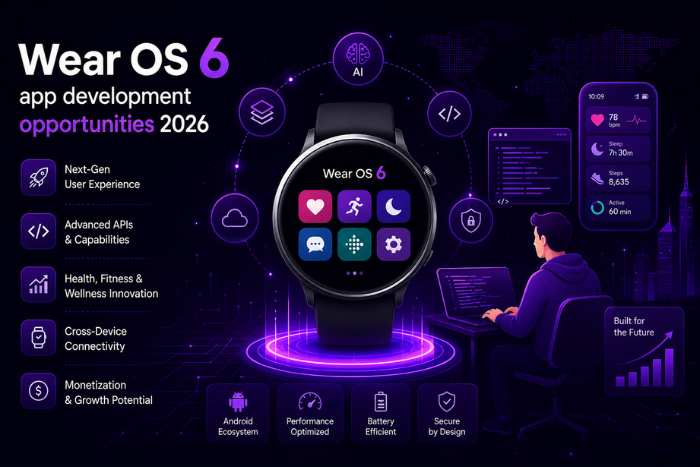
Wear OS 6 App Development Opportunities 2026
Wear OS 6 App Development Opportunities 2026 Explore Wear OS 6 app development opportunities 2026 to build smart, scalable wearable apps with advanced features and performance. Introduction Wearable technology is rapidly evolving, and Wear OS 6 is set to redefine how users interact with smart devices in 2026. With enhanced performance, deeper health integrations, improved UI capabilities, and better connectivity, Wear OS 6 presents exciting opportunities for businesses and developers to create innovative wearable applications. Wear OS 6 app development opportunities 2026 are centered around building intelligent, responsive, and user-friendly applications that seamlessly integrate with smartphones, IoT devices, and cloud ecosystems. From fitness tracking and healthcare monitoring to enterprise productivity and smart notifications, wearable apps are becoming an essential part of the digital experience. As consumer demand for smartwatches and wearable devices continues to grow, businesses must leverage Wear OS 6 to stay competitive. Developing apps for this platform allows organizations to deliver real-time insights, personalized experiences, and on-the-go convenience. Whether you’re a startup or an enterprise, investing in wearable app development can unlock new revenue streams, enhance customer engagement, and position your brand at the forefront of innovation in 2026. Why Wear OS 6 App Development Opportunities 2026 is Important Wear OS 6 introduces advanced capabilities that make wearable apps more powerful and valuable than ever before. Growing Wearable MarketIncreasing adoption of smartwatches and wearable devices. Real-Time User EngagementInstant notifications and interactions improve user experience. Health & Fitness IntegrationAdvanced sensors enable personalized health tracking. Improved PerformanceFaster processing and smoother UI in Wear OS 6. Seamless Device ConnectivityIntegration with smartphones, IoT, and cloud platforms. New Revenue StreamsOpportunities for subscription-based and service-driven apps. Enhanced User ConvenienceApps designed for quick access and minimal interaction. Competitive AdvantageEarly adoption helps businesses stand out in the wearable market. Types of Solutions for Wear OS 6 App Development Opportunities 2026 Wear OS 6 supports a wide range of innovative wearable solutions: Fitness & Health Tracking AppsActivity monitoring, heart rate tracking, and wellness insights. Healthcare Monitoring ApplicationsRemote patient monitoring and medical alerts. Productivity & Task Management AppsReminders, scheduling, and quick task execution. Smart Notification AppsReal-time alerts, messaging, and updates. Navigation & Travel AppsDirections, location tracking, and travel assistance. Payment & Fintech AppsContactless payments and transaction tracking. IoT Control AppsSmart home and connected device management. Lifestyle & Entertainment AppsMusic control, media streaming, and interactive features. Get Free Quotation Now..!! Key Features of Wear OS 6 App Development Opportunities 2026 Wear OS 6 introduces powerful features that enhance wearable app capabilities: Optimized UI for Small ScreensIntuitive interfaces designed for wearable devices. Advanced Sensor IntegrationSupport for health, motion, and environmental sensors. Improved Battery EfficiencyEnergy-optimized apps for longer device usage. Offline FunctionalityApps can operate without constant connectivity. Voice & Gesture ControlsHands-free interaction for better usability. Seamless Sync with Mobile AppsReal-time data synchronization across devices. Enhanced Security FeaturesSecure data handling and authentication. Custom Watch Face IntegrationPersonalized user experiences. Development Process A structured development approach ensures high-quality wearable applications: Requirement AnalysisIdentify target audience, use cases, and business goals. Platform StrategyDecide between standalone, companion, or hybrid apps. UI/UX DesignCreate wearable-friendly interfaces and interactions. Architecture PlanningDesign efficient app structure and data flow. Wear OS DevelopmentBuild core functionalities using modern frameworks. Sensor & API IntegrationIntegrate device sensors and external APIs. Testing & OptimizationEnsure performance, usability, and battery efficiency. Deployment & MaintenanceLaunch and continuously improve the app. Technology Stack for Wear OS 6 App Development Opportunities 2026 Modern wearable app development uses advanced technologies: Programming Languages: Kotlin, JavaFrameworks: Wear OS SDK, Jetpack Compose for Wear OSDevelopment Tools: Android Studio, Wear OS EmulatorAPIs & Integration: Google Fit APIs, Health Services APIConnectivity: Bluetooth, Wi-Fi, NFCCloud Platforms: Firebase, Google CloudDatabase: Room, SQLiteSecurity Tools: Encryption APIs, secure authentication Cost Factors for Wear OS 6 App Development Opportunities 2026 Several factors affect the cost of wearable app development: App ComplexityMore features increase development time and cost. Integration RequirementsSensor, API, and device integrations add complexity. UI/UX DesignWearable-specific design requires expertise. Platform ApproachStandalone vs companion app impacts development effort. Testing RequirementsMulti-device testing increases cost. Security & ComplianceEspecially important for healthcare and fintech apps. Maintenance & UpdatesOngoing improvements and feature additions. Development Team ExpertiseSkilled developers influence overall investment. Latest Trends Key trends shaping Wear OS 6 app development in 2026: AI-Powered WearablesSmart insights and predictive analytics. Health Tech ExpansionAdvanced medical-grade wearable applications. Standalone Wearable AppsReduced dependency on smartphones. Edge Computing IntegrationFaster processing on-device. Personalized User ExperiencesContext-aware and adaptive apps. Voice-First InterfacesIncreased use of voice commands. Cross-Platform WearablesIntegration with multiple ecosystems. Why Choose Us for Wear OS 6 App Development Opportunities 2026 Building high-performance wearable apps requires specialized expertise in UI design, sensor integration, and mobile architecture. Wearable Development Expertise Strong experience in building Wear OS applications. User-Centric Design Focus on intuitive and efficient wearable interfaces. Scalable Architecture Apps designed for growth and future updates. Advanced Integration Capabilities Seamless integration with APIs, sensors, and cloud services. Performance Optimization Efficient apps with low battery consumption. Industry-Specific Solutions Customized wearable apps for healthcare, fitness, and enterprise use. Transparent Process Clear communication and project visibility. End-to-End Support From concept to deployment and maintenance. We help businesses leverage Wear OS 6 to build innovative, high-performance wearable applications that drive engagement and growth. Ready to explore Wear OS 6 app development opportunities for your business?Let’s build smart, scalable wearable applications tailored to your needs.Contact us today to get started with expert wearable app development. Get Free Quotation Now..!! Key Points : Growing smartwatch adoption creates strong demand for wearable applications. Supports health, fitness, productivity, and IoT-based app development. Advanced sensors and AI enhance personalized user experiences. Standalone and companion app models offer flexible development options. Optimized UI and battery efficiency improve overall performance. Integration with mobile, cloud, and IoT expands app capabilities. FAQ’s What is Wear OS 6? Wear OS 6 is the latest version of Google’s wearable operating system designed for smartwatches and wearable devices. What types of apps can be built for Wear OS 6? Fitness, healthcare, productivity, fintech, navigation, and entertainment apps. Should I build a standalone or companion wearable app? It depends on your use case;

Android App Size Optimization: New Play Store Rules
Android App Size Optimization: New Play Store Rules Learn Android app size optimization for new Play Store rules to improve performance, reduce size, and ensure compliance. Introduction As Android applications grow more feature-rich, managing app size has become a critical factor for success on the Google Play Store. With the introduction of new Play Store rules—including stricter size limits, improved performance standards, and compatibility requirements like 16 KB page size support—developers must rethink how they build and optimize their apps. Android app size optimization: new Play Store rules is no longer just about reducing megabytes—it’s about ensuring faster downloads, better device compatibility, improved user retention, and compliance with evolving platform guidelines. Large apps can lead to higher uninstall rates, slower performance, and even rejection during Play Store submission. Businesses and developers must adopt modern optimization techniques such as app bundling, code shrinking, resource compression, and native library alignment. These practices not only help meet Play Store requirements but also enhance user experience and operational efficiency. In 2026, app size optimization is a competitive advantage. Apps that are lightweight, fast, and compliant stand out in crowded marketplaces and deliver superior performance across a wide range of Android devices. Why Android App Size Optimization: New Play Store Rules is Important Adhering to Play Store size and performance guidelines is essential for both compliance and user satisfaction. Faster App DownloadsSmaller apps install quickly, improving user acquisition. Better User RetentionLightweight apps reduce drop-offs and uninstall rates. Play Store ComplianceMeets new requirements like app bundle standards and 16 KB page size compatibility. Improved PerformanceOptimized apps run smoother across devices. Reduced Storage UsageCritical for users with limited device space. Enhanced Device CompatibilitySupports a wider range of Android devices. Lower Data ConsumptionImportant for users in low-bandwidth regions. Higher App RankingsPerformance and size influence Play Store visibility. Types of Solutions for Android App Size Optimization: New Play Store Rules Different optimization strategies are used depending on app architecture and requirements: APK & App Bundle OptimizationReducing package size using Android App Bundles (AAB). Code Shrinking & MinificationRemoving unused code using tools like R8 and ProGuard. Resource OptimizationCompressing images, removing unused assets, and optimizing layouts. Native Library OptimizationAligning ELF segments and reducing binary sizes. Dynamic Feature ModulesDelivering features on demand instead of bundling everything upfront. Asset Delivery OptimizationUsing Play Asset Delivery for large media files. Dependency ManagementEliminating unnecessary libraries and reducing bloat. UI/UX SimplificationDesigning lightweight interfaces for efficiency. Get Free Quotation Now..!! Key Features of Android App Size Optimization: New Play Store Rules Modern optimization solutions offer advanced capabilities: App Bundle ImplementationEfficient delivery tailored to user devices. 16 KB Page Size CompatibilityEnsures compliance with new Play Store requirements. Advanced Code OptimizationRemoves redundant code and improves performance. Resource CompressionReduces image and media sizes without quality loss. Dynamic Delivery SystemsLoads features only when needed. Performance MonitoringTracks app size impact on user experience. Cross-Device OptimizationEnsures compatibility across different Android versions. Security PreservationMaintains app integrity while optimizing size. Development Process A structured approach ensures effective optimization and compliance: App Size AuditAnalyze current app size and identify bottlenecks. Requirement AnalysisUnderstand Play Store rules and target device requirements. Code RefactoringRemove unused code and optimize architecture. Resource OptimizationCompress assets and eliminate redundancies. Native Library AlignmentEnsure compatibility with 16 KB page size standards. App Bundle ImplementationConvert APK to optimized Android App Bundle. Testing & ValidationVerify performance, compatibility, and compliance. Deployment & MonitoringRelease optimized app and track performance metrics. Technology Stack for Android App Size Optimization: New Play Store Rules Efficient optimization relies on modern tools and technologies: Programming Languages: Kotlin, Java, C++Build Tools: Android Gradle Plugin, GradleOptimization Tools: R8, ProGuard, APK AnalyzerPackaging Tools: Bundletool, Android App Bundle (AAB)Native Tools: Android NDK, ELF alignment toolsTesting Tools: Android Emulator, Firebase Test LabCI/CD Tools: Jenkins, GitHub ActionsMonitoring Tools: Firebase Analytics, Crashlytics Cost Factors for Android App Size Optimization: New Play Store Rules Several factors influence optimization costs: App ComplexityLarger apps require more optimization effort. Codebase StructurePoor architecture increases refactoring time. Native Code UsageAdditional work needed for library alignment. Third-Party DependenciesRemoving or replacing libraries may add cost. Testing RequirementsMulti-device testing increases effort. Compliance RequirementsMeeting Play Store rules adds development overhead. Development Team ExpertiseSkilled engineers impact project cost. Maintenance NeedsContinuous optimization for future updates. Latest Trends Key trends shaping Android app size optimization include: Mandatory App BundlesAAB replacing APK as the standard format. Dynamic Feature DeliveryModular apps for better performance. 16 KB Page Size AdoptionNew requirement for modern Android devices. AI-Based Optimization ToolsAutomated size reduction and performance tuning. Edge Device OptimizationSupporting low-end and mid-range devices. Cloud-Assisted OptimizationOffloading heavy features to cloud services. Minimalist App DesignLightweight UI/UX strategies gaining popularity. Why Choose Us for Android App Size Optimization: New Play Store Rules Optimizing Android apps requires deep technical expertise and a strategic approach. We help businesses ensure compliance while improving performance and user experience. Proven Optimization Expertise Extensive experience in reducing app size without compromising functionality. Play Store Compliance Focus We ensure your app meets all latest Google Play requirements. Performance-Driven Approach Optimization strategies focused on speed and efficiency. Advanced Tool Integration Use of cutting-edge tools for precise optimization. Scalable Solutions Apps designed for long-term growth and updates. Cost-Efficient Methods Maximize performance while minimizing development costs. Transparent Workflow Clear communication and measurable results. End-to-End Support From audit to deployment and ongoing optimization. We help you build lightweight, high-performance Android apps that meet Play Store standards and deliver exceptional user experiences. Ready to optimize your Android app for the latest Play Store rules?Let’s reduce app size and boost performance for better rankings.Contact us today for expert Android app optimization services. Get Free Quotation Now..!! Key Points : Smaller apps improve download speed, user retention, and overall performance. Techniques like code shrinking, resource compression, and dynamic delivery reduce app size. Native library optimization is crucial for modern Android compatibility. Regular optimization helps maintain performance after updates and new features. Play Store ranking and visibility improve with better app efficiency. Lightweight apps perform better across low-end and high-end Android devices. FAQ’s What are the new Play Store rules for app size? Google Play now emphasizes app